The Logout preset
The Logout preset is as simple as a preset gets: it wipes the cookie session and sends the visitor back to the home page. We show the options window, the diagram, and how to attach a “Log out” button to your site.
Ending a session is a short flow, and that is for the best: there is nothing in it to break. The “Log out” button in the site header is an ordinary link to this flow’s route.
Where to find the preset
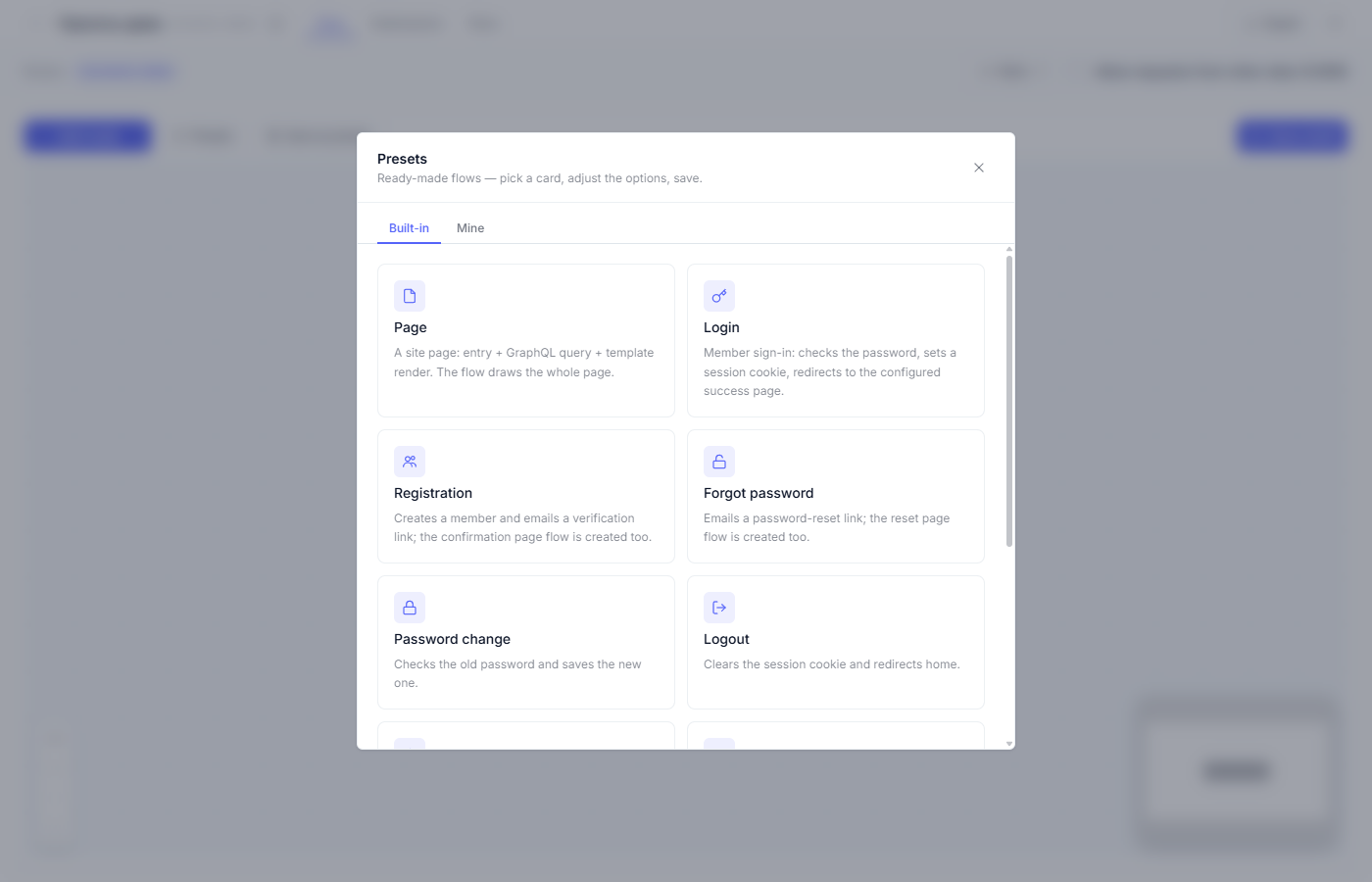
Open the “Site” section in the admin → an empty flow → the toolbar → “Presets”. The “Logout” card closes the sign-in block of the gallery.
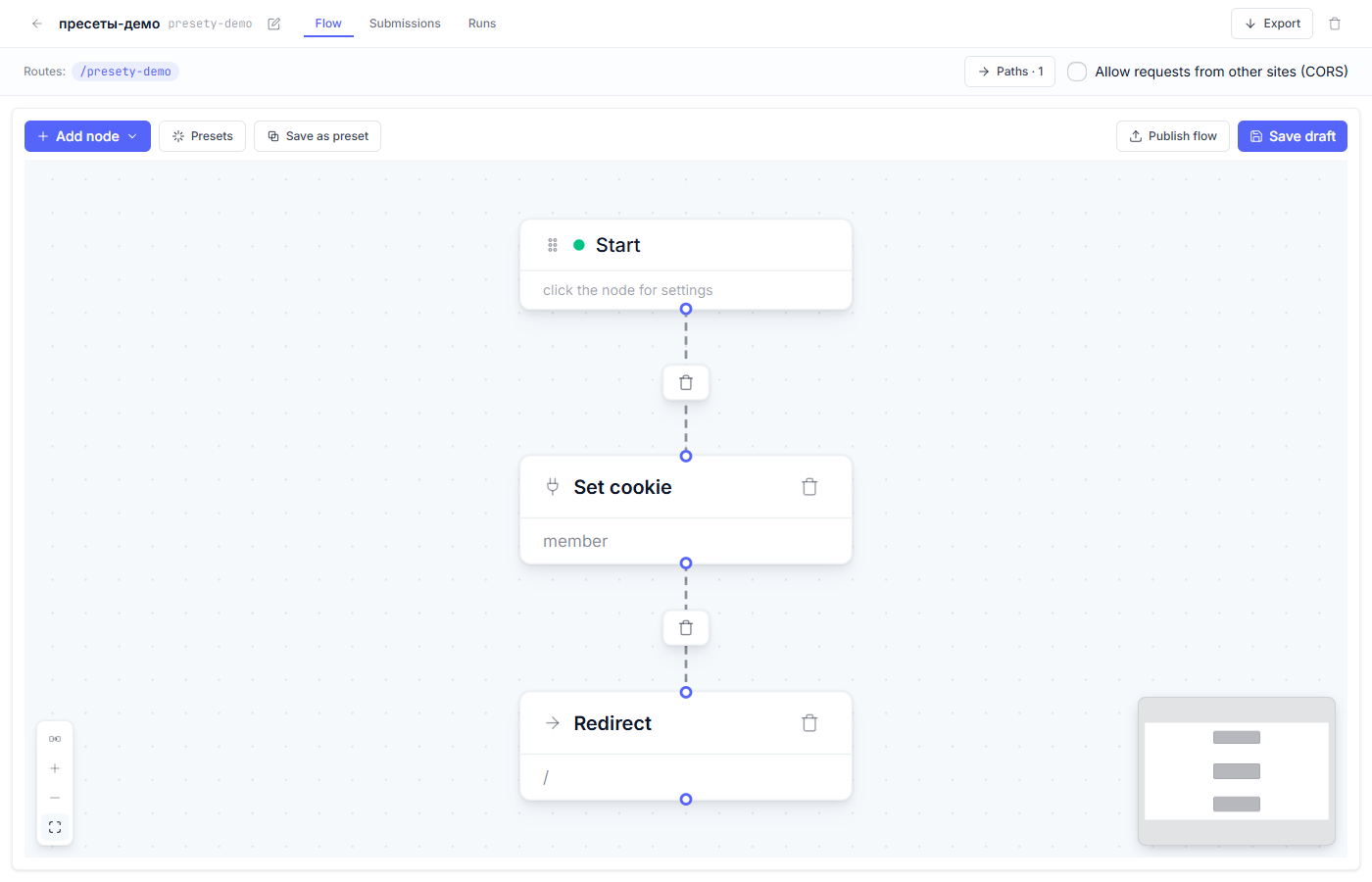
What the preset builds
| Node | Role in the flow |
|---|---|
| Start | A click on “Log out” arrives at the flow’s route |
| Set cookie | The same node as at sign-in, but with a lifetime of 0 — the cookie gets erased |
| Redirect | To the home page |
Step by step
1. Open the options window (the “Logout” card). It has a single field —
“Cookie name”: it has to match the name from the Login preset (member
by default). Otherwise the flow erases the wrong cookie, and no logout
happens.
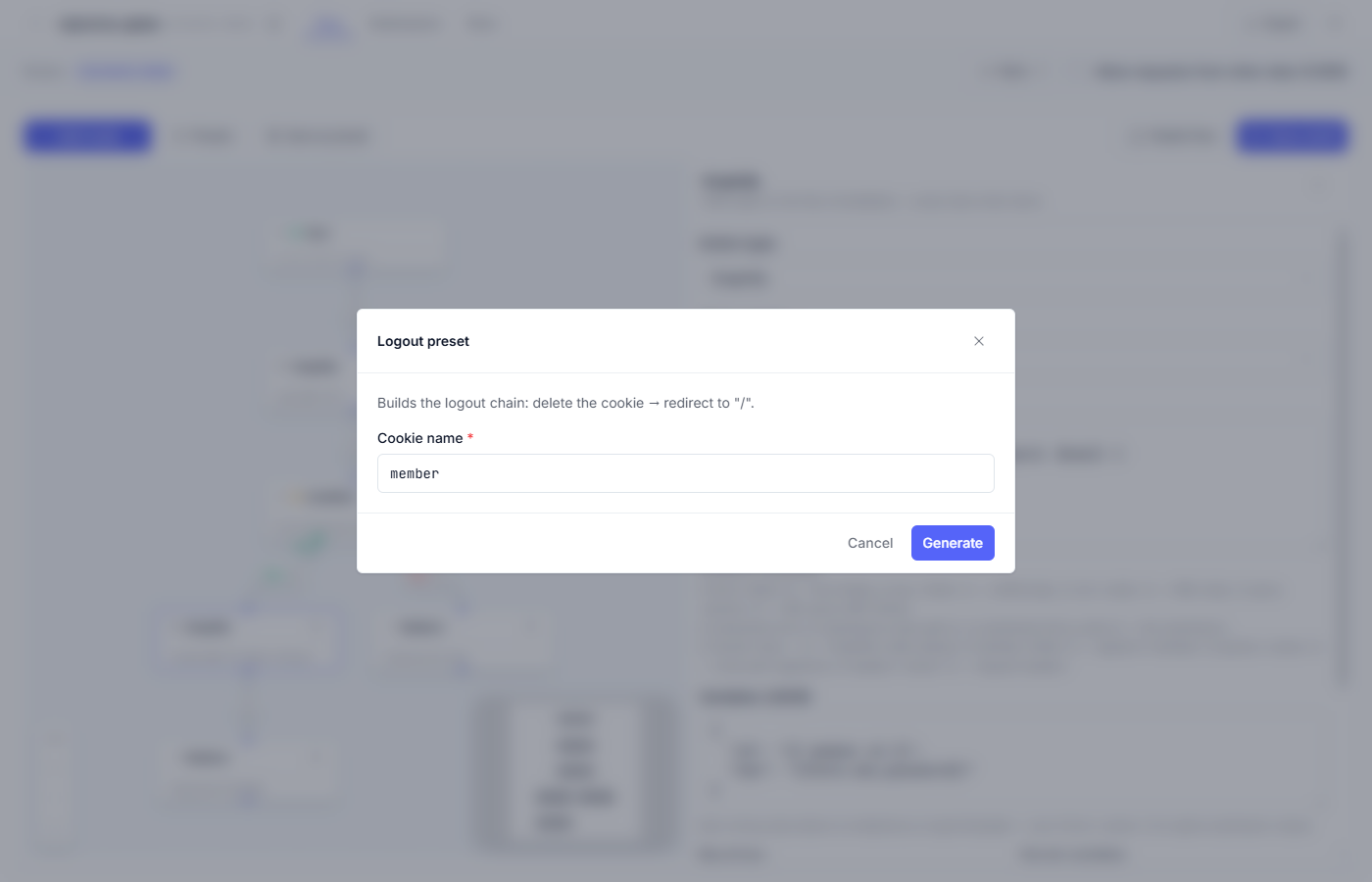
2. Press “Generate”. If the canvas already had a diagram, the platform asks “Replace flow?”.
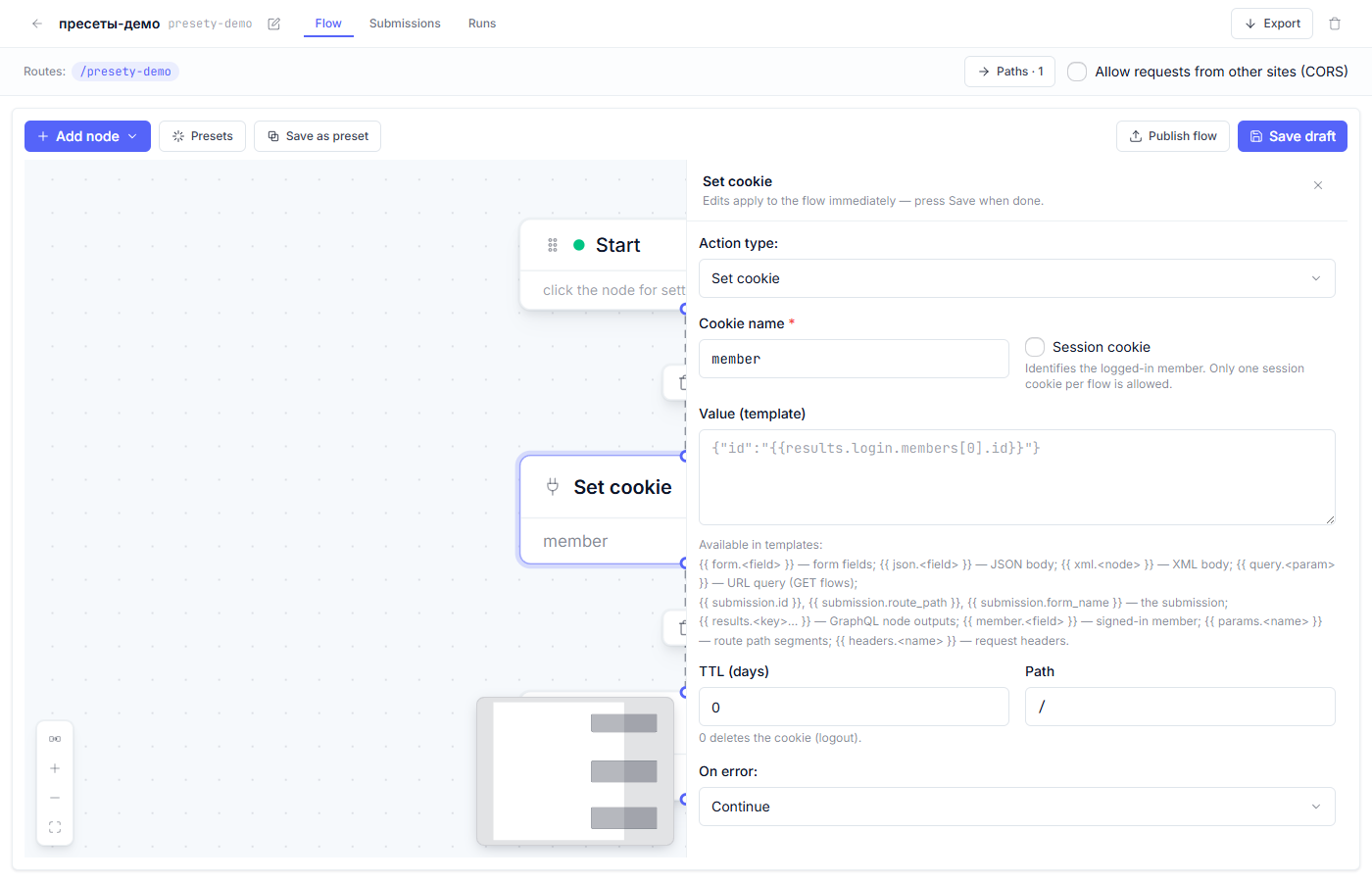
3. Inside the node, “Set cookie” shows the same fields as at sign-in, but the lifetime is 0 days: the platform sends the browser a command to delete the cookie.
4. “Save draft” → “Publish flow” (“Draft, preview, and publish”).
The Log out button on the site
In the site header, place an ordinary link to the flow’s route, for example:
<a href="/logout">Log out</a>
The flow runs when the link is followed: the cookie is erased, and the person is sent to the home page. No hidden fields or tokens are needed.
What to check after generating
- The cookie name in the node matches the Login preset’s — letter for letter.
- After a “Log out” click, private pages stop opening until the next sign-in.
- The redirect leads where you want it (
/by default) — change it in the Redirect node.
Fine points
- Logout by following a link (a GET transition) is the standard for cookie sessions: the flow changes no data — it only erases the cookie.
- If you run several sessions (two member types with different cookies), each type gets its own logout flow.
- The page “after the logout” can say “you have signed out” — point the Redirect node at such a page if you have one.
Frequent questions
| Question | Answer |
|---|---|
| A private page still opens after “Log out” | The cookie name in the logout flow doesn’t match the name from Login. Compare them letter for letter. |
| Can logout be just a button, with no separate page? | The button is the link to the route — no separate page is needed; the flow answers with a redirect right away. |
| How is this different from clearing site data in the browser? | Nothing important: the same cookie gets erased. The flow simply does it for the visitor. |
| Where does the visitor land after logging out? | On the address set in the Redirect node (/ by default) — you can point it at a separate “you have signed out” page. |
Next article: The Telegram notification preset →
See also: The Login preset · The Password change preset