The Captcha form preset
The “Captcha form” preset adds bot protection to a site form: the flow verifies the captcha token before accepting the data. It covers choosing the provider, the chain of nodes, where the keys live, and what a rejection looks like in the journal.
Captcha is the case where dropping the widget onto the page is only half the job: the token the widget sends has to be verified on the service side. The preset assembles the whole check: a missing token or a failed check — the submission is not stored.
Where to find the preset
The admin → “Site” → the flow that handles your form → the toolbar → “Presets” → the “Captcha form” card. The preset is also available at flow creation — the creation dialog has a “Start from a preset” field.
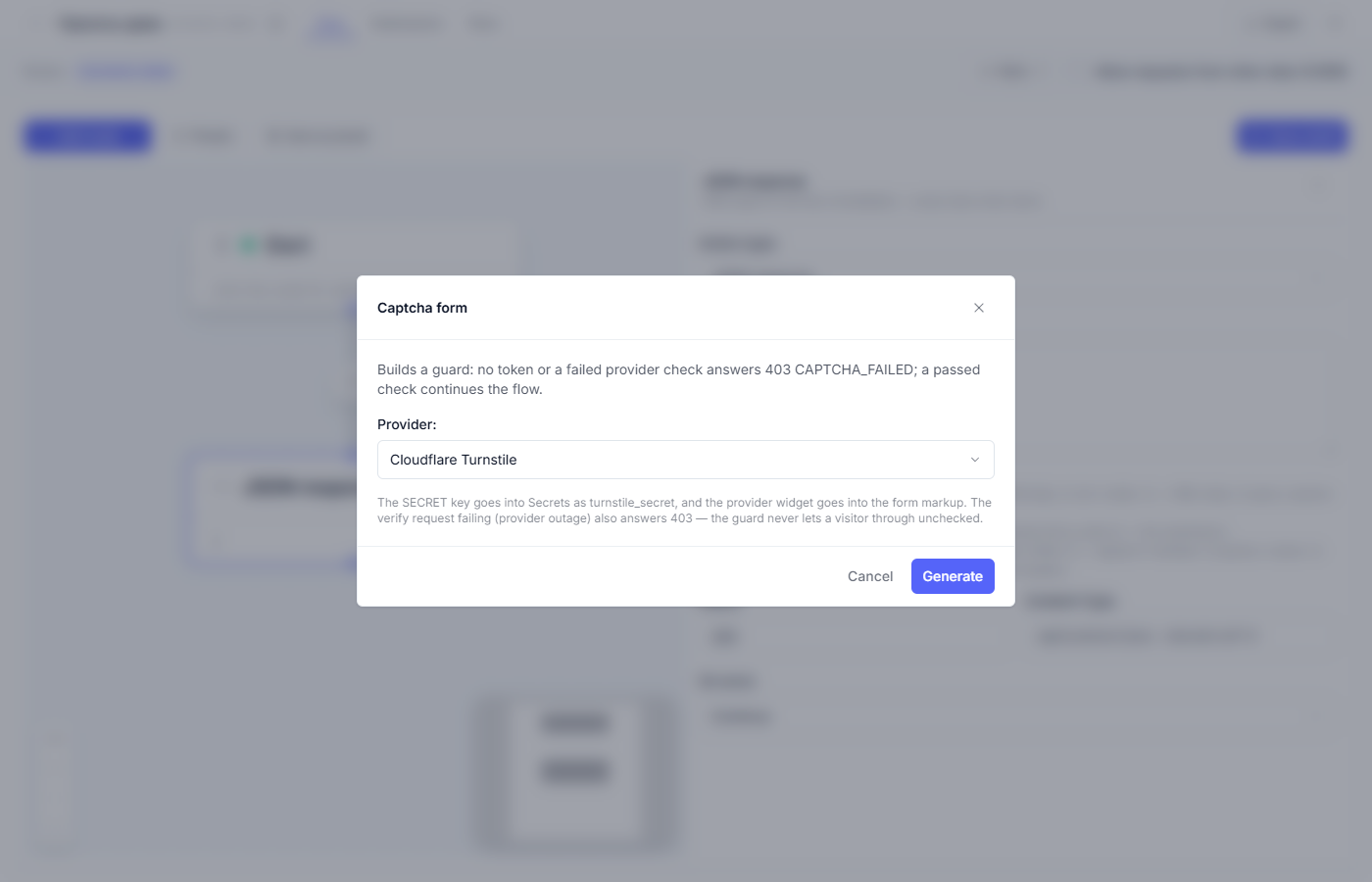
Choosing the provider
The wizard asks a single question: the captcha provider.
- Cloudflare Turnstile — often invisible to the visitor, the gentlest option.
- Yandex SmartCaptcha — the familiar choice for Russian-speaking audiences.
- reCAPTCHA — Google’s service.
Changing the provider later means regenerating the preset: the conditions and the check addresses differ from service to service.
What the preset builds
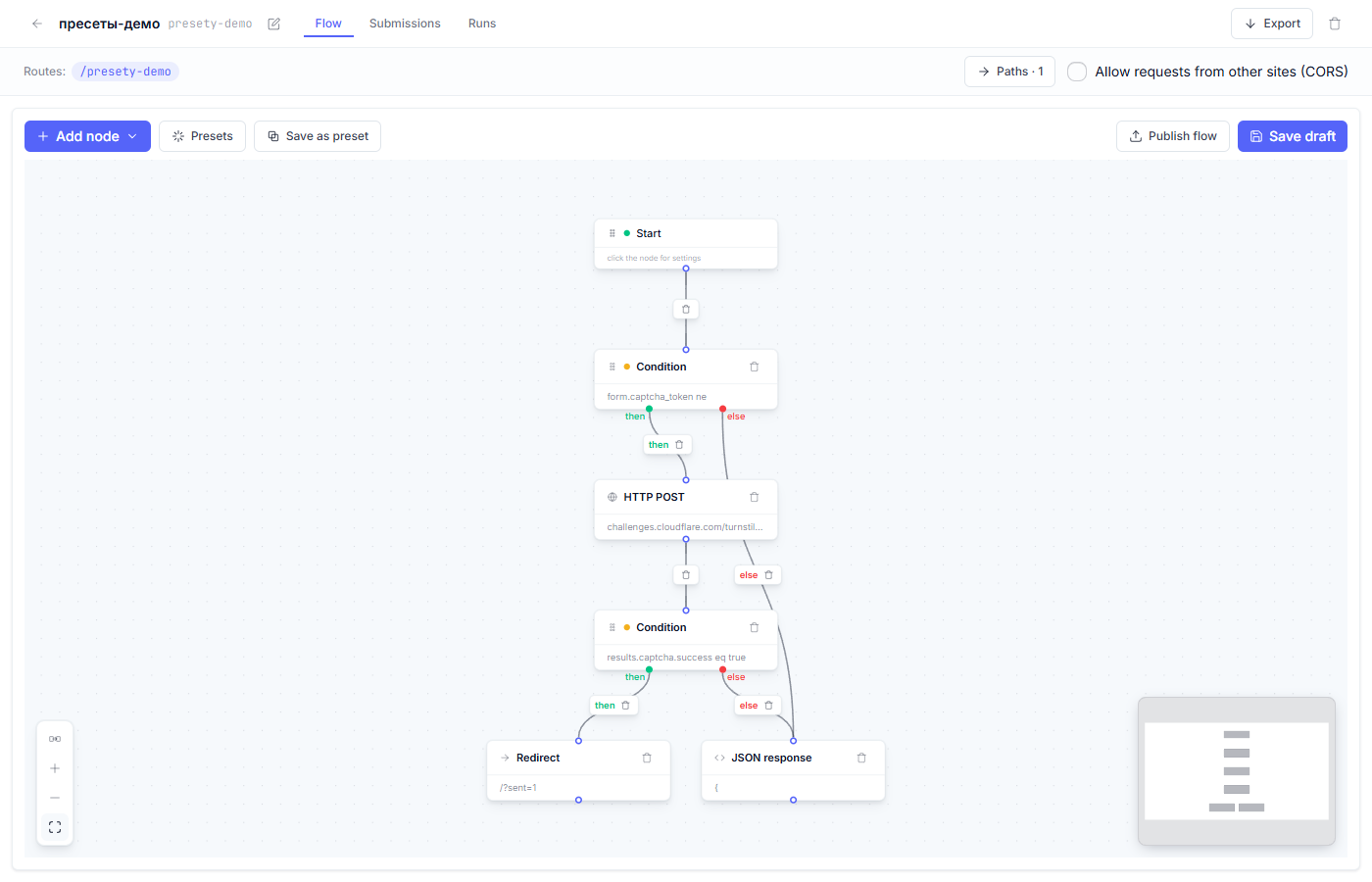
| Node | Role in the flow |
|---|---|
| Start | The form data arrives at the flow’s route together with the captcha token |
| Condition | Was a token submitted at all? |
| HTTP POST | Send the token to the captcha service for verification (siteverify) |
| Condition | Did the service confirm the token? |
| JSON response | The rejection: 403 CAPTCHA_FAILED |
| (your nodes follow) | The check passed — the flow continues: the email, storing the submission… |
| Redirect | The success branch closes with a return to /?sent=1 |
Both rejection branches lead to a 403 CAPTCHA_FAILED answer — the site form shows the visitor a submission error message.
Step by step
1. Choose the provider in the wizard and press “Generate”. The preset asks for no keys — those are entered on your side (see below).
2. Embed the provider’s widget into the form. Every service ships an HTML snippet for the form (for Turnstile — the widget tag with the sitekey). Without the widget no token ever appears, and the flow will answer 403 to every single submission.
3. Put the SECRET key into “Secrets”. The “Secrets” tab lives in the
“Site” section. A key named like turnstile_secret (the wizard suggests the
name) is entered there once, and the verification node substitutes it by name
— secret values never reach the runs journal or the flow export.
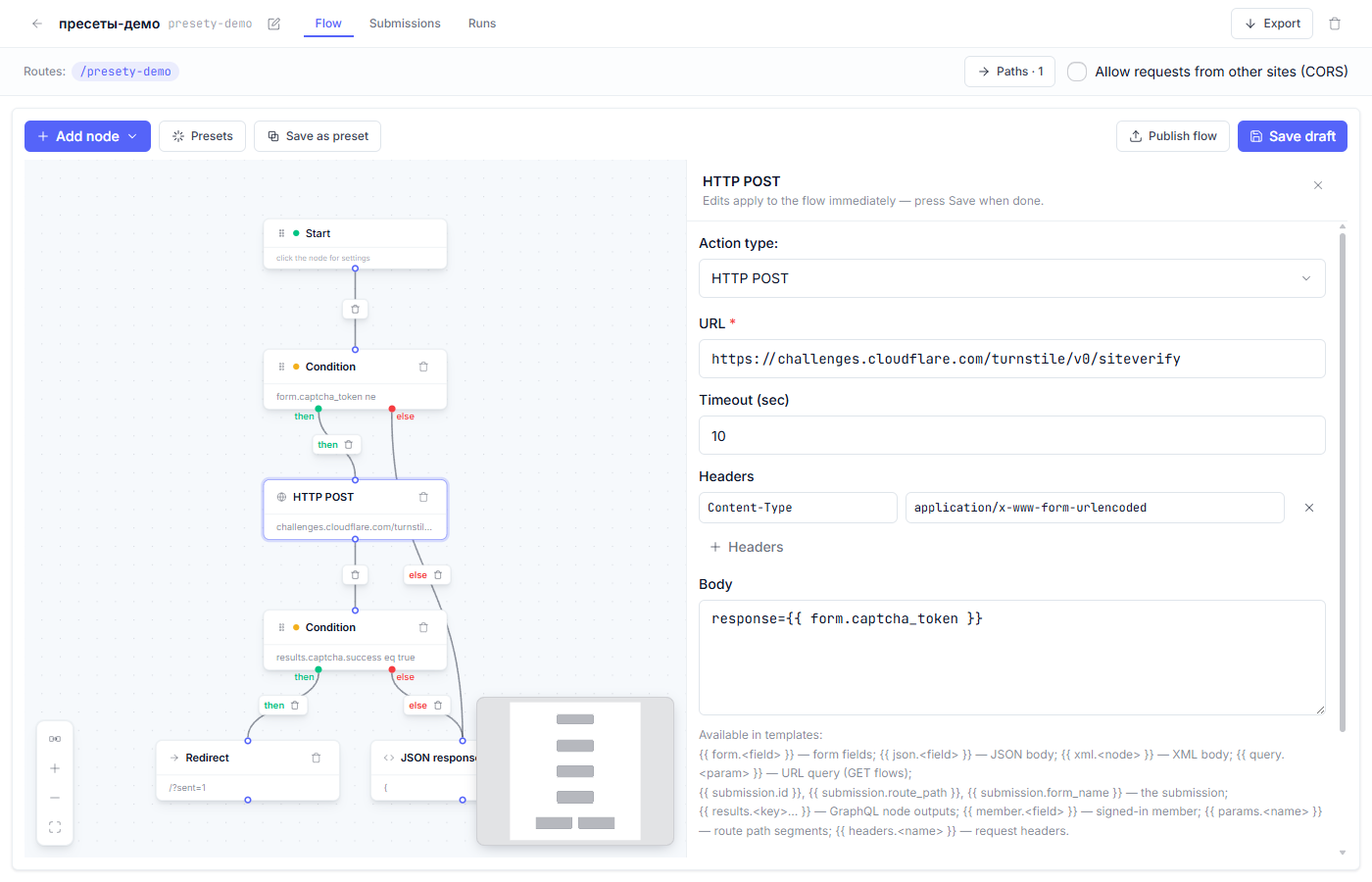
4. Check the verification nodes. The HTTP POST node calls your provider’s siteverify and passes the token from the form.
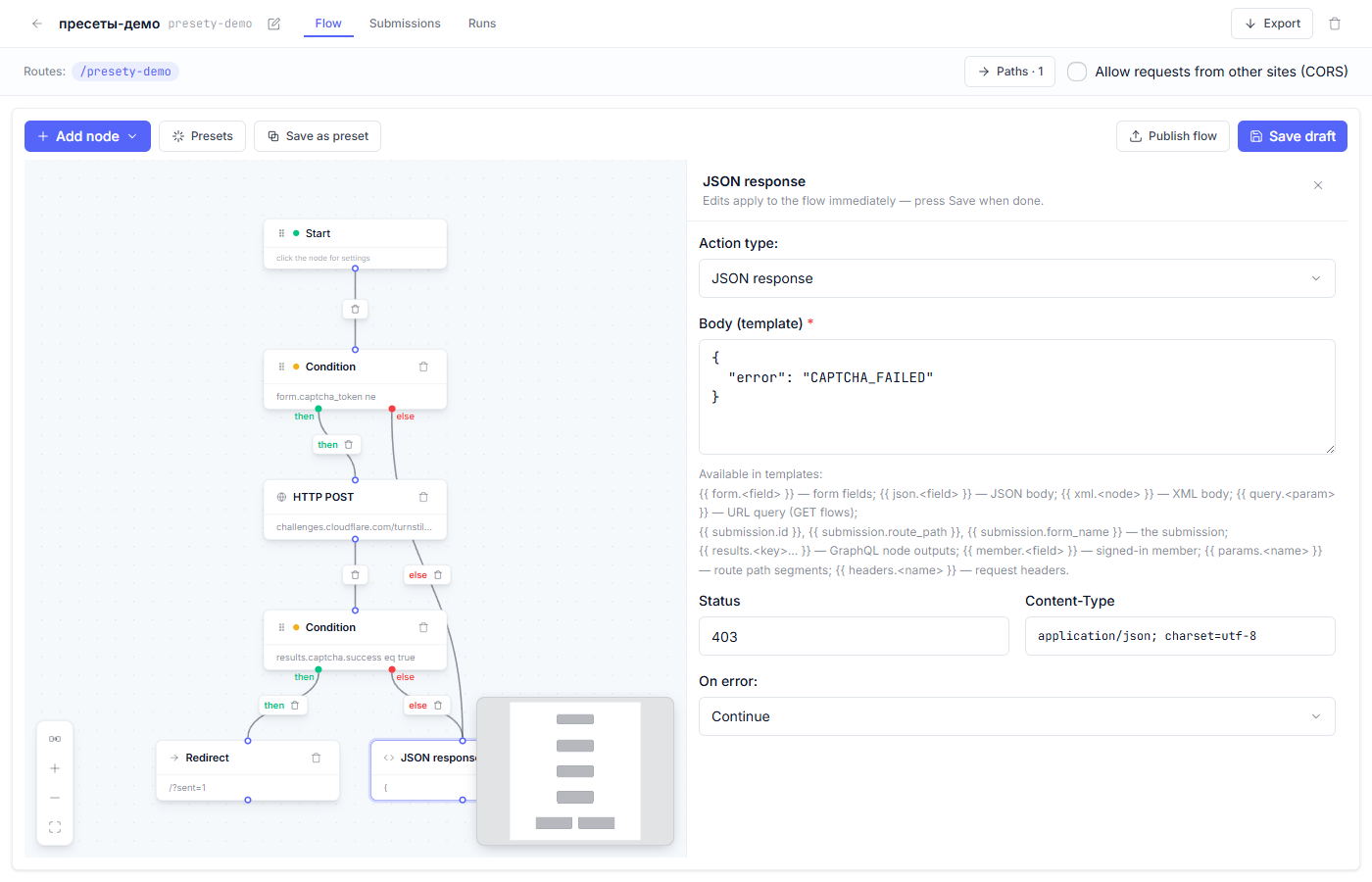
The JSON response node on the rejection branch answers with status 403 — a polite refusal that gives prying eyes no details.
5. Save and publish the flow (“Draft, preview, and publish”).
What to check after generating
- Submit the form without passing the captcha (or with a spoiled token) — the answer is 403, and the submission never appeared in “Submissions”.
- Pass the captcha honestly — the submission is stored and the flow continues.
- In the runs journal a captcha rejection looks like an ordinary run with a 403 response — the protection doing its job.
Fine points
- If the captcha service is unreachable, the check counts as failed: the answer is 403 again. Doubtful submissions are never waved through silently — by choosing a provider you also choose its availability.
- Captcha protects one specific flow. With several forms on the site, the preset goes into the flow of each form (or a single shared check is moved to the head of the chain — that works when the providers are identical).
- A captcha token is one-time: resubmitting the same token will not pass.
Frequent questions
| Question | Answer |
|---|---|
| Every submission gets 403, even with the captcha passed | Most often the sitekey/secret pair doesn’t match, or the secret never made it into “Secrets”. Compare the names — the wizard’s hint spells out what it expects. |
| Where do I tick “invisible captcha”? | That is a widget setting in the form markup, at the provider; the flow stays the same. |
| The robots keep hammering the form | Then 403 is exactly what they get. For persistent bots, look into the journal — you will see the rejection working. |
| Can captcha go on the sign-in form? | Technically yes, but the authentication presets already carry their own checks; captcha usually goes on public request and registration forms. |
See also: Action nodes: what each one does · Draft, preview, and publish