Routes: how a visitor reaches a flow
Every flow has an address on the site — a route. This article covers: where it lives, what methods (GET/POST) are, how a page and a form can share one address, and what TTL is.
Where to see the route
Open a flow — in the header above the canvas there is a “Routes:” line with the addresses, and next to it the “Paths · 1” button. That is the bindings window.
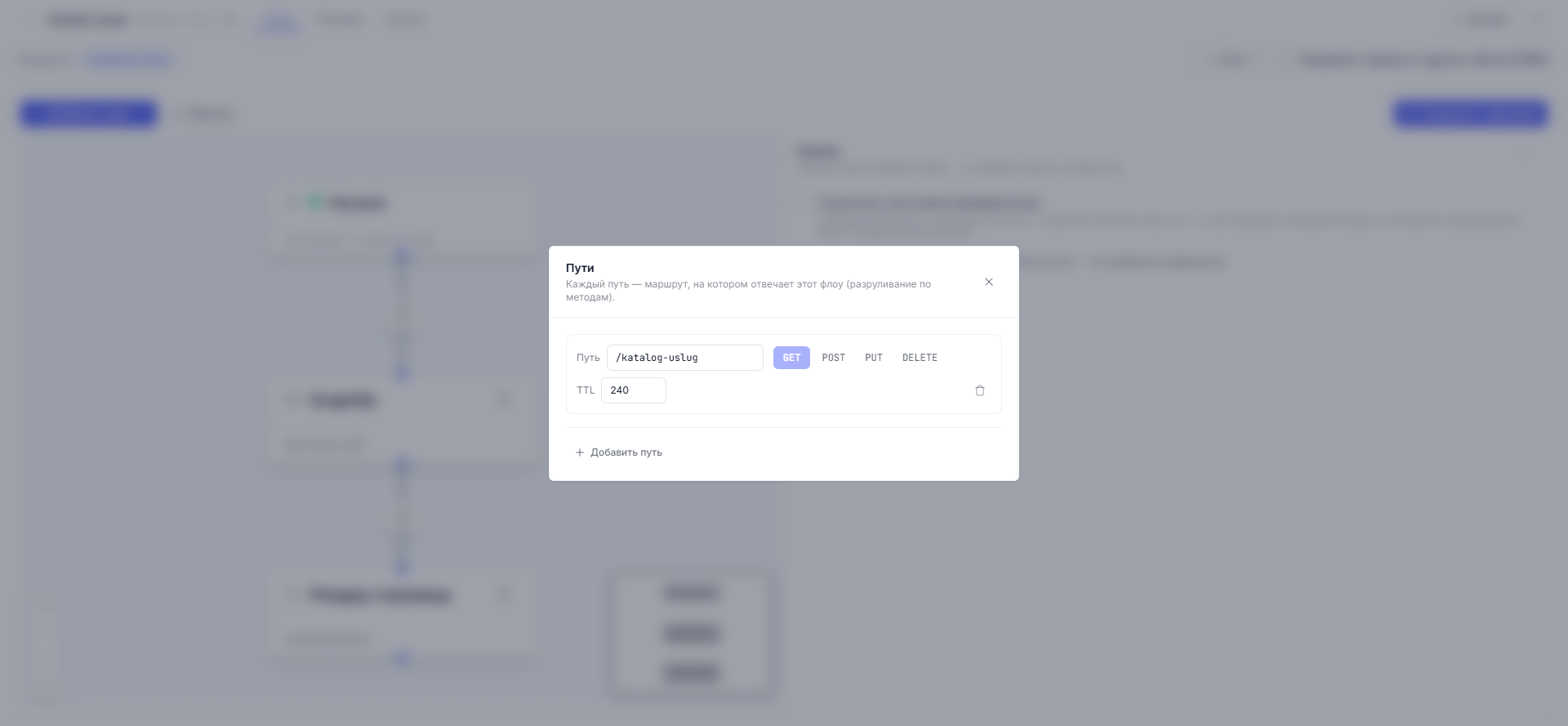
You specified the path when creating the flow — it became the route. But in the “Paths” window you can change it at any moment, and also give the flow extra paths (the same flow can answer on several addresses).
Methods: GET, POST, PUT, DELETE
A method is how the visitor (or a program) addressed the URL:
| Method | When it fires |
|---|---|
| GET | The page was simply opened in a browser |
| POST | A form was submitted — or a program passed data (JSON, for example); inside the flow the body is available as form.* or json.* |
| PUT / DELETE | Program requests (APIs) |
| HEAD, OPTIONS | Not assigned: the first is a technical double of GET, the second is a service browser request |
Methods are toggled in the “Paths” window. This is how the pair from the demo
project works: at the address /contacts hang two flows — the “Contacts”
page on GET and “Request” on POST. A person opens the page (GET) — sees the
form; submits it (POST) — the request goes into the “Request” flow. One
address, different behavior.
A nuance: a POST flow (a regular form submission) has no access to the query
parameters of the address — {{ query.… }} is filled only for GET. Need a
value from the address? Pass it through a hidden form field or hang the flow
on GET.
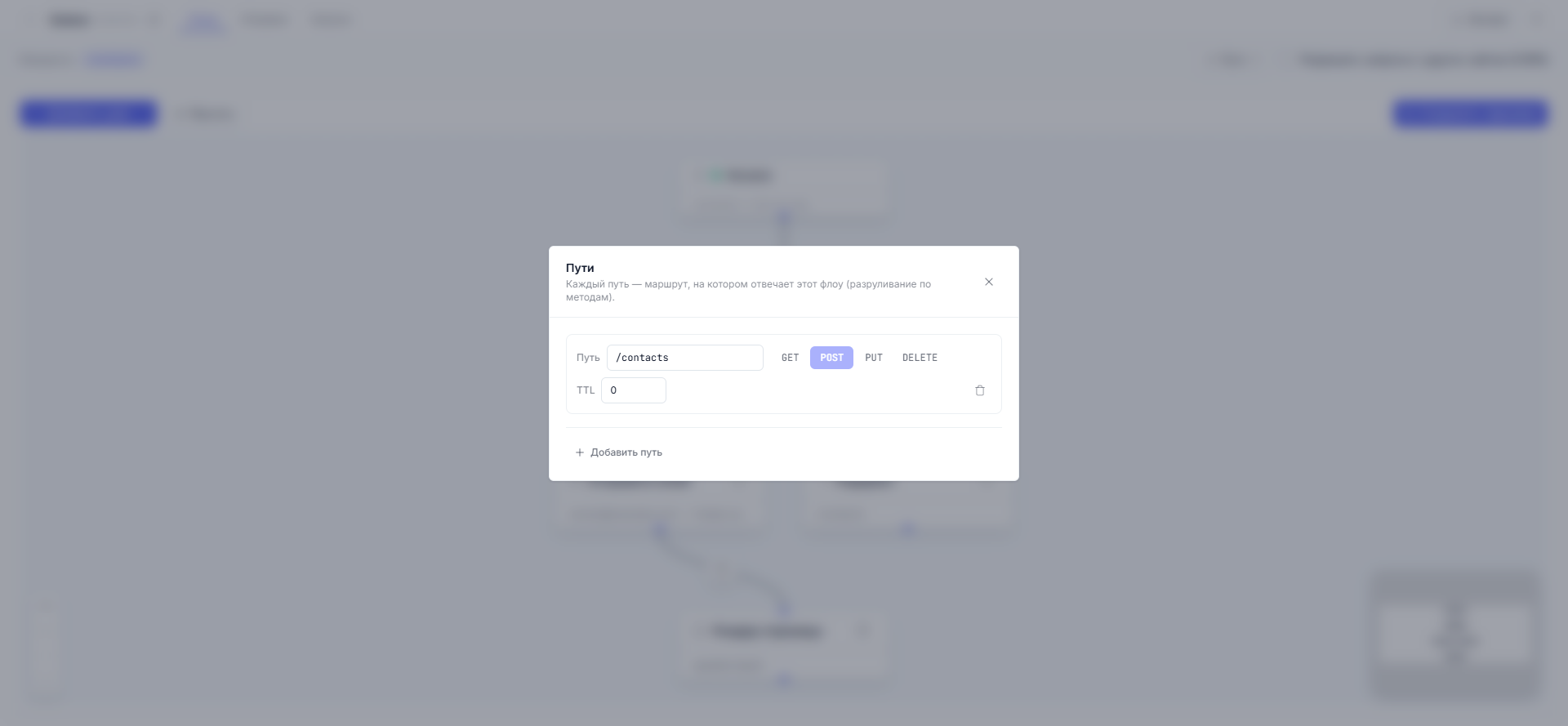
Note the TTL on “Request” — zero. More on that below.
Variables in the path: /blog/:slug
A piece of the path starting with a colon is a variable. The route
/blog/:slug answers any address of two pieces: both
/blog/pervaya-zametka and /blog/vino-geograf (the number of path pieces
must match), and inside the flow and the template the value is available as
{{ params.slug }}. A plain text piece of the path always beats a variable:
/blog/about wins over /blog/:slug.
TTL: how long an answer lives
TTL (time to live, seconds) — the cache setting on a route:
- TTL above zero — ready page answers are remembered and served to following visitors without rebuilding. Fast and cheap. Set 300 (five minutes) for showcases, catalogs, blogs.
- TTL 0 — every request executes the flow anew. Set 0 for anything that depends on the visitor: personal pages, forms, search.
The cache rules are simple: only answers for anonymous visitors are remembered; signed-in members always get live data; any publish on the site resets the cache. If a page “flickers” between states — check whether your flow sets a cookie (such answers are not cached).
If the method isn’t assigned
A request with an unconnected method gets a “method not allowed” answer (405). For a GET page where a form POSTs to the same address, it is a signal: you forgot to enable POST on the handling flow.
Members only
The closed part of a site (a member area, paid materials) is made by the “Start” node: click it on the canvas and enable “Members only”. The flow then starts with a check: has the visitor signed in. Those who haven’t, the platform takes to the sign-in page, and requests without sign-in (POST, previews) are rejected. The setting syncs to the route automatically — nothing extra needs enabling in “Paths”.
A hidden launch by header (for your own integrations)
The same address can serve people and programs: a binding can be given a condition on a request header — a request with that header then executes the “program” flow (a JSON response, for example), while everyone else gets the regular page. Configured in the route bindings; an advanced trick for API integrations.
Next article: Draft, preview, and publish →