The query library
The query library is named GraphQL queries kept in one place and reused anywhere. Describe “the list of services” once — and take it by name, on one page or ten.
Why a library
A GraphQL node in a flow can write the query right inside itself (“Manual”), but such a query has two downsides: it is hidden inside the diagram, and if the same data list is needed on a second page you have to copy it. The library solves both: the query lies in one place under a name, and flows reference it.
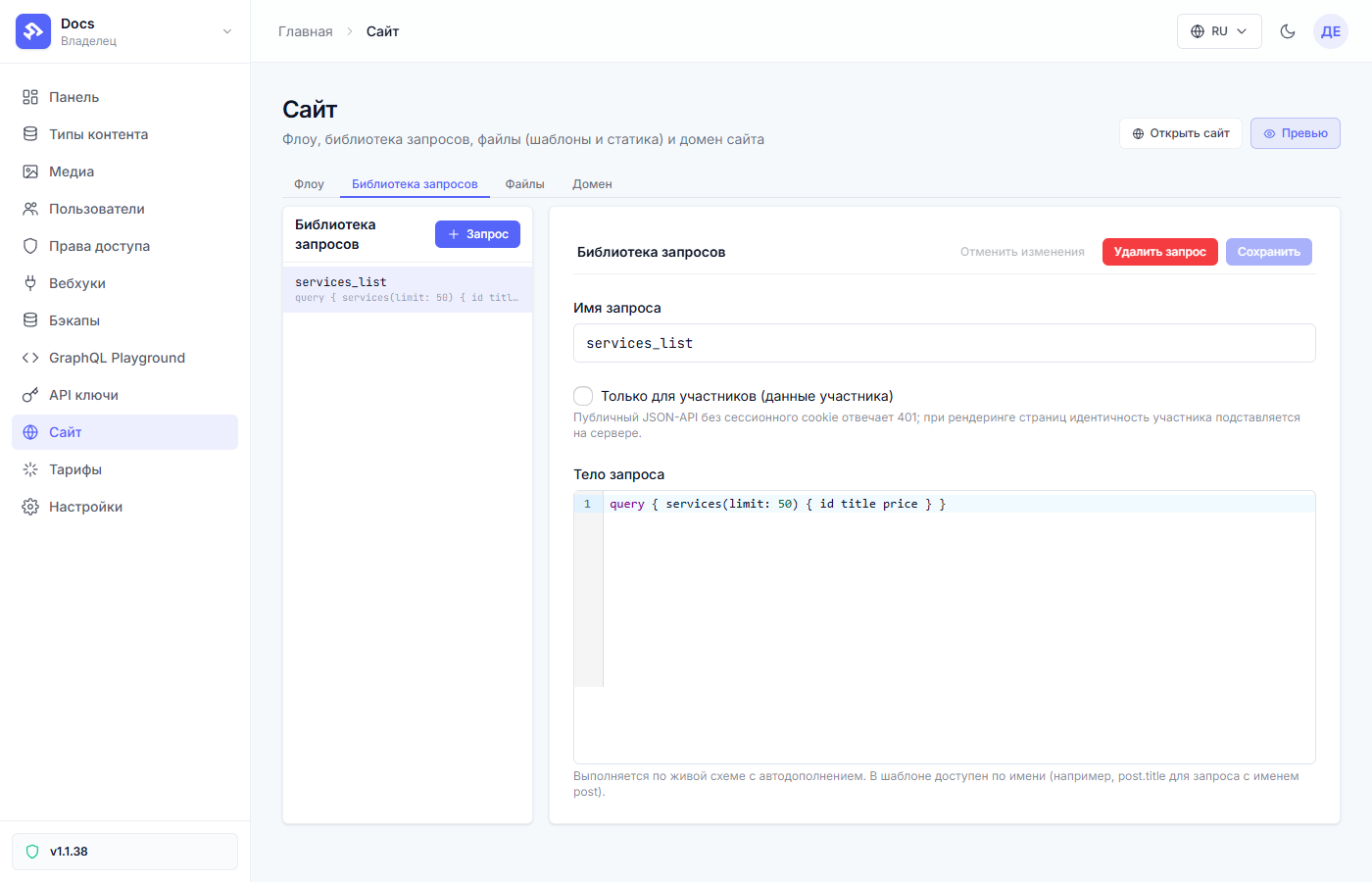
How the tab is arranged
On the left — the list of queries (name + first line of the body), on the right — the editor of the selected query:
- Query name — in Latin letters, you will be referenced by it (in our
demo —
services_list); - Query body — the GraphQL itself; the editor hints fields from the live schema of your project, so mistyping a type name is hard;
- “Members only” — the query returns member data (personal pages); an anonymous JSON API gets a refusal on such a query;
- “Save” — the edit lands in a draft and reaches the site after publishing (like flows and templates).
How to use a query
Two paths:
- In a flow — in a GraphQL node switch “Query source” to “From the
library” and pick the name. The result key is still yours
(
results.key/ in the templatekey.data.…). - On a route — a site address can receive a query directly, without a separate flow: the data arrives in the template. How that works — in the “Routes” article.
Changing a query in the library updates every place it is used — that is its power and its responsibility: an edit ships to all pages at once. That is why edits live in a draft: look at the preview, make sure nothing broke — then publish.
Common questions
| Question | Answer |
|---|---|
| Deleted a query — what about the pages | The flow referencing it starts answering with an error. The name is free — it can be created anew. |
| The query in a node “broke” after a library edit | Compare the query body: the node references by name, it doesn’t keep a copy. |
| Need a slightly different list on another page | Make a separate query in the library (services_by_city) instead of editing the shared one. |
Next article: Your first flow in 10 minutes →