YooKassa payments wizard
The «YooKassa payments» wizard assembles a complete payment flow: order → payment → status page → notification receiver. This walkthrough covers every wizard field, the three scenarios it builds, wiring the YooKassa dashboard, and verifying the chain on a test shop.
YooKassa processes the payment and tells your site about the result. For that to work a site needs four things: an «Order» content type, a checkout scenario, a status page, and a notification receiver. The wizard builds all of them at once — you only supply the shop credentials and two clicks in the YooKassa dashboard.
What you need
- Shop ID — YooKassa dashboard → Settings → Shop.
- Secret key — Settings → API keys. The key of a test shop works for a trial run.
- A scenario whose canvas hosts the checkout (an empty new one is fine).
Where to find the wizard
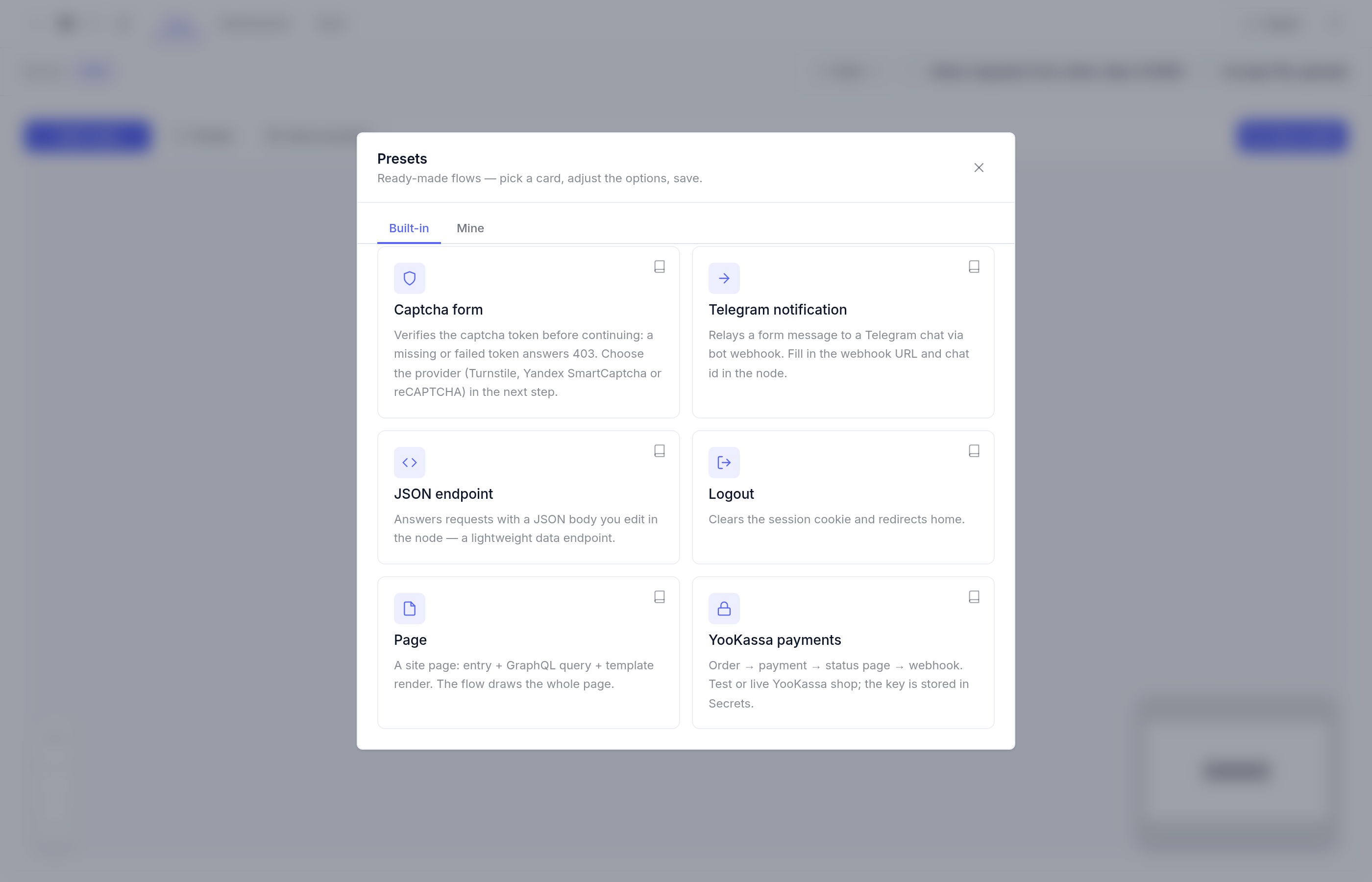
Admin → «Сайт» (Site) → a scenario → toolbar → «Пресеты» (Presets) → the «YooKassa payments» card. The wizard is also offered when creating a scenario — the creation dialog has a «Start from a preset» field.
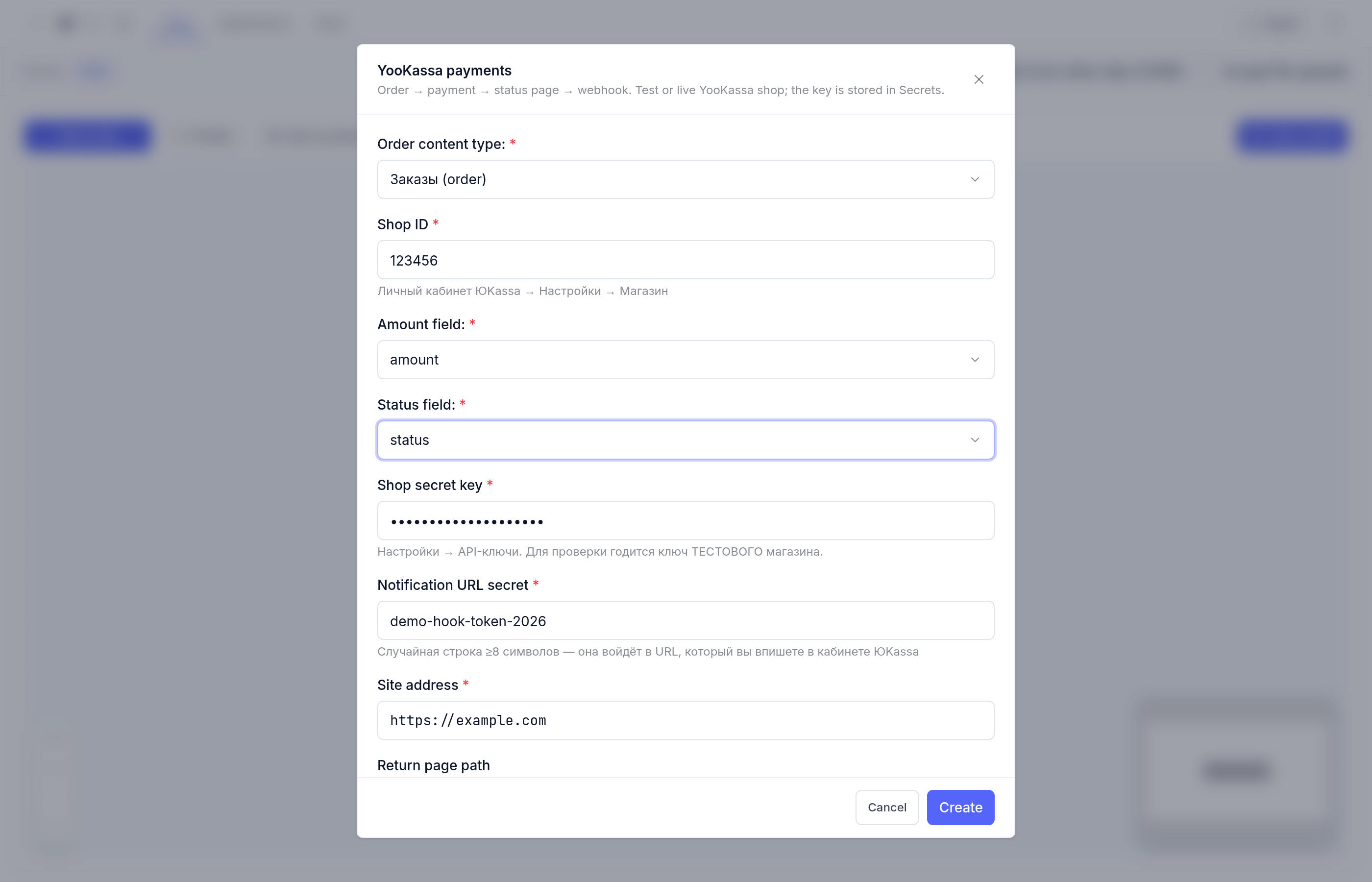
Wizard fields
| Field | What to enter |
|---|---|
| Order content type | An existing orders type, or let the wizard create «Orders» (order) with title, amount, status, payment_id |
| Shop ID | From the YooKassa dashboard; digits only |
| Amount field | The type property that stores the amount (amount); 990, 990.5 or 990.00 all work — YooKassa receives "990.00" |
| Status field | The order status property (status) |
| Shop secret key | The shop’s API key; it lands in Secrets as yookassa_basic and never appears in the scenario as plain text |
| Notification URL secret | A random string ≥8 chars — it becomes part of the receiver URL you paste into the dashboard |
| Site address | https://your-site — buyers return there and notifications arrive there |
| Return page path | Where buyers land after paying, default /payment/return |
What the wizard builds
One click of «Create» adds three scenarios, two routes and a template to the project:
| Artifact | Role |
|---|---|
| Main scenario (onto your canvas) | Order → payment → redirect to YooKassa |
payment_return scenario |
Status page: shows «paid / processing» |
yookassa-hook scenario |
Notification receiver: flips the order to «paid» |
Route <return path> (GET) |
Hosts the status page; cache disabled (TTL 0) |
Route /yookassa-hook/<secret> (POST) |
Receives notifications; cache disabled (TTL 0) |
payment_return.liquid template |
Status page markup — editable under Files |
The main chain reads top to bottom: Start → GraphQL (create an order with status pending) → HTTP POST to api.yookassa.ru/v3/payments — Basic auth from Secrets, a fresh uuid as the idempotence key — → GraphQL (attach payment_id to the order) → Redirect 303 to the confirmation_url from the YooKassa response.
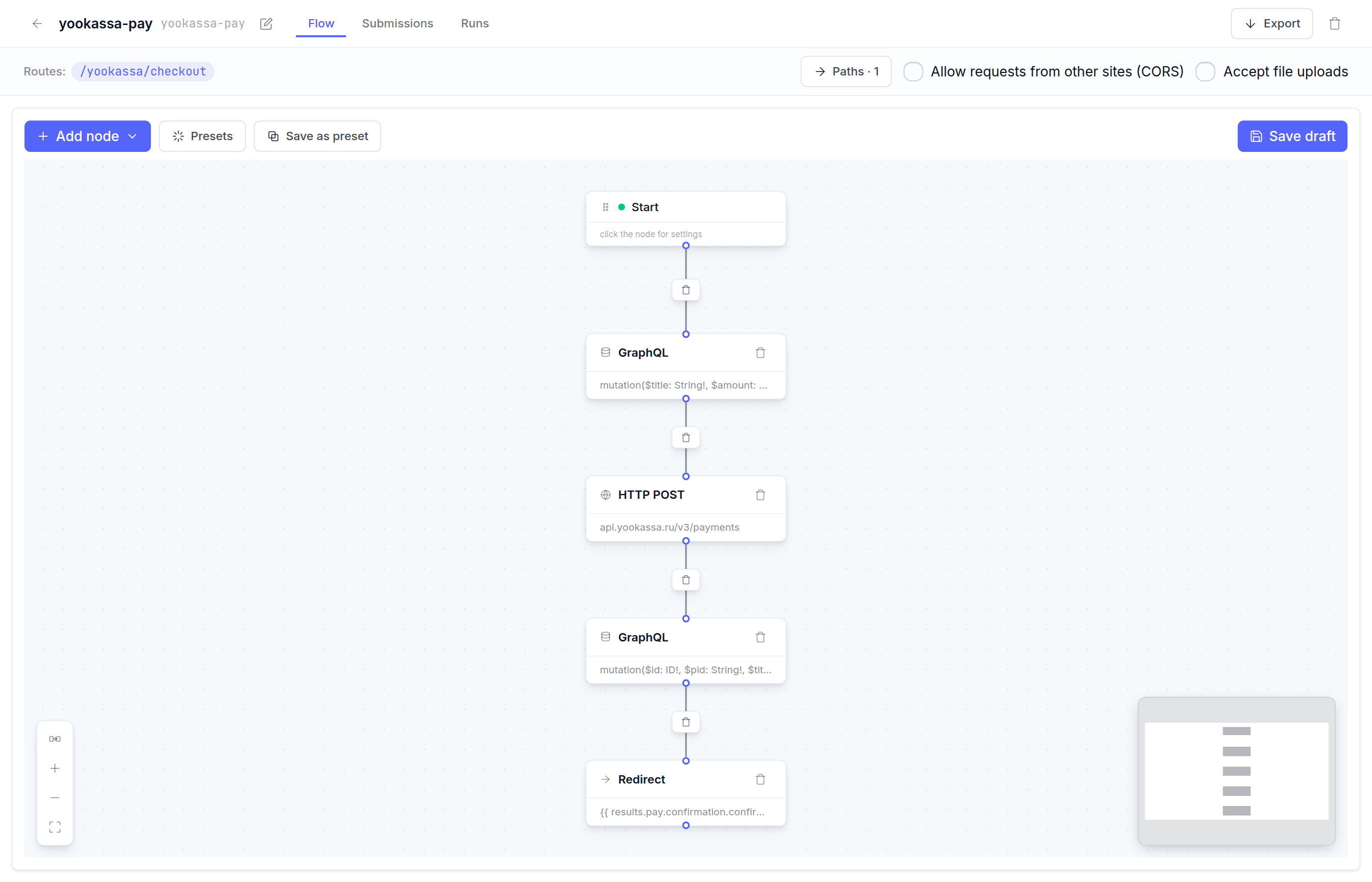
The notification receiver works like this: the order is looked up by payment_id and amount from the notification; on a match the status flips to paid and YooKassa gets 200 {"ok":true}, otherwise 400 {"error":"mismatch"} and the order is left untouched.
Wire up the YooKassa dashboard
- Copy the receiver URL from the wizard’s hint:
https://<site address>/yookassa-hook/<secret>. - YooKassa dashboard → Settings → HTTP notifications → paste that URL.
- Subscribe the
payment.succeededevent — it is all you need to mark orders as paid.
Verify on a test shop
The chain is verified end-to-end against a YooKassa test shop:
- placing an order redirects to the yoomoney checkout (303) and returns the buyer to the status page after payment;
- the notification gets
200, the order flips to «Paid», the return page shows the paid state; - a notification with a foreign amount gets
400, the order stays untouched; - a request with a wrong URL secret gets
404.
Fine print
- The amount is normalized by the
moneyfilter — enter990,990.5or990.00; YooKassa always receives"990.00": Liquid prints numbers in minimal form («990»), so the format is pinned by the filter, not the field type. - YooKassa does not sign its notifications — instead of a signature check the wizard relies on an unguessable URL secret plus an amount cross-check against the order. Subscribe only to
payment.succeeded. - 54-FZ receipts are out of scope — wire them separately if you need fiscalization.
payment_iddoes not exist yet at checkout — the scenario attaches it in a second request after the payment is created.- Both pages are never cached (TTL 0): status and webhook always answer with live data.
- The amount is cross-checked against the order: if a visitor opens the status page before paying, the template honestly shows «not paid yet».
FAQ
| Question | Answer |
|---|---|
| Every notification gets 404 | The URL secret does not match or the yookassa-hook scenario is not published. Compare the dashboard URL with the wizard’s hint. |
| The order never turns «Paid» | Check the notification URL is in the dashboard and the order amount equals the payment amount — a mismatch answers 400. |
| Can I charge non-rubles? | The RUB currency is baked into the payment node — change it in the HTTP POST node on the canvas. |
| The return page says «not paid yet» after paying | Refresh in a minute — the notification may still be in flight. If it persists, compare the notification URL and the yookassa-hook runs journal. |
See also: Scenario presets · Action nodes · Draft, preview and publish