Site files: templates and static assets
The “Files” tab (the “Site” section) is the file household of your site: Liquid templates that draw the pages, and statics — favicon, robots.txt, fonts. We cover what lives there and how to edit it.
Dynamic and static
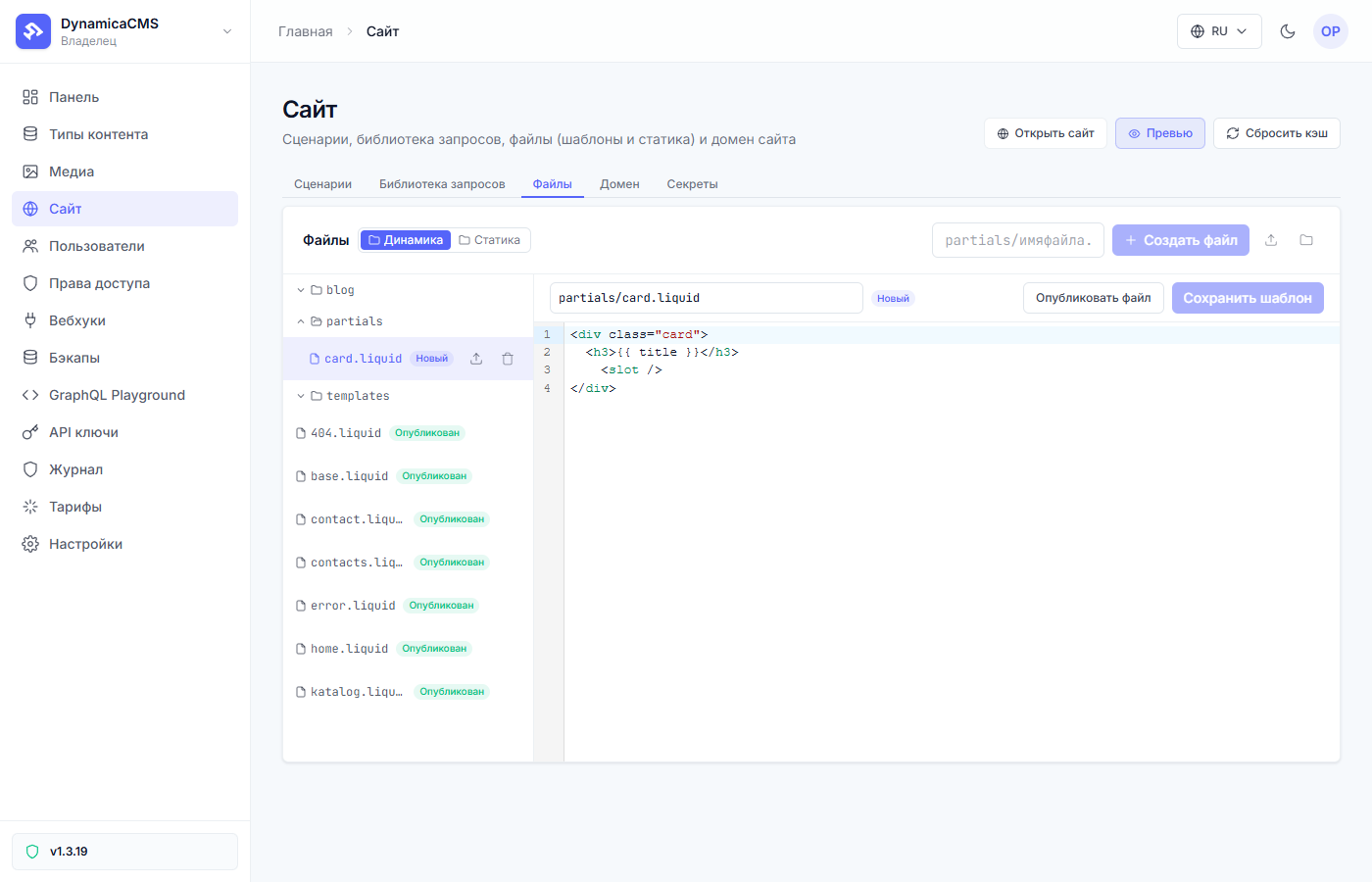
The “Files” tab splits into two folders:
| Folder | What’s there | How it’s served |
|---|---|---|
| Dynamic | Liquid templates (.liquid), plus the site’s .css and .js. The server processes them: substitutes data, executes conditions and loops. |
Drawn on every visit (with the route cache) |
| Static | favicon, robots.txt, fonts, “non-media” images. |
Served as is, byte for byte |
The key difference is drafts: for dynamic files an edit lands in a draft and reaches the site after publishing; statics publish as is.
Who uses templates
Two consumers:
- A flow — the “Page render” node names the template (
katalog.liquid) and hands it the data collected by the GraphQL nodes. - Service pages — the site’s own 404 page and its kin are drawn by templates from “Dynamic” too.
How to edit
Pick a file in the tree on the left — an editor with syntax highlighting opens on the right. Edit the text, hit “Save template” — the edit lands in a draft; publishing ships it to the site (like flows: visitors of the live site see changes only after publishing).
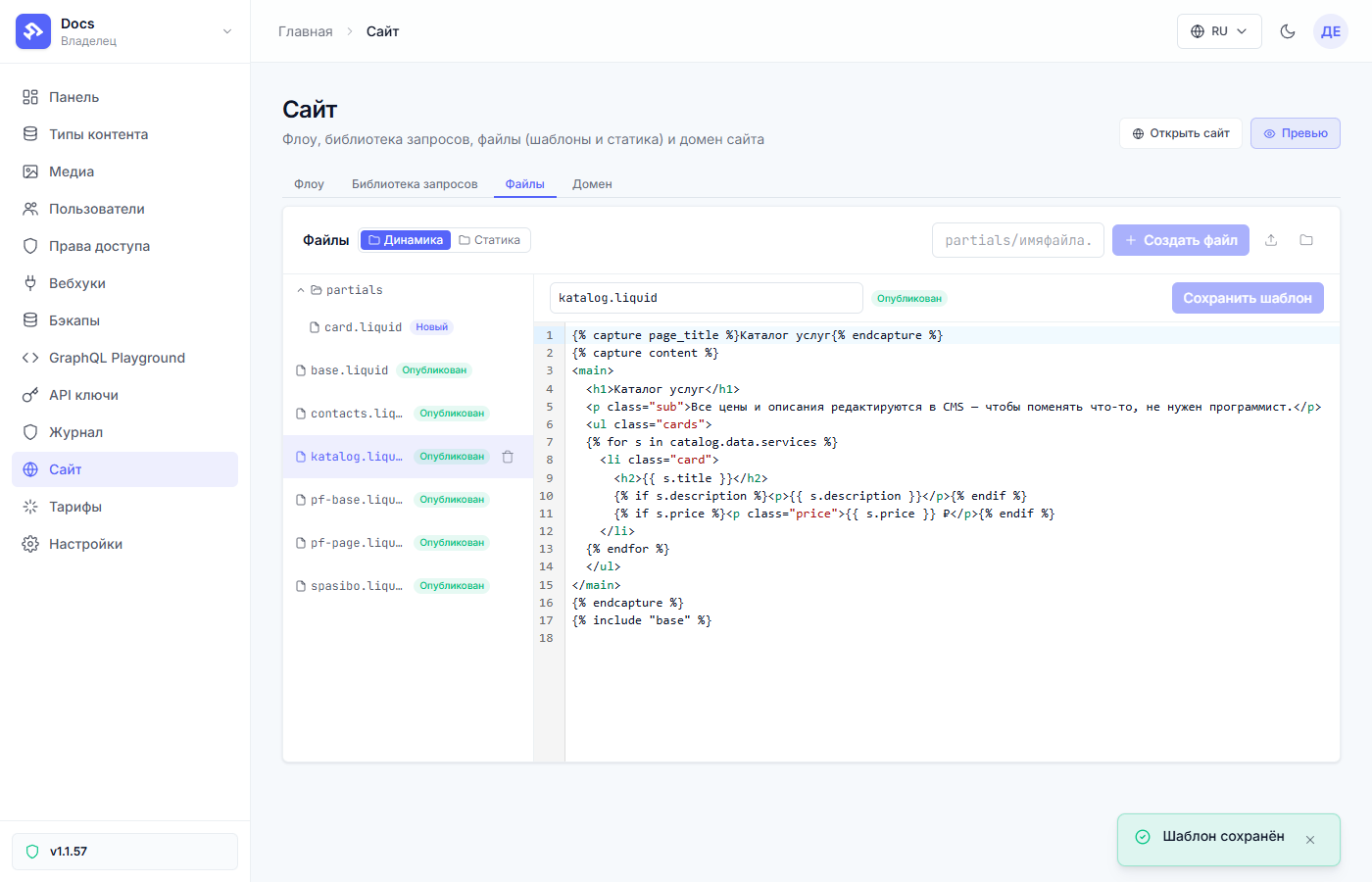
To create a new file — a name field and the “Create file” button; to upload a ready one — the upload button nearby. A file can be renamed later — just remember to change it in the “Page render” nodes that use that template. Deletion — the trash icon by the file in the tree.
Files can be arranged into folders: give the name together with the path
— partials/card.liquid — and the folder appears in the tree by itself (the
folder button next to “Create file” creates an empty one). Nesting is
unlimited; a slash in a name is a folder separator. For partials make a
partials folder — the tree stays tidy, and in {% include "partials/card" %}
the path matches what you see in the tree.
Liquid in one minute
A template is plain HTML with insertions:
<h1>{{ page.title }}</h1>
{% for s in catalog.data.services %}
  <li>{{ s.title }} — {{ s.price }} ₽</li>
{% endfor %}
{{ … }}— output a value (data from the flow, record fields);{% … %}— logic:forloops,ifconditions.
Data comes from the flow: what a GraphQL node put into the “Result key” is
available to the template as key.data.….
The base template: the common shell of pages
The header, the footer, the <head> are the same on all pages — to avoid
copying them into every template, you make a base template. It is a
regular file in “Dynamic”, for example base.liquid, with a spot for the
content — the content variable:
<!doctype html>
<html lang="ru">
<head>
  <meta charset="utf-8">
  <title>{{ page_title }}</title>
  <link rel="stylesheet" href="/static/main.css">
</head>
<body>
  <header>… the site menu …</header>

  {{ content }}

  <footer>… contacts …</footer>
</body>
</html>
A page template captures its content into content and connects the base:
{% capture content %}
  <h1>Service catalog</h1>
  {% for s in catalog.data.services %}
    <li>{{ s.title }} — {{ s.price }} ₽</li>
  {% endfor %}
{% endcapture %}
{% include "base" %}
The platform draws the page template, then substitutes what it captured into
the base at {{ content }}. The “Page render” node only points to the
page template (katalog.liquid) — it connects the base by itself.
Good to know:
{% include %}sees everything defined in the page template: flow data (results.key,form.*,params.*) and assigned variables. So a page’s SEO fields can be computed in the page template and printed in the<head>insidebase.liquid.- Partials assemble the same way — reusable pieces of markup: make
partials/card.liquidand connect{% include "partials/card" %}. Paths are inside the template root, no... - The
{% render %}tag — an inclusion with a clean scope: it doesn’t see the page’s variables, pass it everything it needs explicitly. For shells and partials use{% include %}.
The rule is simple: change the frame in one file, base.liquid — all pages
update; the content of each page lives in its own template.
Statics
Static files (the “Static” folder) are served to the browser without
processing. Typical residents: favicon.ico, robots.txt, fonts. They can
be uploaded and replaced; they have no drafts.
Common questions
| Question | Answer |
|---|---|
| Saved the template, the site is old | The edit is in a draft — a publish is needed (the “draft” pill on the file hints at it). |
| Where to get the template name for a “Page render” node | It is the file path from the “Dynamic” folder, for example katalog.liquid. |
| Broke a template, the site won’t publish | Publishing will reject a broken template and show what’s wrong; fix it and publish again. |
Next article: The query library →