Action nodes: what each one does
A reference of all nine actions you can put on the flow canvas. For each: what it does, when to reach for it, and what to enter in the fields.
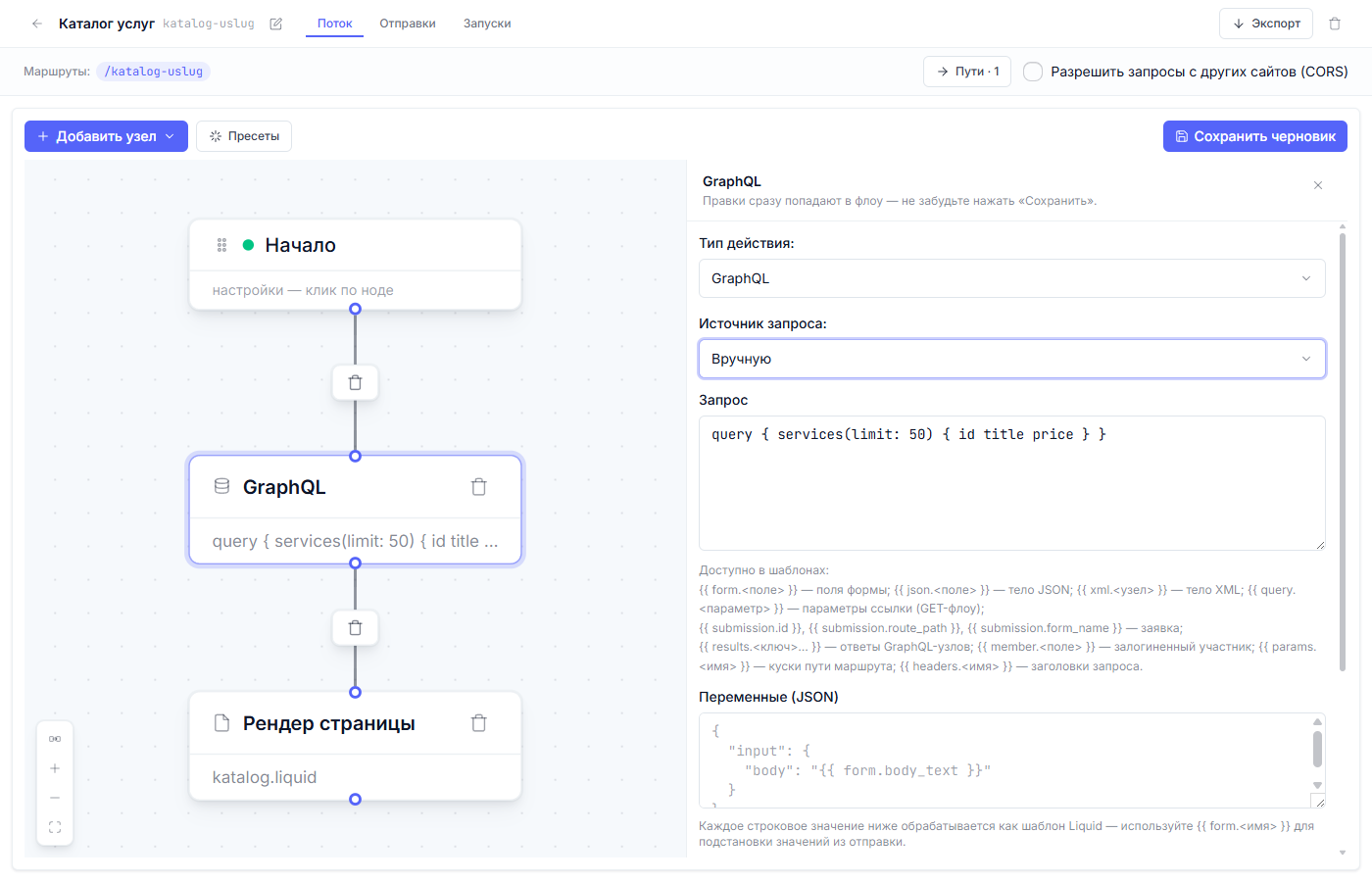
The general workflow: “Add node” → “Action”, pick the “Action type” in the panel on the right and fill in the fields. Edits go into the diagram immediately — don’t forget to hit “Save draft”.
Fields every action has
- On error — “Continue” or “Stop”. By default a failed step doesn’t stop the flow (say, the email didn’t go out — the “Thank you” page still shows to the visitor). “Stop” — when the next step is pointless without this one.
- Run in the background (don’t wait) — for slow external services: the visitor gets the response right away, the step finishes in the background. Works for “Send email”, “HTTP POST” and “Telegram notification”.
What data is available in text fields
Almost any text field of an action is a template you can substitute data into. The main sources:
| Entry | Where the data comes from |
|---|---|
{{ form.name }} |
Fields of the submitted form (for a site form the field names are name, email…) |
{{ json.name }} |
The JSON request body (when a program is writing, not a human) |
{{ query.name }} |
Parameters from the page address (?utm_source=…). GET flows only: for a form submission (POST) the body is parsed into form.* / json.* / xml.*, and query is not substituted |
{{ params.name }} |
Pieces of the route path: for /blog/:slug that is {{ params.slug }} |
{{ results.key… }} |
Replies of earlier GraphQL nodes — by their “Result key” |
{{ member.field }} |
The signed-in site member (id, email…) |
{{ headers.name }} |
Request headers (for API integrations) |
Two languages: Liquid for documents, expr for values
The text fields (the table above) are Liquid templates: {{ … }}
substitution and {% … %} logic. On top of them the nodes have
expression fields — recognizable by the “Expression (expr-lang)” mode
and written without {{ }}. The split is simple: documents template in
Liquid, values compute in expr.
| Expression field | Where | What it computes |
|---|---|---|
| Expression | the “Compute” node | Any value — lands in results.key for the following nodes |
| Body (expression) | “JSON response”, “HTTP POST” | The whole body: the value is JSON-encoded as data |
| Variables (expression) | “GraphQL” | The whole variable map as one expression |
| Boolean expression | “Condition” | true/false — the branch choice |
In the flow config (and in the .dynflow.json export) these fields are
named compute.expr, body_expr, variables_expr and predicate_expr —
handy to search for.
An expression sees the same data as templates (form.*, json.*,
query.*, results.*, member.*, params.*, headers.*…), reads project
secrets via secret("name") and ships the helpers:
| Helper | What it does |
|---|---|
number(v) |
Strict numeric coercion: "990.50" → 990.5; garbage → nil (never 0) |
digits(v) |
Keeps ASCII digits only: "+7 (900) 123-45-67" → "79001234567" |
money(v) / money(v, n) |
Fixed-decimals string: 990.5 → "990.50" |
base64_encode(v) / base64_decode(v) |
base64 encode and decode |
uuid() / now() |
A fresh UUID; current Unix seconds |
trim(v) |
Trims spaces at the edges of a string (Liquid’s strip filter does this in templates; there is no strip in expressions) |
stringmap(v) |
Type bridge: turns a map the JSON encoder rejects (what fromPairs returns) into a regular JSON map — recursively; keys must be strings, a non-string key is a visible error; nil values are preserved |
| Either the expression computes, or the node | |
| fails with an explanation in the run journal — no silent zeros. Saving | |
| checks compilation: a non-compiling expression is rejected (the | |
FLOW_EXPR_INVALID error names the node and the field). |
GraphQL — fetch data from the CMS
When to use it: the page needs records — a catalog, a blog, a list of staff.
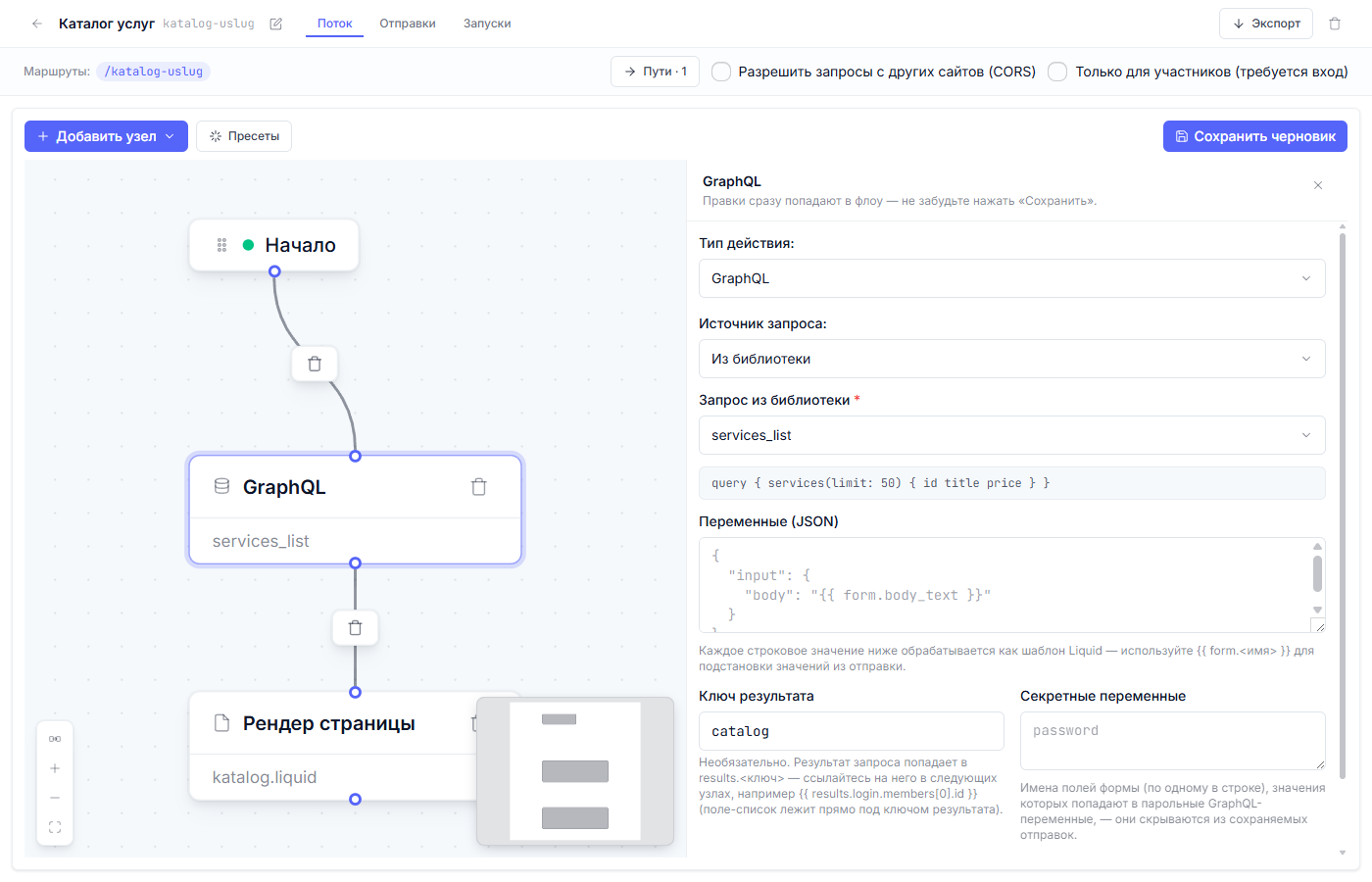
- Query source — “From the library” (a reusable query from the “Query library” tab) or “Manual” (the query is written right in the node).
- Query — what to fetch. Example:
query { services(limit: 50) { id title price } }. The query text is static GraphQL:{{ }}substitutions inside it no longer render (Liquid was removed from the query text in v1.4.16), and a query with splices fails validation. Values travel in variables — “Variables (JSON)” and “Variables (expression)” below. - Variables (JSON) — values for a parameterized query; every string value
is itself processed as a template (you can substitute
{{ form.email }}). - Variables (expression) — an optional alternative: the whole variable
map is computed by one expr expression, for example
{q: form.email, id: member.id}. When filled, it replaces “Variables (JSON)” entirely. - Result key — the name under which the reply becomes available to the
following nodes and the template:
results.key. For the keycatalogthe list of services sits in the template atcatalog.data.services. - Secret variables — names of form fields (one at a time) whose values must not be stored in “Submissions” (passwords). The flow sees them, the storage doesn’t.
Page render — show HTML
When to use it: the flow is responsible for the page (together with a GET route).
- Template — a file from the “Files” tab (for example,
katalog.liquid). The site’s common shell (header, footer,<head>) is connected by the template itself — how the base works is covered in the “Site files” article.
The same page also works as a form response. In the demo project the
“Request” flow (a form on /contacts) has a “Page render” node with the
spasibo.liquid template as its last card: the visitor submits the form — and
instead of a reload sees a “Thank you” page assembled by that template. The
template itself lives in the “Files” tab; the page doesn’t exist on its own —
the node draws it every time.
JSON response — answer with data
When to use it: the site address is needed by a program, not a human (an API for an app or a partner).
- Body (template) — a static JSON string. There are no substitutions in
it anymore: Liquid was removed from this field in v1.4.16, the key stayed
for saved flows and goes out as is — put
{{ … }}in it and it reaches the client verbatim. Computed bodies belong in the “Body (expression)” mode below. - Status — the response code (200 by default).
- Body (expression) — the “Expression (expr-lang)” mode: the body is computed by an expr expression, and the value is JSON-encoded as data — numbers stay numbers, arrays stay arrays, and invalid JSON is impossible.
How to assemble a JSON body from form fields
For the “Body (template)” field of the “HTTP POST” node. The body is a template that must turn into valid JSON. Three rules:
A tale of two engines. On the “JSON response” node, substitutions in “Body (template)” were removed from the engine in v1.4.16: the field became a static string, and these recipes no longer apply to it — the computed body belongs in the “Expression (expr-lang)” mode (see “Body (expression)” above and the before/after example at the end of this section). On “HTTP POST” the template body still works and stays supported — and new flows have the “Expression (expr-lang)” mode there too.
1. Every value goes through the json filter. It places the quotes
itself and escapes quotes and line breaks inside the value. Without it a
surname with a quote character breaks the whole JSON.
2. Optional fields — with the comma inside {% if %} — so a skipped
field doesn’t leave a dangling comma behind.
3. Be careful with blank. The check {% if form.lastName != blank %}
only means “the field arrived”: an empty string and a string of spaces pass
it, and "lastName":" " ships to the CRM. The right recipe is to strip the
spaces and compare with an empty string:
{% assign ln = form.lastName | strip %}
{% if ln != "" %},"lastName":{{ ln | json }}{% endif %}
The assignment is mandatory: a filter inside the condition itself
({% if form.x | strip != "" %}) is a syntax error.
A ready-made example of a contact for a CRM:
{%- assign fn = form.firstName | strip -%}
{%- assign ln = form.lastName | strip -%}
{%- assign ph = form.phone | strip | digits -%}
{%- assign em = form.email | strip -%}
{"firstName":{{ fn | json }}{% if ln != "" %},"lastName":{{ ln | json }}{% endif %}{% if ph != "" %},"phones":[{{ ph | json }}]{% endif %}{% if em != "" %},"emails":[{{ em | json }}]{% endif %}}
Anything empty (a field that didn’t arrive, is empty, or is all spaces) is skipped, the phone is stripped down to digits, quotes inside values are escaped.
The same body as one expression
The same CRM contact in the “Expression (expr-lang)” mode:
let fn = form.firstName != nil ? string(form.firstName) : "";
let ln = form.lastName != nil ? string(form.lastName) : "";
let ph = digits(form.phone);
{ "firstName": fn,
  "lastName":  ln != "" ? ln : nil,
  "phones":    ph != "" ? [ph] : nil }
Numbers stay numbers, arrays stay arrays: no escaping, no commas inside
{% if %}, no blank trap. Empty fields behave differently from the Liquid
recipe: a field left empty lands in the JSON as "lastName": null — the
body is always valid, but the key remains, with a null value (the ternary
ln != "" ? ln : nil does not drop the key, it turns the empty string into
null — without it an empty field would ship as ""). Most APIs accept
null just fine; if an external API requires the key to be ABSENT, split
the bodies across the branches of a “Condition” node: the “has lastName”
branch leads to a node whose body includes the surname, the “no” branch —
to a body without it. Merging everything into one expression won’t work:
the + operator over maps is not supported in expr (a compile error at
save time). let binds one name at a time; the chain is let a = …;,
let b = …;, then the final expression. The value is encoded as data: on a
JSON request with "productId": 5 the expression
{"productId": form.productId} sends the number 5 — no plus: 0 tricks,
no surprise "5" string.
Partial updates: pass only the filled fields
A common editing problem: the client sent a subset of fields, and the empty
ones must not clobber the stored values. The “Variables (expression)” mode
assembles such a map in one expression (a live example is the profile-update
flow: a static mutation($id: ID!, $input: MemberUpdateInput!), the whole
$input map is one expression):
stringmap(fromPairs(map(filter(toPairs(json),
  #[1] != nil && (type(#[1]) != "string" || trim(#[1]) != "")),
  [#[0], type(#[1]) == "string" ? trim(#[1]) : #[1]])))
The fields come from the parsed JSON request body (json.*). What lands in
the map, per json.field:
| Came in | Into the map |
|---|---|
| field absent | skipped — it is not in toPairs(json) |
null |
skipped — #[1] != nil rejects it |
"" or whitespace-only |
skipped — nothing survives trim |
"42" (a number in a string) |
string as is: stringmap does not coerce — number(#[1]) in the pair or the receiving parser converts |
| string / number / boolean / array / object | as is |
How it works: filter drops the empty shapes, map rebuilds the pairs,
fromPairs glues the map back — but in the raw form the JSON encoder rejects
(“unsupported type”), so the whole thing is wrapped in stringmap: it makes
the map a regular one — recursively — and a non-string key stops the node
with a visible error. Extend the filter predicate to drop more shapes;
stringmap itself never drops or re-types a value.
Useful filters for the body
| Filter | Example | What it does |
|---|---|---|
json |
{{ form.name | json }} |
Value → valid JSON (quotes, escaping); an empty field → null |
strip |
{{ form.name | strip }} |
Trims spaces at the edges. There is no “trim” filter — this is it; lstrip/rstrip — one side only |
digits |
{{ form.phone | digits }} |
Keeps only digits: +7 (900) 123-45-67 → 79001234567 |
number |
{{ form.qty | number | json }} |
String → number: "990.50" → 990.5; not a number → null |
base64_encode / base64_decode |
{{ form.pair | base64_encode }} |
Encodes/decodes base64 (a Basic-auth header, for example) |
now |
{{ "" | now }} |
Current time in Unix seconds |
uuid |
{{ "" | uuid }} |
A random UUID (idempotency keys) |
Arithmetic
LEGACY, works and stays supported. New flows should compute arithmetic in the “Compute” node (below): literals are integers there, any float operand widens the result, and a bad operand fails with a visible error in the run journal instead of silently becoming
0.
plus, minus, times, divided_by, modulo, abs, ceil, floor,
round — all there: {{ form.price | number | times: 2 }}. Pitfalls:
- Strings are counted as fractional numbers — very large numbers (longer than 15 digits) lose precision. For prices and quantities this doesn’t matter.
plus/timeson an empty or non-numeric field silently give0. If you need an honest “didn’t arrive” — usenumber.divided_bywith a string, zero, or missing divisor breaks the whole template. Both sides — throughnumber, and check the divisor:
{% assign total = form.total | number %}
{% assign parts = form.parts | number %}
{% if parts %}{{ total | divided_by: parts }}{% else %}0{% endif %}
A cheat sheet: trim and encode — | strip | json (a missing field gives
""; a bare | json gives null). As a number, not a string —
| number | json.
Compute — calculate a value in the diagram
When to use it: prepare a value for the following nodes — normalize a phone number, total up a sum, assemble an object for an HTTP POST.
-
Expression — a pure expr-lang expression, no Liquid:
let total = number(form.total); let qty = number(form.qty); {"amount": total * qty, "phone": digits(form.phone)} -
Result key — the name under which the value becomes available to the following nodes:
results.key. Both fields are required.
The value is typed: numbers stay numbers, objects stay objects. Other
expression fields further down (body_expr, variables_expr, another
“Compute”) read it as data; Liquid templates read it via results.key…,
like a GraphQL reply. Computes chain: each one sees the results of the nodes
above it. An expression error — didn’t compile, a nil chain, an unknown
secret("name") — stops the node and lands in the run journal with an
explanation.
Send email — mail from your own server
When to use it: learn about a request by email, send the visitor a confirmation.
- To / Cc — addresses (several allowed;
{{ form.email }}works too — reply to the visitor themselves). - Subject and Body — the “Body” field has two modes: “Text (Liquid)”
— you write the letter right in the node, substituting data
(
{{ form.name }},{{ results.key… }}); “Site template” — you take a ready HTML file from the “Files” tab (that’s how designed letters are made). - SMTP — your mail server (host, port, mailbox login/password, sender address). The platform won’t send mail for you — you need your own mailbox; any free SMTP will do for tests.
- A text letter supports the
signed_tokenfilter — to substitute a one-time member link (used in password-reset letters).
Important: passwords never get into letters — the platform blocks such attempts.
HTTP POST — pass it on
When to use it: the request needs to land in a CRM, a spreadsheet or another service.
- URL, Body (template), Headers (for example, the service’s auth token), Timeout (10 seconds by default).
- Long-running external services — a reason to enable “Run in the background”.
- How to assemble the “Body (template)” — the “How to assemble a JSON body” section above.
- In the “Expression (expr-lang)” mode the body is computed by an expression — see “Body (expression)” and “The same body as one expression”.
Telegram notification — a message into the chat
When to use it: see requests in the team chat quickly.
- Webhook URL — the chat-bot address (the bot token is already inside the URL; there is no separate field for it).
- Message text — a template with the request data.
- chat_id — required for the official api.telegram.org.
Set cookie — remember the visitor
When to use it: member sign-in, “remember me”, hidden tags.
- Name, Value (template), Lifetime in days (0 — delete the cookie, that’s how “Sign out” works), Path (the whole site by default).
- The “session” mode — the cookie lives until the browser closes; there can be only one such cookie in a single flow.
- The value is sealed with the platform’s signature — it can’t be forged from the outside.
Redirect — send them elsewhere
When to use it: after an action, take the visitor to a different address (for
example, from /old-page to /new-page, or back to the form on error).
- To — an address (template:
/{{ params.slug }}works). - Status — 303 “See other address” by default.
Two more kinds of nodes
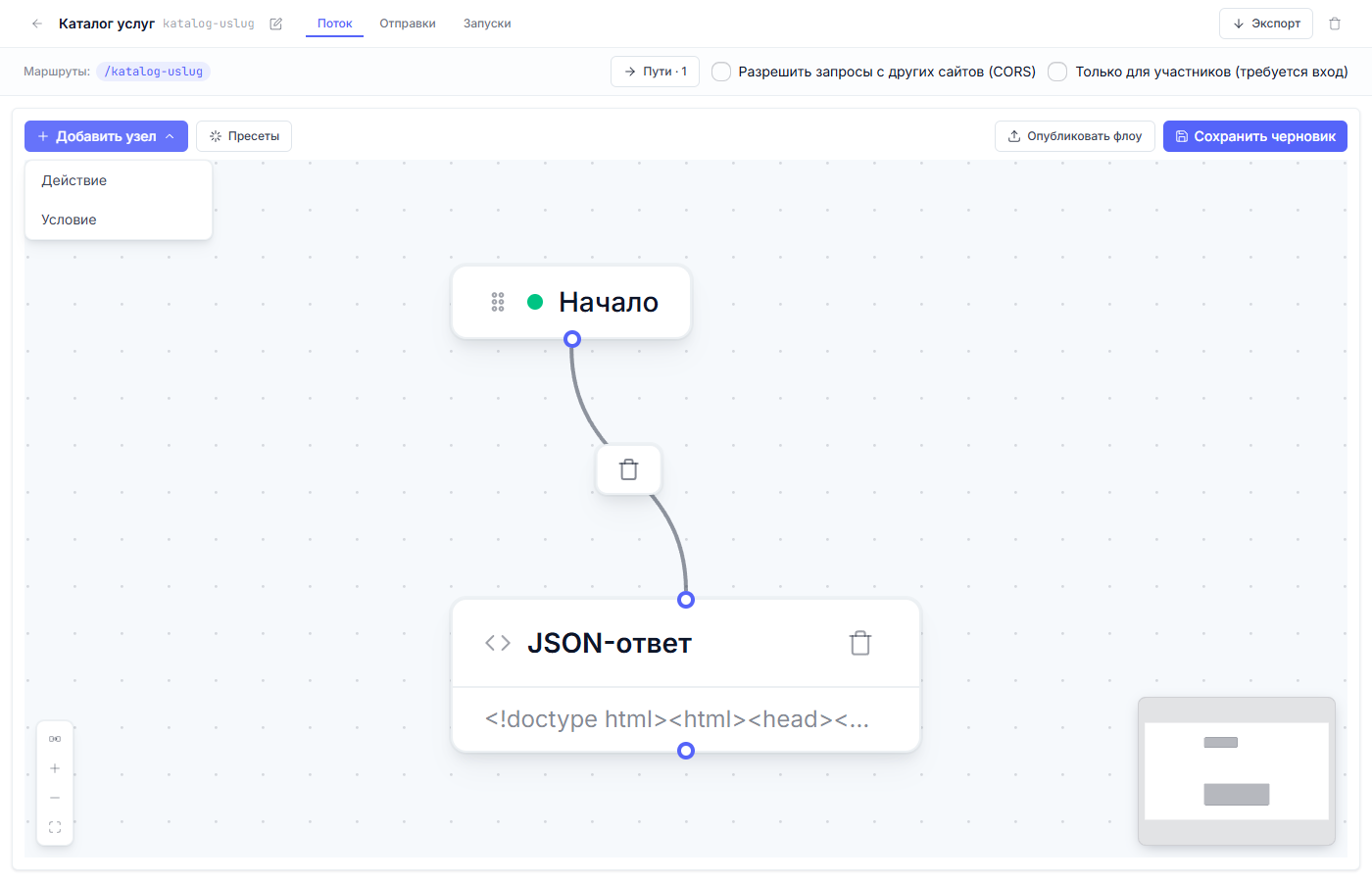
Besides actions, the canvas has “Condition” nodes (a yes/no fork); there is no mandatory “End” node: a branch simply ends where the last card has no outgoing link — and the diagram counts as complete. Conditions are covered in the separate article “Conditions and branching”. A condition, besides the “field — operator — value” rows, has an “Expression (expr-lang)” mode — one boolean expression instead of a set of rows; covered in the same article.
Next article: Conditions and branching →