Giving the catalog two languages from a single record
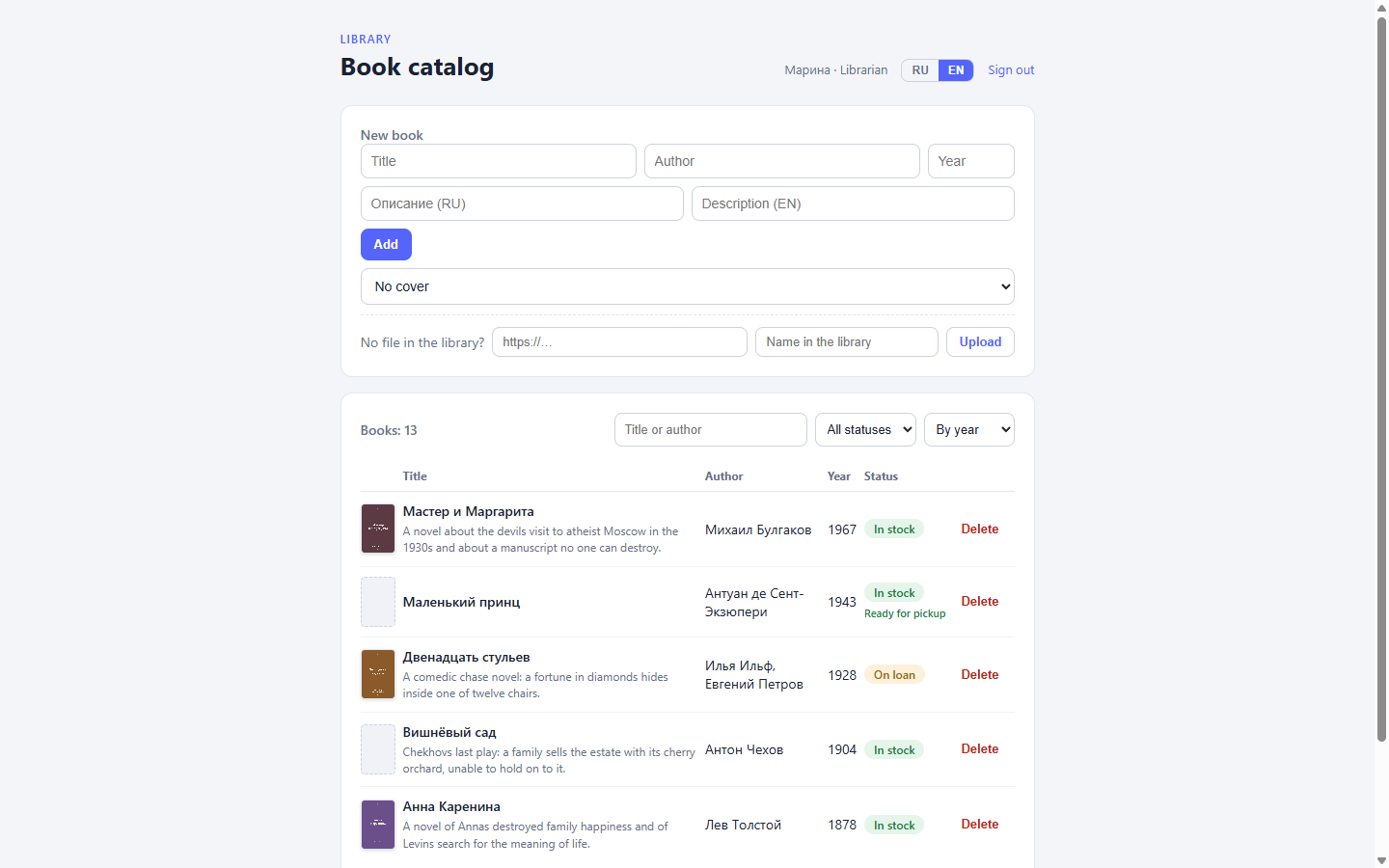
The previous part ended on a promise: a cover has an alt_text caption, and that caption is localized — a {ru, en} map. One image, two captions. It is time to make the whole catalog bilingual: readers of the library work in both Russian and English, and a book’s description should exist in both.
The blunt approach is a second record. “Мастер и Маргарита” next to “The Master and Margarita”, each with its own author, year, and status. You end up with two catalogs in one table. A book is “on loan” in the Russian half and missing from the English one, the cover is uploaded twice, search returns duplicates. A second record is not a translation — it is a second copy of the data that will go on to live its own life.
The other way is to keep both languages in one record, and the platform already does exactly that. In this part we look at localized fields, the request locale, and a language switch in our own admin. The earlier parts of the series: assembling a closed admin, reader accounts, filters and honest errors, covers from the media library.
The project’s languages
First the project names its languages. “Настройки” (Settings) has a “Локализация” (Localization) section: a table of locales, one of them holding the “Локаль по умолчанию” (default locale) switch, with an “Добавить” (add) field at the bottom.
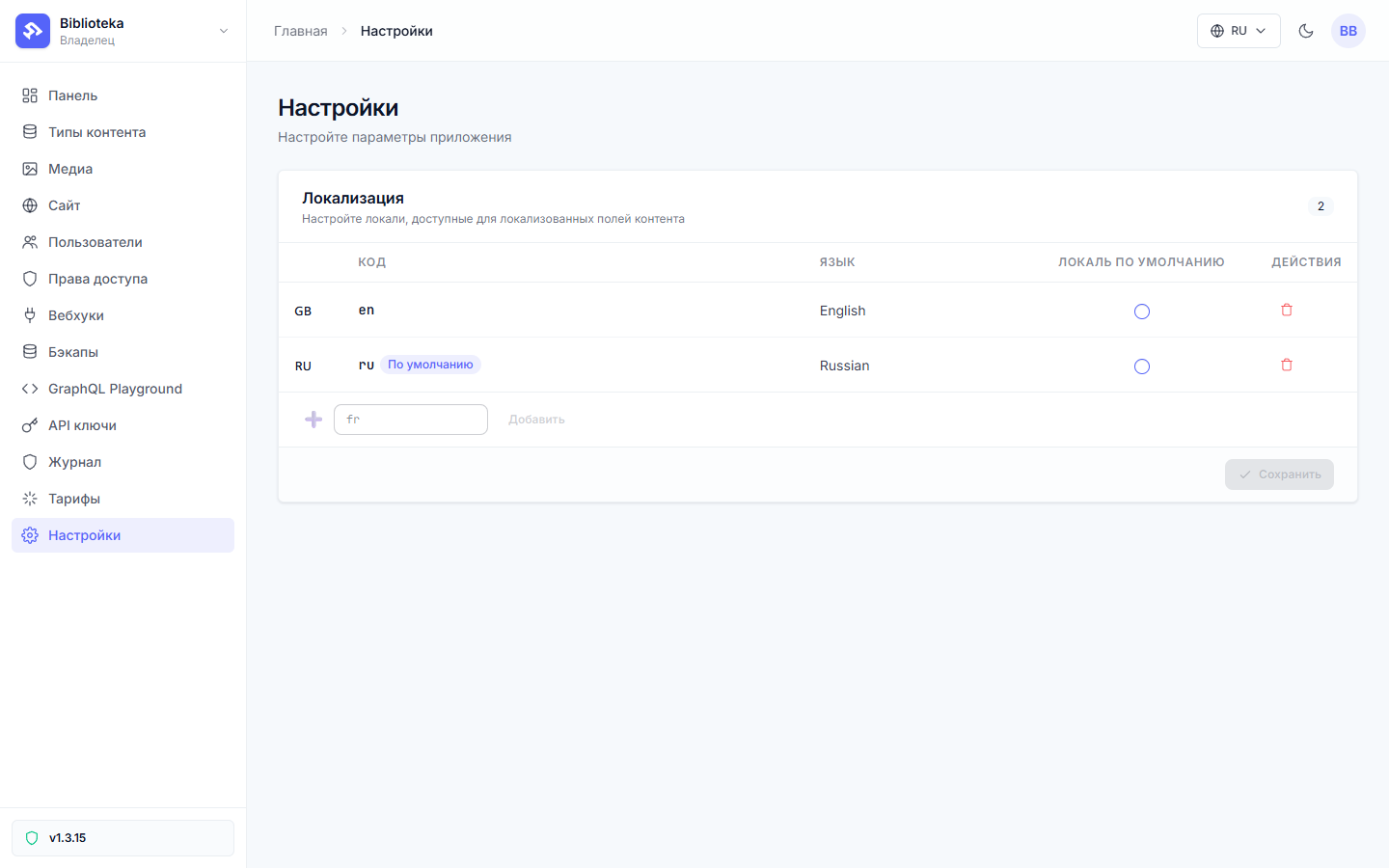
The demo project has two locales — ru and en, with Russian as the default. The default is not decoration. It decides where a bare string lands when you write to a localized field, and which language a reader gets when they ask for no locale at all. English was originally the default — we switched it to Russian before localizing the field, so map-less strings would land in the Russian text.
Locale codes are checked against an ISO list (en, ru, de, three-letter codes work too), and the default locale must be on the project’s list. A regional code like ru-RU will not pass — the list takes plain language codes.
A field that stores a map
Now the field. In the book type editor we add description with the “Текст” (text) type and the “Локализованное поле” (localized field) checkbox:
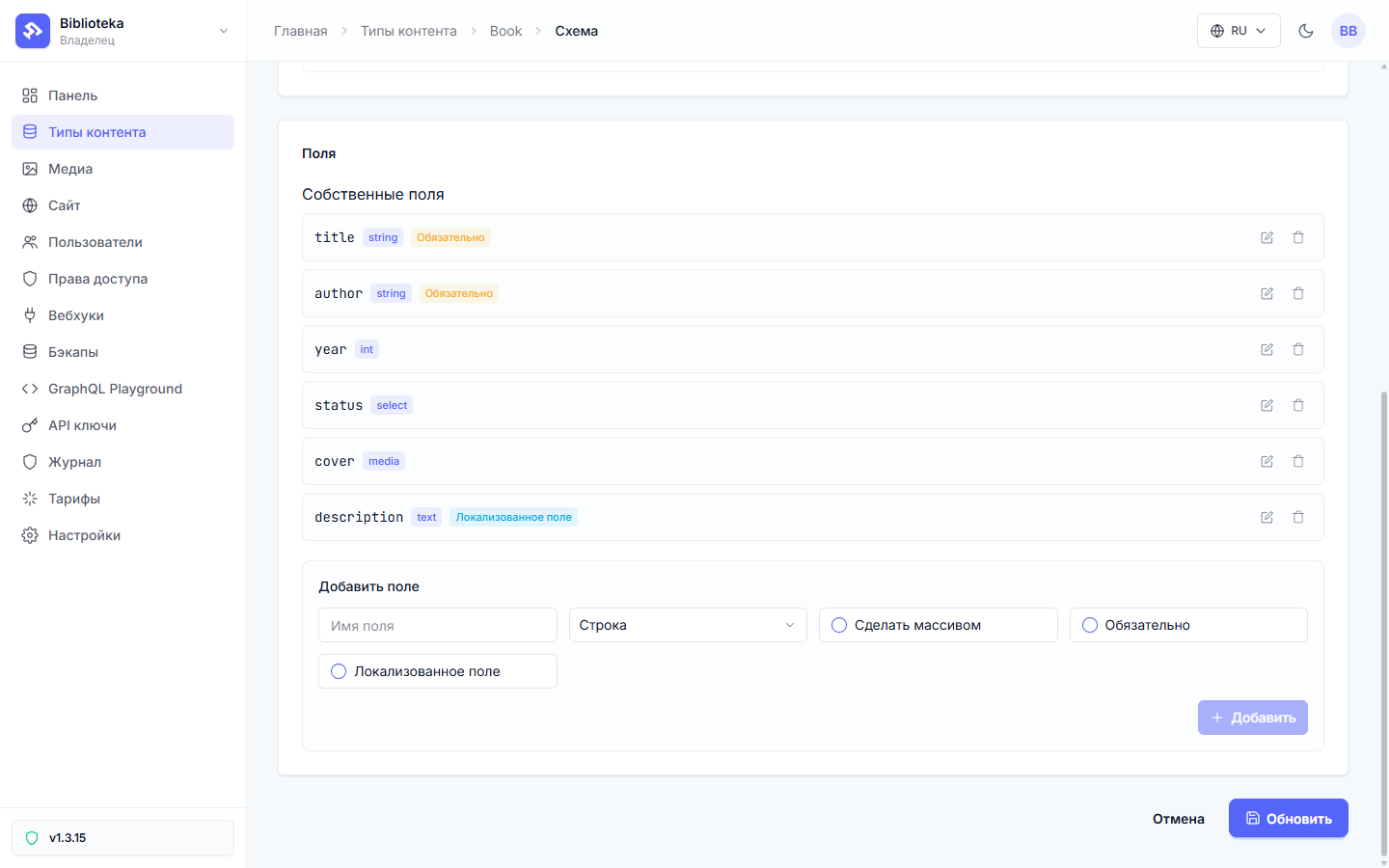
The schema rebuilds, and inside every record description becomes a map of languages:
{
  "description": {
    "ru": "Роман о визите дьявола в атеистическую Москву 1930-х годов.",
    "en": "A novel about the devil's visit to atheist Moscow."
  }
}
There are three write rules, and they are short.
A string arrives — it lands in the default locale. The platform keeps the neighboring languages. A partial edit of one string does not erase the rest of the map.
A map arrives — it replaces the map wholesale. This is the mechanism’s main trap. Sending {en: "..."} without the ru key means erasing the Russian text with a single request. The form we build below always sends both keys.
A key outside the project’s locale list — the write is rejected. {fr: "..."} in a project with ru and en will not save: French is added to the language list first, the text second.
Not every field can be localized: strings, text, dates, numbers, and record references can; passwords and polymorphic blocks cannot.
Two tabs instead of one field
In the record editor a localized field unfolds into tabs — one per project locale:
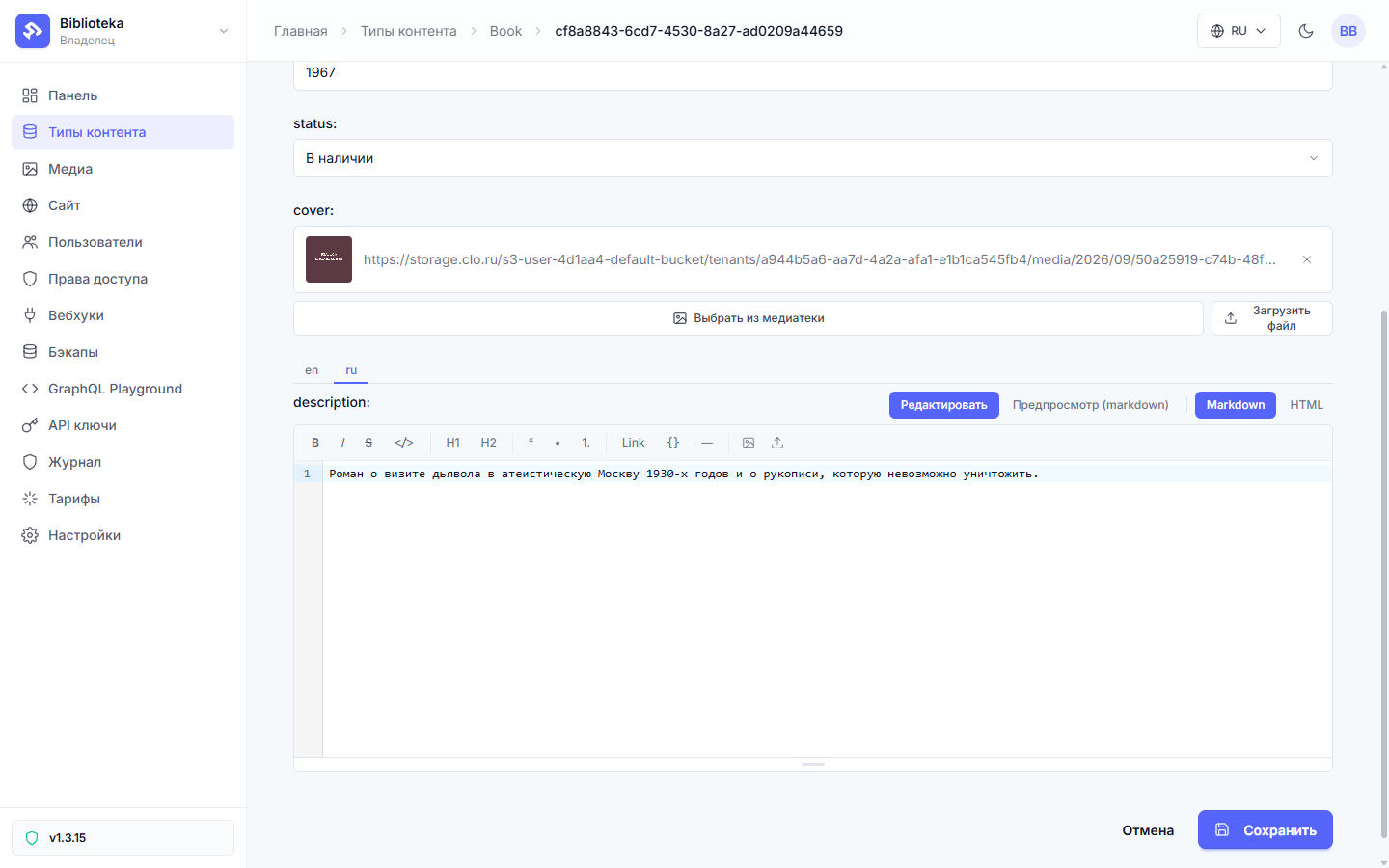
An empty tab is not an error — it is an honest “no translation yet”. The cover’s alt_text from the previous part looks the same way: it is localized too; we just read it as a caption back then, not as a mechanism.
The request locale
The platform picks the language of a response by the request locale — passed as a ?locale= parameter or an X-Locale header. A localized field in the response is the scalar for that locale. The requested locale is missing from the map — the platform falls back to the default. The default is missing too — the field comes back empty. Garbage in ?locale= is not an error: an unknown code counts as a missing locale, and the same fallback fires.
The scalar and the map are available at the same time. One query can ask for both:
{
  "query": "{ books(limit: 1) { description description_locales } }"
}
description comes back as a string in the request’s language, description_locales as a JSON string with the full map. The paired field is read-only; mutations, filters, and sorts never see it.
And here is the nuance this whole part rests on. A flow’s GraphQL action talks to the schema with a service key — and passes no locale. There is no header to configure in the action. The scalar inside a flow is always the default locale, whatever the site visitor’s may be. So your code owns the language in your own admin. Give the flow the map; pick the language on the client.
The flow returns the map
The book list needs the whole map, so books_list asks for both fields:
{
  "query": "query($status: String, $q: String, $offset: Int!, $field: BookOrderByField!) {\n  books(limit: 5, offset: $offset, orderBy: [{field: $field, direction: DESC}], search: $q, where: {status: {eq: $status}}) {\n    id title author year status\n    description description_locales\n    cover { id url }\n  }\n  booksCount(search: $q, where: {status: {eq: $status}})\n}",
  "variables_expr": "{ \"status\": query.status != nil && query.status != \"\" ? query.status : nil, \"q\": query.q != nil && query.q != \"\" ? query.q : nil, \"offset\": (results.page - 1) * 5, \"field\": results.field }"
}
The filters, search, and pagination from part three are untouched — they work on title, author, and status, and we did not localize those. Localizing the description broke none of the existing endpoints. The query text has since become static (Liquid was removed from the query text in v1.4.16): the page and the sort order arrive as the $offset and $field variables — the same compute nodes from part three produce them, and variables_expr assembles the whole variable map.
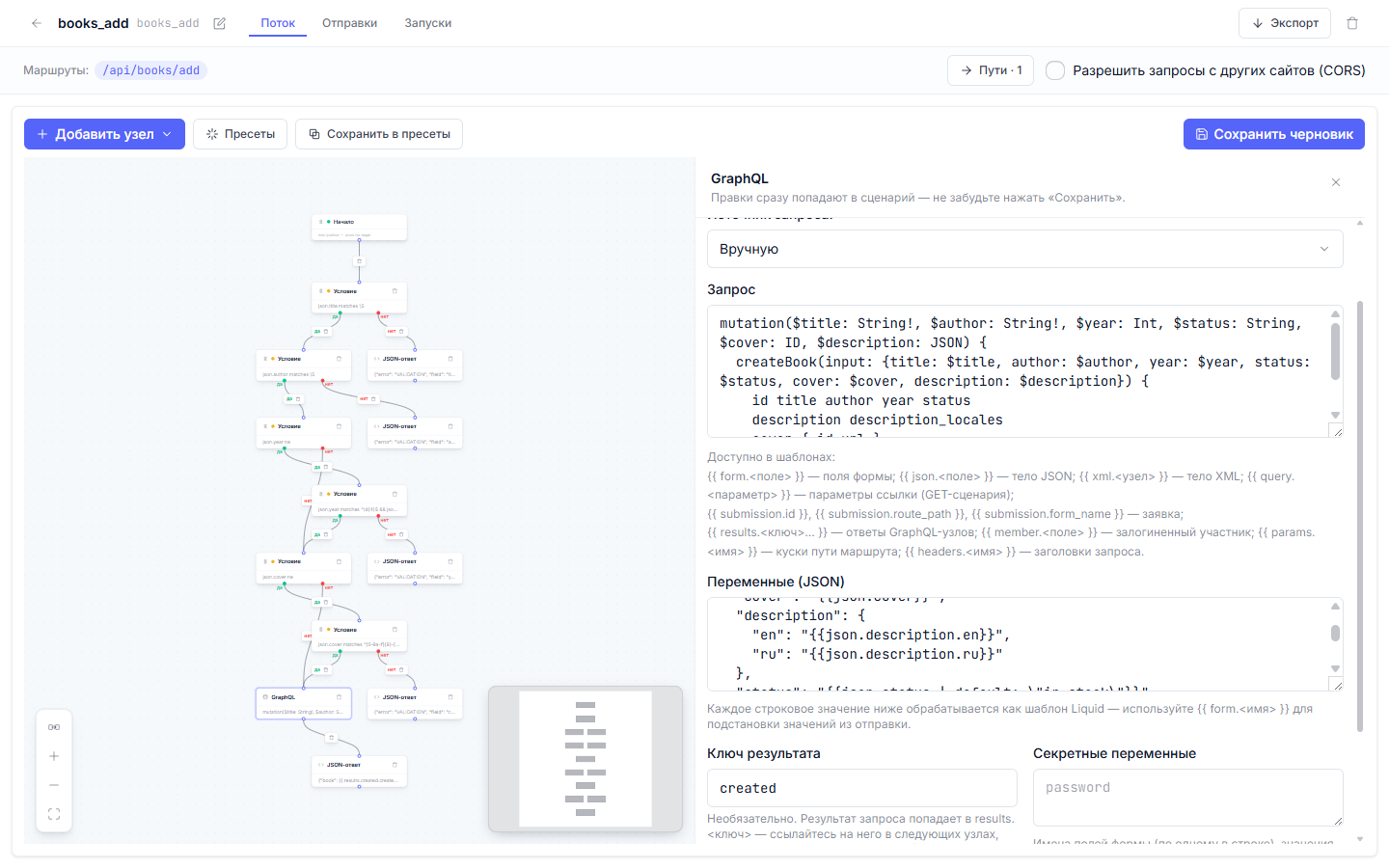
Adding a book now takes the description as a map. The variable type is JSON, which accepts a real object (the variable map below is assembled from Liquid strings — the legacy path; new flows build the whole map in variables_expr):
{
  "query": "mutation($title: String!, $author: String!, $year: Int, $status: String, $cover: ID, $description: JSON) {\n  createBook(input: {title: $title, author: $author, year: $year, status: $status, cover: $cover, description: $description}) {\n    id title author year status\n    description description_locales\n    cover { id url }\n  }\n}",
  "variables": {
    "description": {
      "ru": "{{json.description.ru}}",
      "en": "{{json.description.en}}"
    }
  }
}
Flow variables can hold a whole map, which the engine passes into the mutation as an object while Liquid renders each string separately. Exactly two keys are taken from the request body — json.description.ru and json.description.en.
An empty string in the map is a normal case: the librarian added the book and will write the translation later. It means “no translation”, and the client decides what to show instead.
The switch in your own admin
The admin gets a pair of RU and EN buttons:
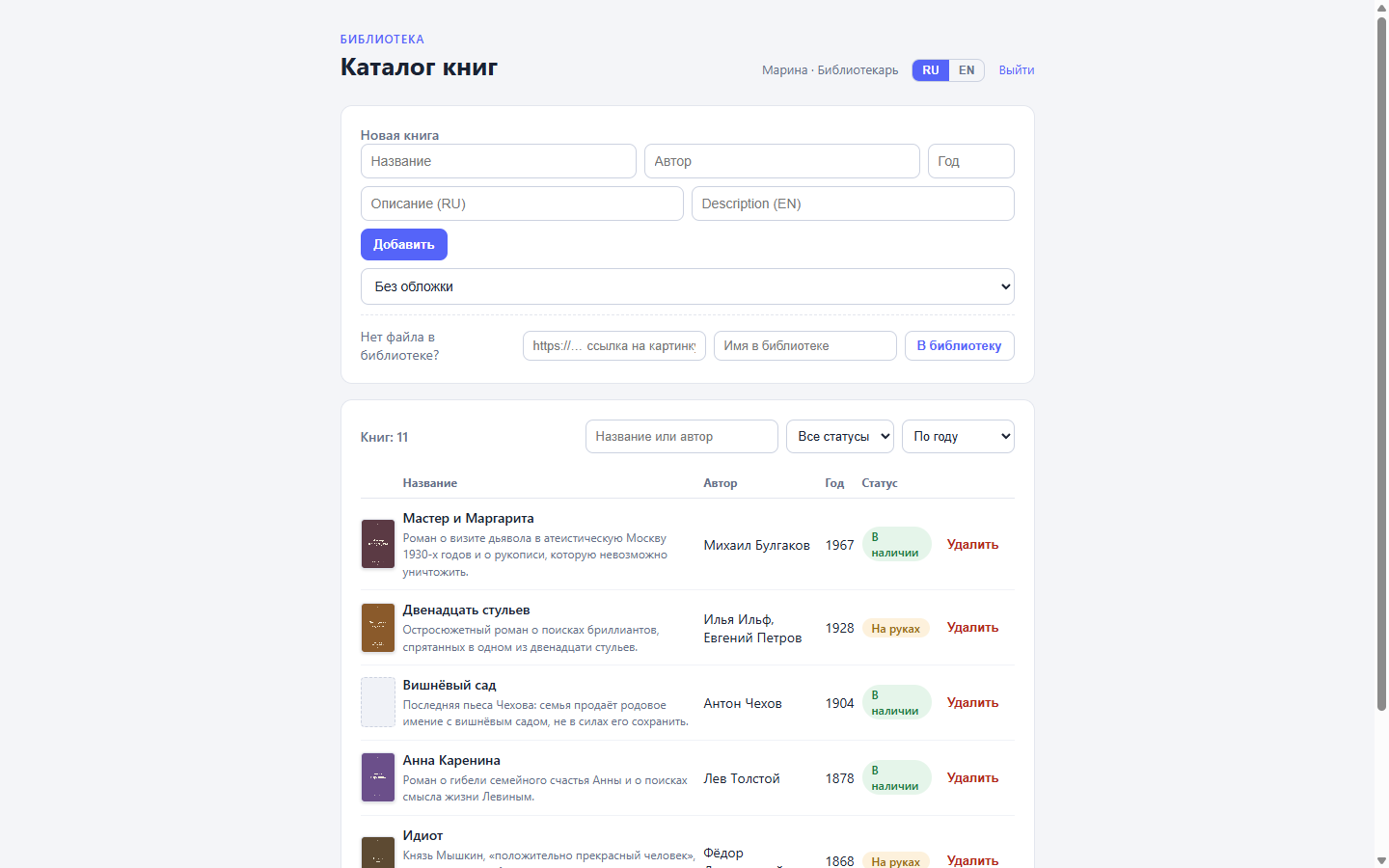
The language lives in localStorage; switching redraws the descriptions in place, with no refetch — the map already arrived inside every list item. Picking a language follows the same fallback chain as the platform: the chosen locale, then the scalar, then nothing:
function descOf(b: Book): string {
  let loc: Record<string, string> = {};
  try {
    loc = JSON.parse(b.description_locales || "{}");
  } catch {
    /* the map did not parse — stay on the scalar */
  }
  return loc[lang.value] || b.description || "";
}
b.description here is the scalar from the flow’s response — the default language. It kicks in when the field has no map at all, or an empty one.
The add form gets two description inputs, and the request body always sends both keys — the very “map replaces map” rule, honored on the client:
await fetch("/api/books/add", {
  method: "POST",
  headers: { "Content-Type": "application/json", Accept: "application/json" },
  body: JSON.stringify({
    title: form.value.title,
    author: form.value.author,
    year: form.value.year ? Number(form.value.year) : null,
    cover: form.value.cover || null,
    description: {
      ru: form.value.descriptionRu.trim(),
      en: form.value.descriptionEn.trim(),
    },
  }),
});
Both descriptions are optional. Empty strings reach the map and stay empty. A translation can be added later — in the record’s tabs or through the same form.
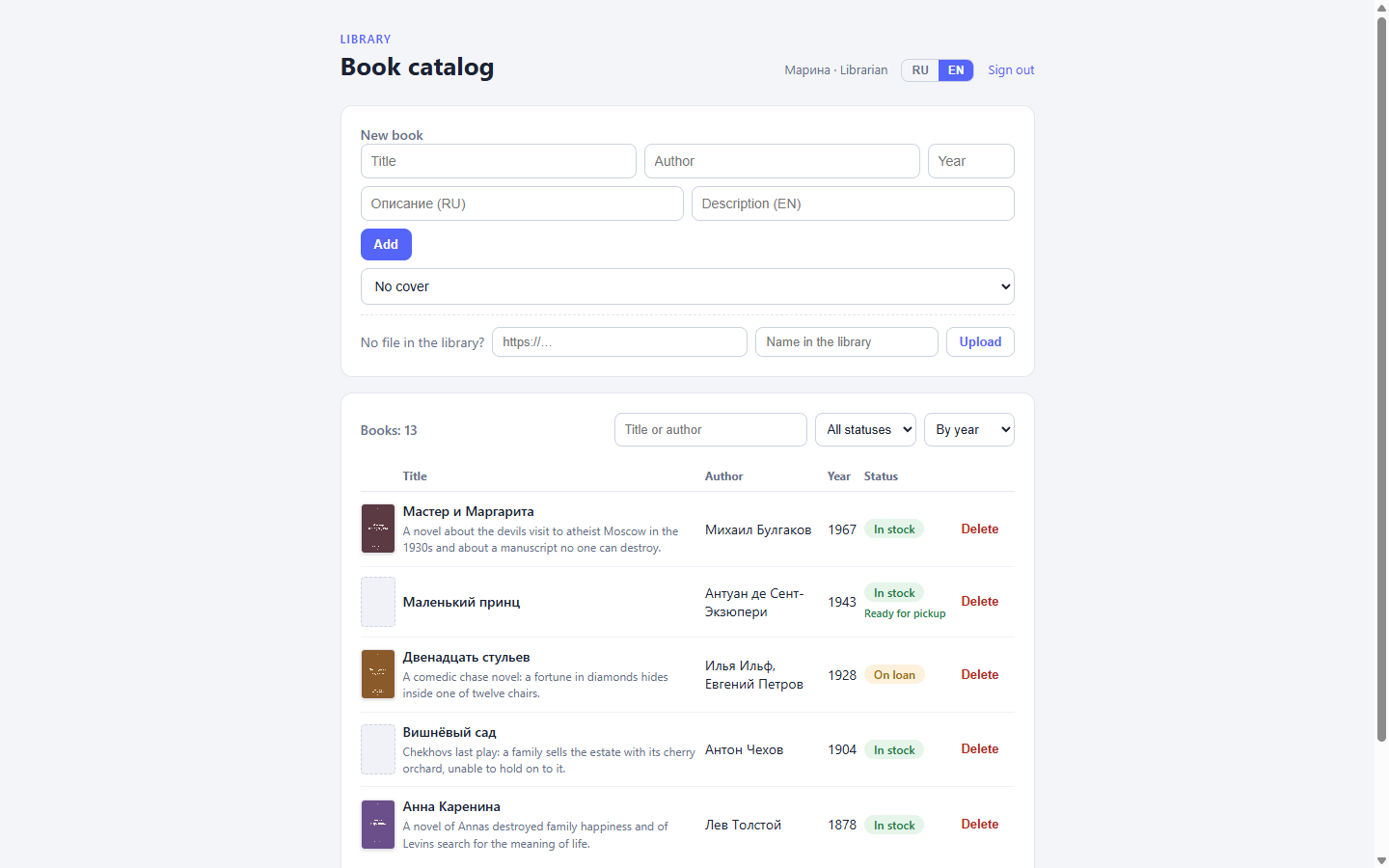
The shell got translated along with the content: the same technique — a dictionary of strings and a client-side pick — covers headings, buttons, and filters. Only the size of the dictionary differs, not the mechanics. The descriptions keep their own fallback chain: the locale map, then the scalar, then empty.
What stayed off-screen
Fields are localized one at a time, and for the catalog that was enough. Still off-screen is the question of where an admin gets external data — say, pulling an exchange rate or sending a book to a third-party tracking service. That is http_post, signatures, and secrets, and it is the subject of the next part of the series.
All the .dynflow.json files from this part live in the step-8-locale branch and are applied with flowctl apply flows/books_add.dynflow.json --publish.
All posts