Finishing the reader accounts from your site’s flows
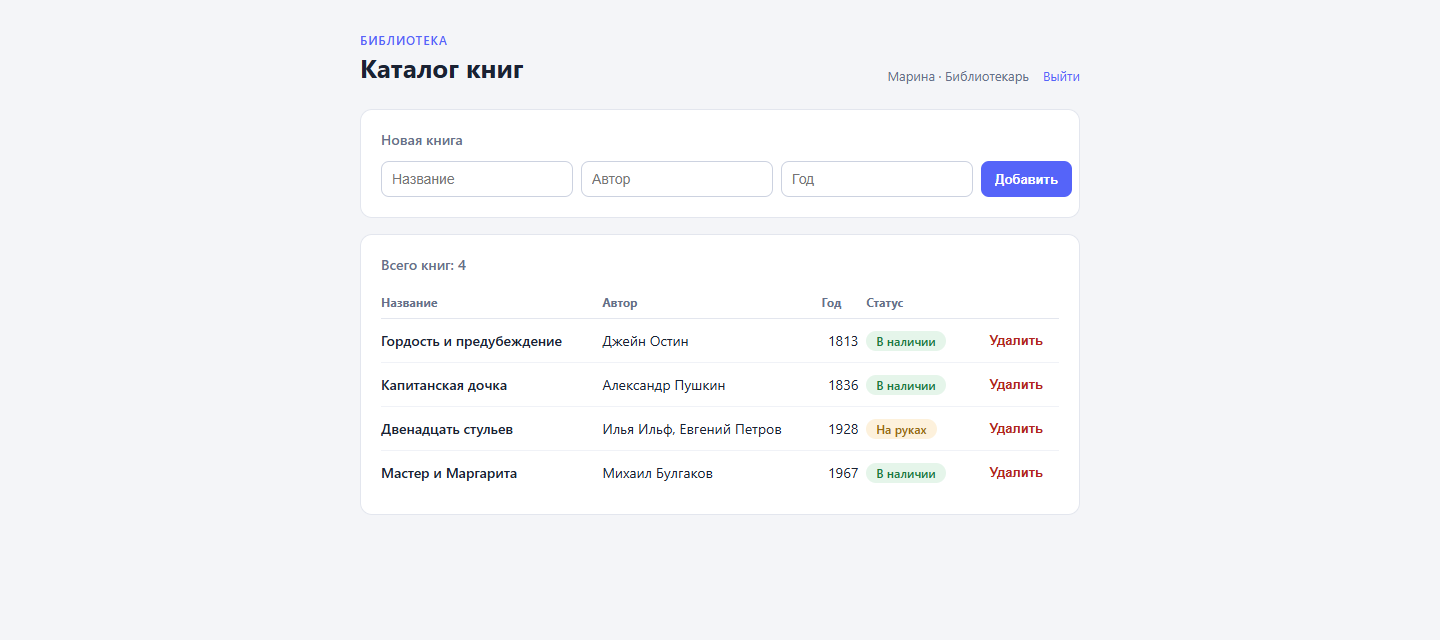
In the first article the book catalog got password sign-in — but its only reader was created by hand, in the admin panel. A live project needs more: people register on their own, forget passwords, and not everyone should be allowed to delete books. This article takes accounts the rest of the way: registration with email confirmation, password recovery by link, and roles. The toolset stays the same — content types, flows, site templates, and not a line of server code.
Every file lives in the dynapi-vue-admin repository, branch step-5-accounts. The branch continues main: walk through the first article before this one.
Step 1. Name and role fields
Open the “Reader” type in the admin panel and add two fields. name is a string for the display name — the admin UI will show it in the header. role is a select with two options: value reader labeled “Reader” and librarian labeled “Librarian”, defaulting to reader.
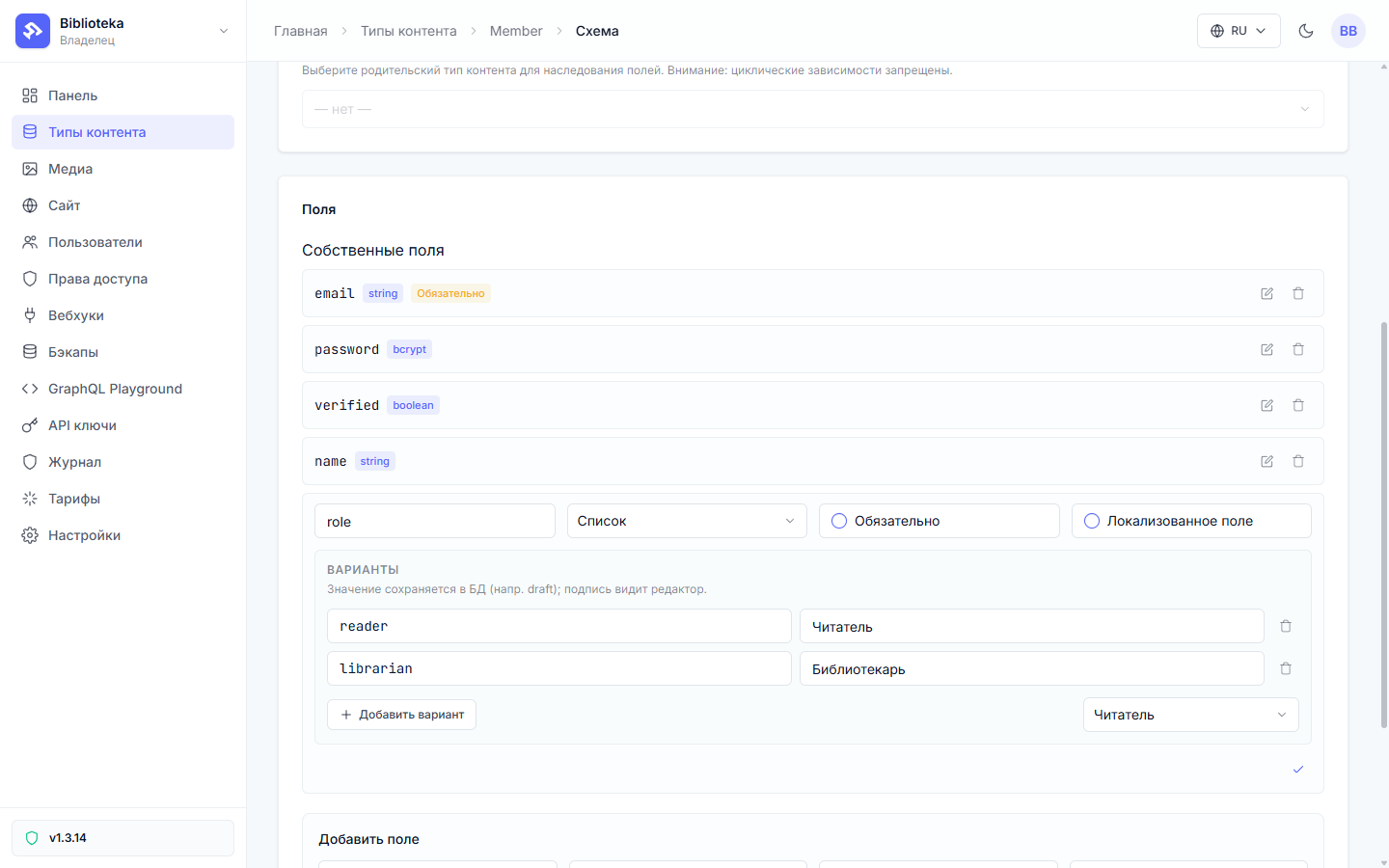
The value is what gets stored on the record; the label exists only for editors in the admin panel. Flows compare the value — librarian.
Step 2. The registration page
Registration is built by hand, without a preset: presets shine where the configuration is standard, and here we want our own letter, our own page states, and a name field. The page is a plain Liquid template with a three-field form:
<form method="post" action="/register">
  <label for="name">Name</label>
  <input id="name" name="name" type="text" required autocomplete="name">
  <label for="email">Email</label>
  <input id="email" name="email" type="email" required autocomplete="email">
  <label for="password">Password</label>
  <input id="password" name="password" type="password" required minlength="8" autocomplete="new-password">
  <button type="submit">Register</button>
</form>
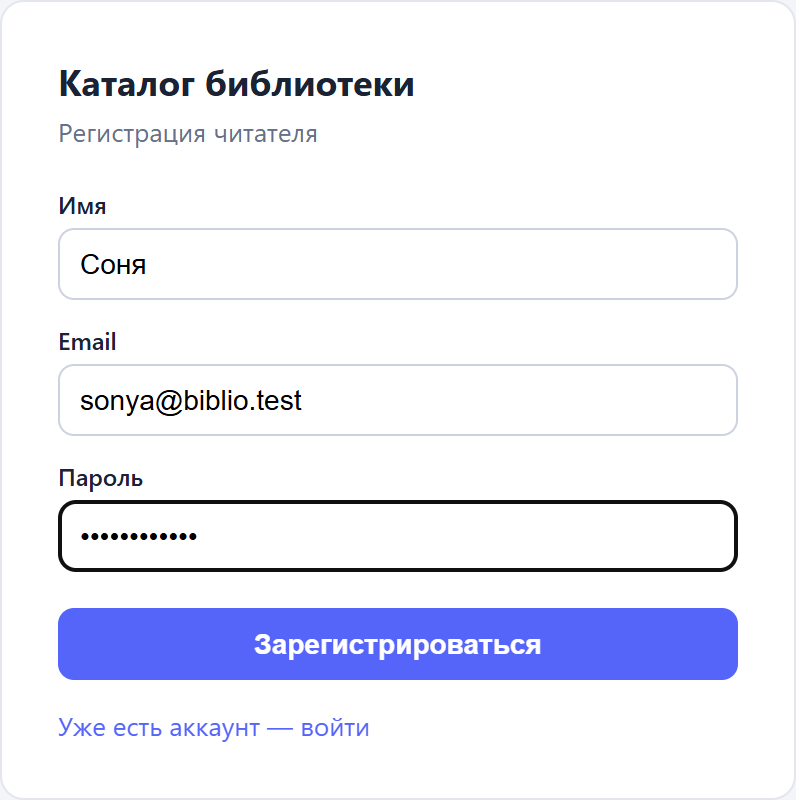
A flow hangs on POST /register and does four things: checks the address is free, creates the record, emails a confirmation link, and sends the person back to the sign-in page with a “check your inbox” note. In the editor the chain looks like this:
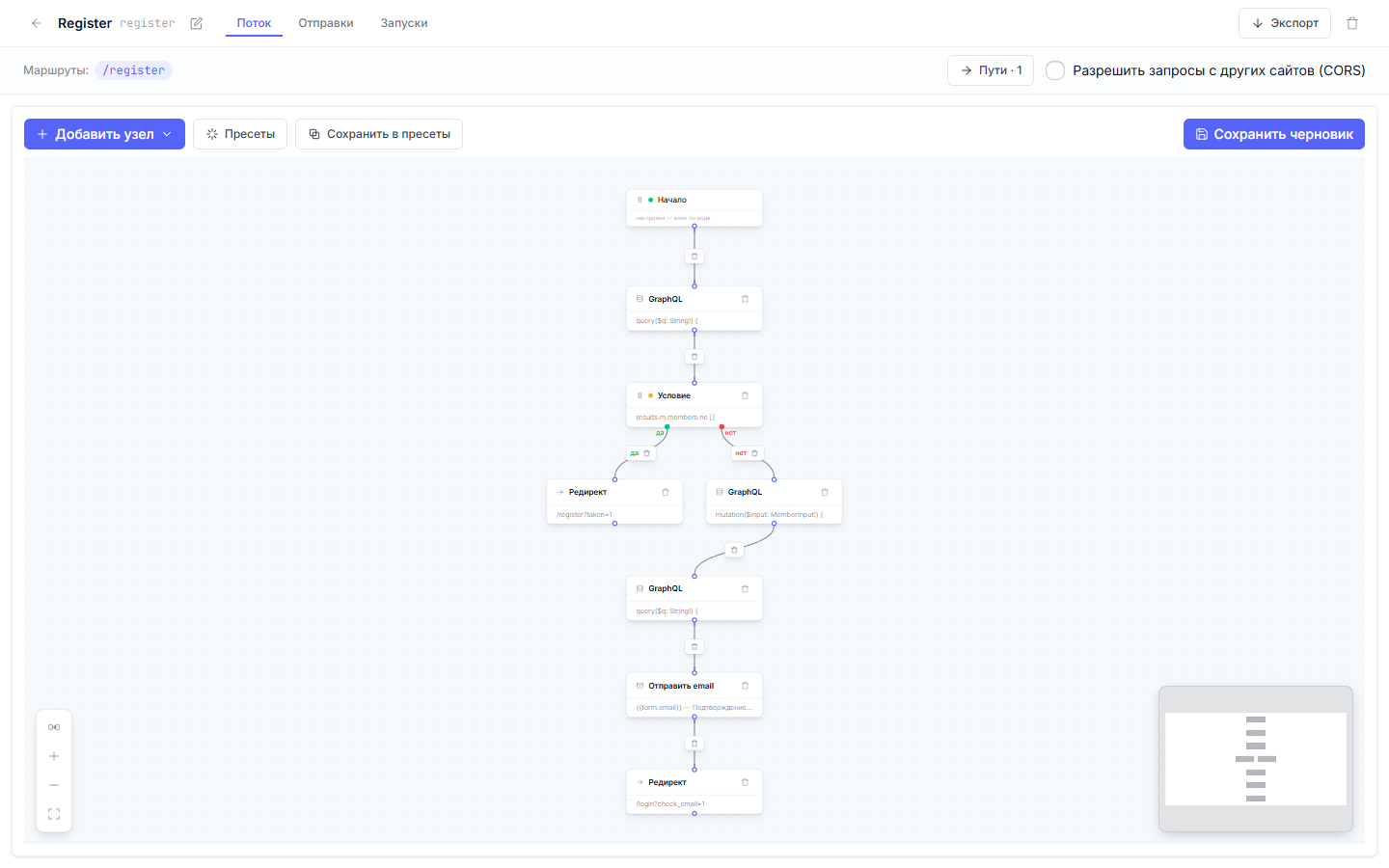
The duplicate check is a graphql node plus a condition:
{
  "id": "c_taken",
  "type": "condition",
  "data": {
    "predicate": {
      "combinator": "and",
      "clauses": [
        { "field": "results.m.members", "operator": "ne", "value": "[]" }
      ]
    }
  }
}
The list of records matching the email is compared to an empty array: ne "[]" means “someone with this address already exists”, and the flow takes the then branch to /register?taken=1. Condition clauses also have an expr form: a predicate_expr writes the same check as a list length — len(results?.m?.members ?? []) > 0 (the ?? [] guard is mandatory: ?. protects key access, not the index). Clauses remain a first-class form — the expr predicate is just more compact for checks like this. The password lands in a bcrypt field — it is hashed on write, and no browser request and no email can read the hash back.
Step 3. The confirmation letter
The account is created with verified = false, and sign-in stays closed until the reader clicks the link in the letter. A send_email node sends it — four parts: recipient, subject, body, and an smtp block pointing at your own mail server:
{
  "id": "a_mail",
  "type": "action",
  "data": {
    "action_type": "send_email",
    "config": {
      "to": ["{{form.email}}"],
      "subject": "Confirm your registration — library catalog",
      "body_template": "Hello, {{form.name}}!\n\nConfirm your email by this link (valid for 24 hours):\nhttps://biblio.dynapi.ru/verify?token={{ results.m.members[0].password | signed_token: results.m.members[0].id, \"verify\", 86400 }}\n\nIf you did not register, just delete this letter.",
      "smtp": {
        "host": "mail.dynapi.ru",
        "port": 587,
        "username": "biblio@dynapi.ru",
        "password": "secret://biblio-smtp-password",
        "from": "biblio@dynapi.ru",
        "from_name": "Library catalog"
      }
    }
  }
}
Two things here deserve attention: the signed_token filter and the password field. The filter takes the record’s password hash, its id, a purpose, and a lifetime in seconds, and assembles a signed link — the token is bound to one reader and to their current hash. The password field holds no password: it references a project secret. The actual password went into the secret store once, with one command, and never into any file:
cat smtp-password.txt | flowctl secret set biblio-smtp-password
Secrets are write-only: they cannot be read back, and exports or run journals only ever show the secret://biblio-smtp-password reference — the value is substituted at send time. A flow with a reference like this is safe to commit and export; the password stays on the project.
Step 4. Confirmation page and sign-in
The link opens GET /verify with a six-node flow. The first node is graphql: its id variable receives the link’s pre-resolved subject; the query-string parameter plays no part in this node. The platform opens the token, extracts the reader’s id, and hands it to the flow as {{ token_subject }} — it cannot be forged, the token is signed. Next, a condition checks the link itself:
{
  "field": "query.token",
  "operator": "token_valid",
  "value": "verify|{{results.m.member.password}}"
}
The token_valid operator receives the purpose and the record’s current hash through a pipe and decides whether the link is alive: not expired, password unchanged. The then branch sets verified = true, drops a 30-day member cookie, and redirects to /login?verified=1. The cookie here is basic, id only: sign-in adds the name and role, which is why the page leads to /login instead of straight into the catalog. The else branch goes to /login?verified=invalid — the sign-in page has a state for that too.
The sign-in flow from the first article gets a second condition: after the password check it looks at verified. Right password, unconfirmed email — a redirect to /login?unverified=1 instead of the catalog. And the cookie now carries more: set_cookie packs the name and role into it, so the admin UI never has to fetch them:
{
  "id": "a_cookie",
  "type": "action",
  "data": {
    "action_type": "set_cookie",
    "config": {
      "name": "member",
      "value": "{\"id\":\"{{results.login.members[0].id}}\",\"name\":{{results.login.members[0].name | json}},\"role\":\"{{results.login.members[0].role}}\"}",
      "ttl_days": 30,
      "path": "/",
      "session": true
    }
  }
}
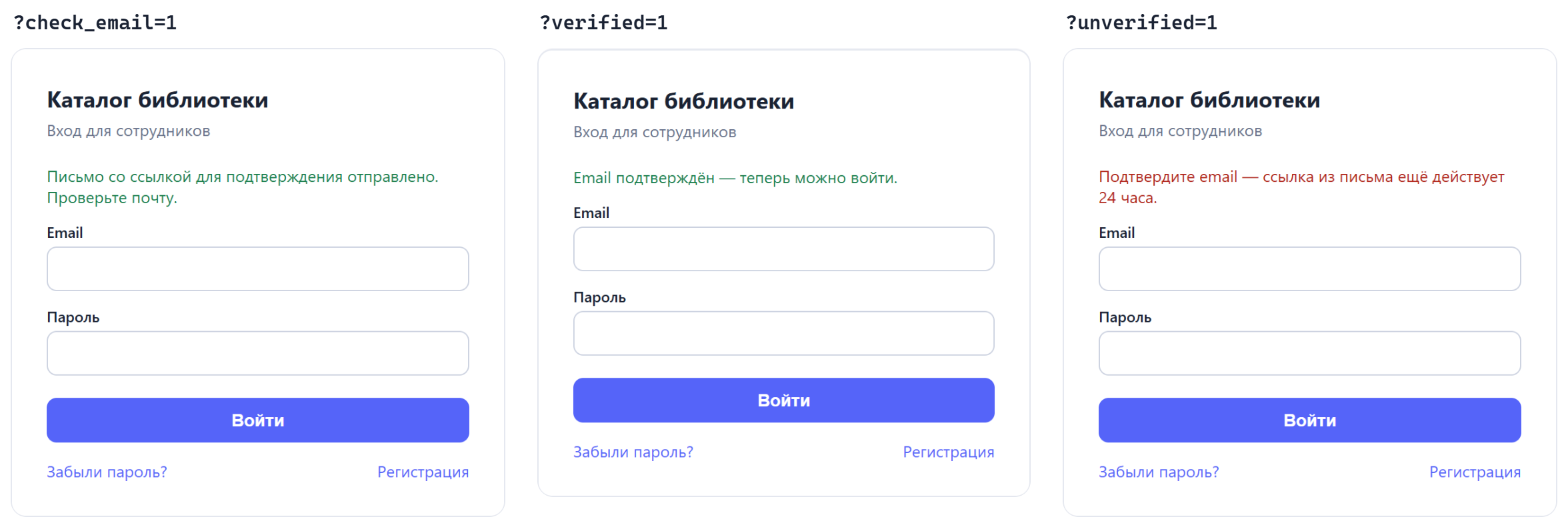
The sign-in page tells its states apart by the address parameter: ?check_email=1 after registration, ?verified=1 after the click, ?unverified=1 while the email is still unconfirmed.
Step 5. Password recovery
The flow on POST /forgot is three nodes: find the record by email, send the letter, redirect to /login?reset=sent. For an address that is not in the catalog the letter is never assembled: there is nothing to sign the link with — the password hash belongs to a record, and there is no record. The page still answers the same “sent” — recovery must not become a way to enumerate other people’s addresses.
The recovery letter uses the same filter with the reset purpose and a one-hour lifetime:
https://biblio.dynapi.ru/reset?token={{ results.m.members[0].password | signed_token: results.m.members[0].id, "reset", 3600 }}
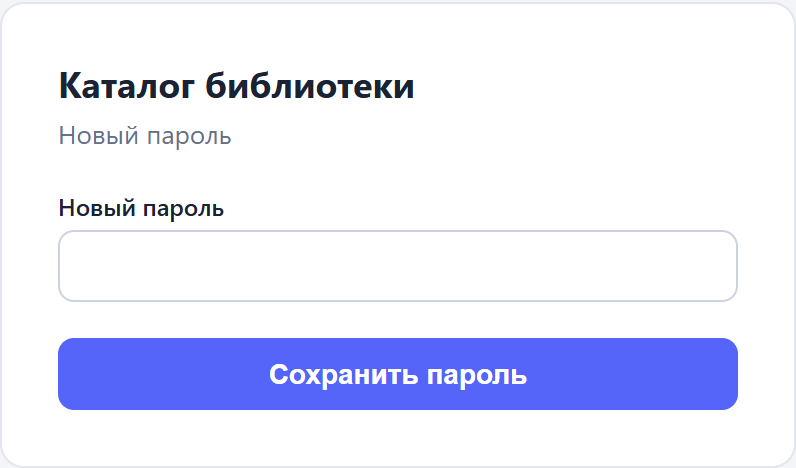
GET /reset validates the token with the same token_valid condition and shows the new-password form. The form carries the token and the reader id in hidden fields — the submission goes to POST /reset/complete, where the token is verified once more, together with the password change. Checking the link a second time is not optional: between opening the form and submitting, anything could have changed, and the completing flow must not trust the page’s state.
The mechanism has a consequence worth knowing: the link is signed with the current password hash, so a password change kills every issued link — confirmations and resets alike. Opened the letter after the hour passed, requested a reset twice, changed the password — the older links quietly die. No one-time-link table to maintain.
Step 6. The librarian role
The cookie carries the role, and flows can check it. The book-deletion flow gets its condition as the first node, before any graphql:
{
  "id": "c_role",
  "type": "condition",
  "data": {
    "predicate": {
      "combinator": "and",
      "clauses": [
        { "field": "member.role", "operator": "eq", "value": "librarian" }
      ]
    }
  }
}
The member.* field is assembled from the signed cookie on the server; the client does not choose it. The then branch deletes the book, the else branch answers with 403 and a JSON explanation:
{
  "id": "a_forbidden",
  "type": "action",
  "data": {
    "action_type": "respond_json",
    "config": {
      "status": 403,
      "body_template": "{\"error\": \"FORBIDDEN_ROLE\", \"message\": \"Only a librarian can delete books\"}"
    }
  }
}
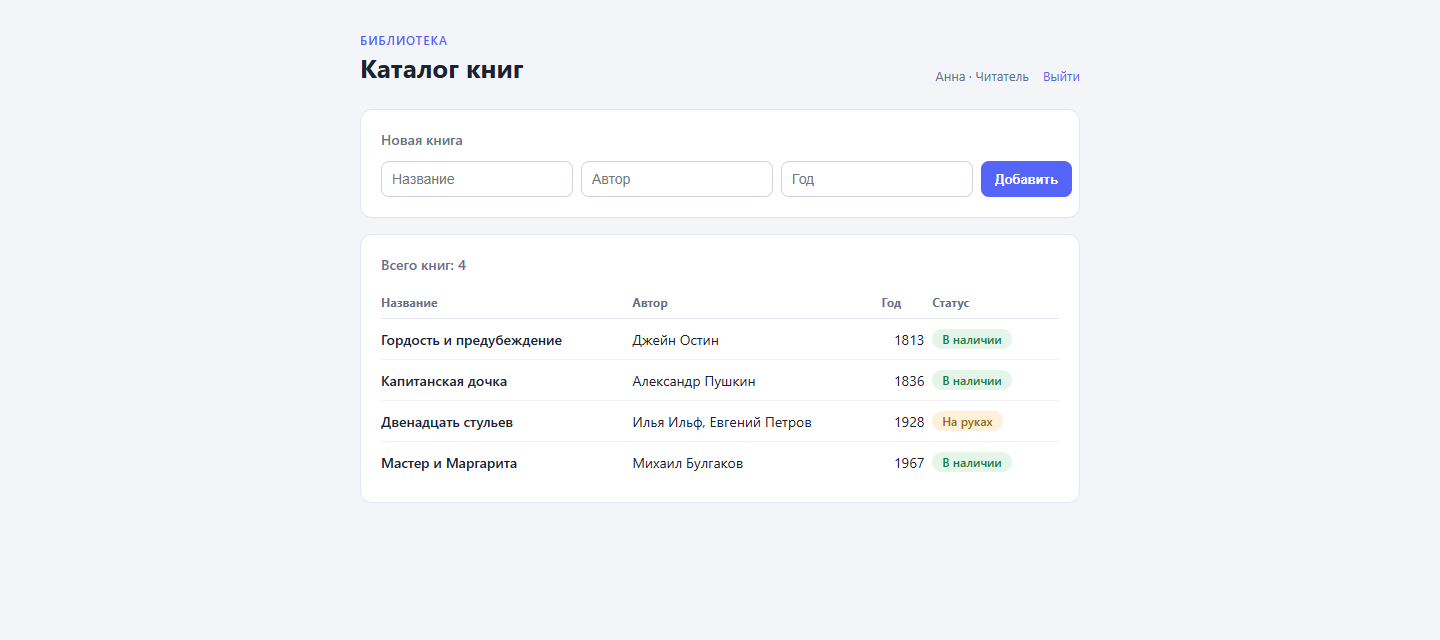
The Vue app reads the same role from the boot payload — we added name and role to window.__BOOT__ in the admin template — and simply does not draw the delete button for a reader:
const isLibrarian = computed(() => boot.member?.role === "librarian");
<td class="num">
  <button v-if="isLibrarian" class="del" @click="remove(b.id)">Delete</button>
</td>
The hidden button only shapes the interface; security is the flow’s job — a reader who assembles the request by hand runs into its 403. If the interface did not refresh after a role change in the admin panel, sign out and back in: the role rides into the cookie at sign-in.
Step 7. Checking before and after publishing
The registration and reset flows are dry-run before publishing — the same flowctl dryrun as in the first article. This time the context also carries a stub for the graphql node’s result, so the condition takes the branch we want:
{
  "method": "POST",
  "body": "name=Anna&email=anna%40biblio.test&password=parol-1234",
  "bodyContentType": "application/x-www-form-urlencoded",
  "graphqlResults": { "m": { "members": [] } }
}
The report lists all six nodes; the letter is suppressed in the run and marked as such. For the reset flow the reverse run is useful too: a stub token in the context drives the condition into the else branch — proof that a bad link never changes a password.
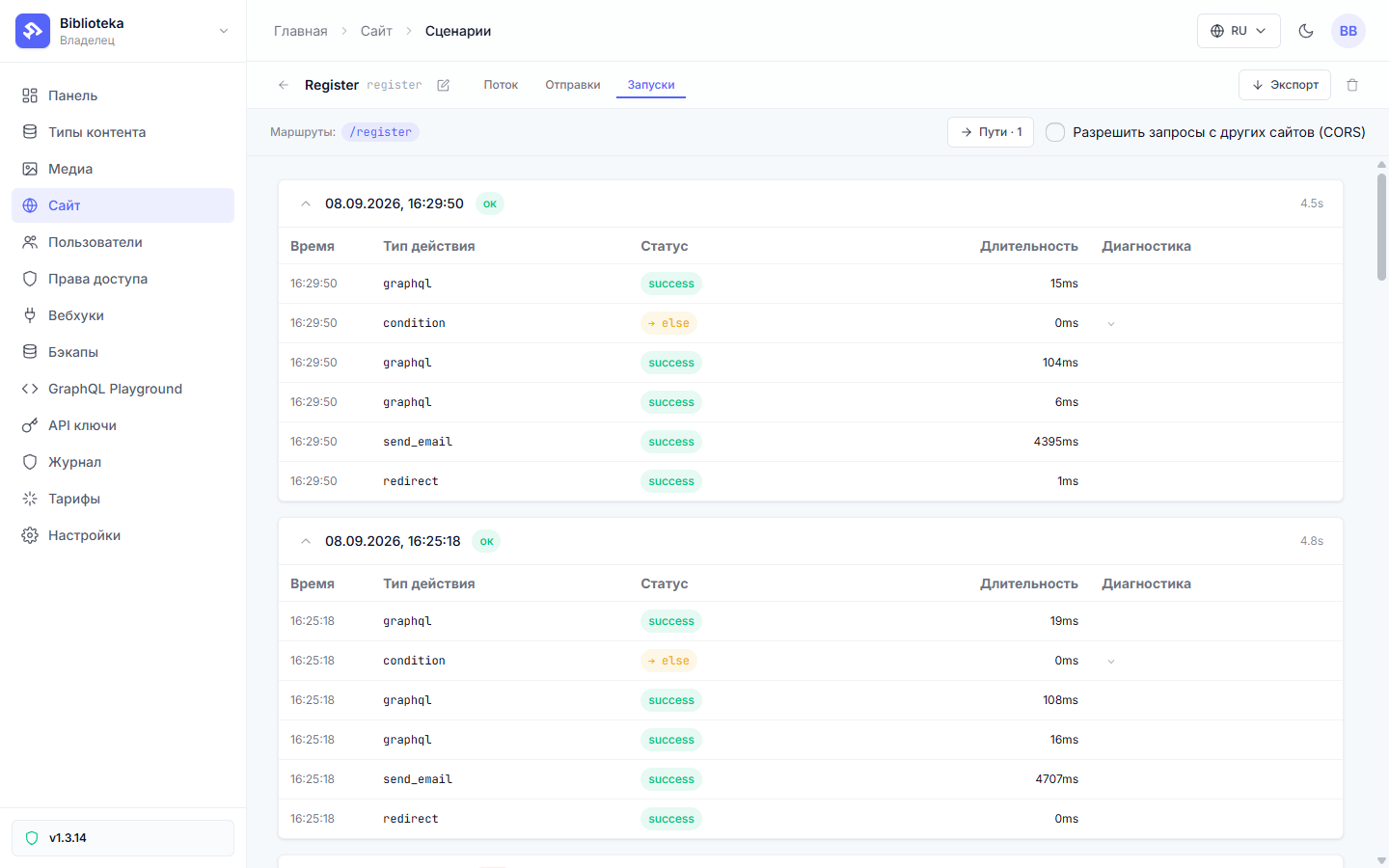
After publishing, the flow gets its journal — the “Runs” tab in the editor. A healthy registration run looks like this: the graphql nodes in order, send_email with its delivery time, the redirect.
The live catalog deserves a full walk: register with your own inbox, click the link, sign in, request a reset, change the password, sign in with the new one. The old password must stop working — if it does not, a re-check got lost somewhere.
What stayed off-screen
The route map grew to eleven: five form pages with their states, two link pages, the catalog API, and the closed admin UI. Every .dynflow.json sits in the step-5-accounts branch and applies with the familiar flowctl apply flows/register.dynflow.json --publish.
The link mechanics need no tables or cleanup jobs: a token expires on its own. Passwords never leave the platform — letters and journals carry none, and GraphQL answers never expose the hash. Cross-origin protection on public POSTs is always on the platform side, while captcha is a render setting; the first article covers both.
The next article goes deeper into API endpoints: filters, pagination, and reading other people’s errors in the run journal.
All posts