A PWA calorie tracker on DynapiCMS: the plan and the architecture
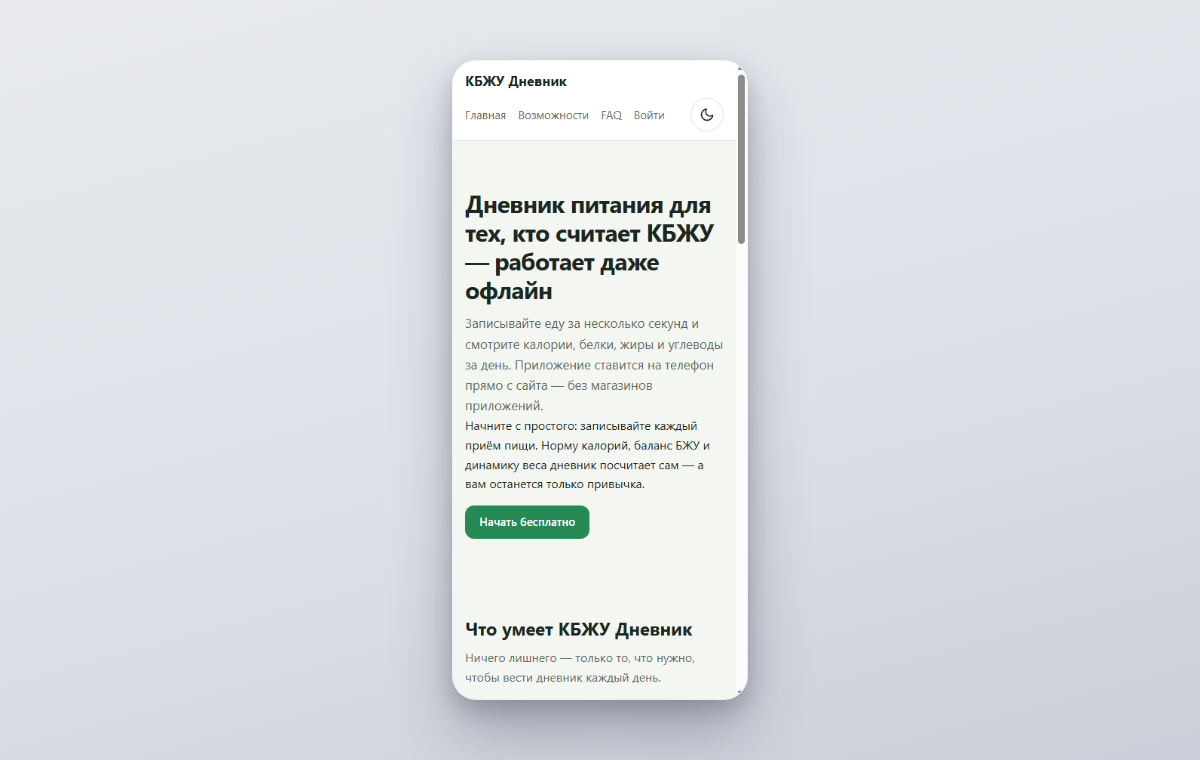
We wanted a calorie diary that installs onto a phone straight from a website and works offline. Server-side code was never in the plan. Installation goes through calories.dynapi.ru: open the link, add it to the home screen, and you’re set. No app stores, no “download our APK” step.
This is part one of a seven-part series. We’re building the app on DynapiCMS, a platform where data is described as content types and a GraphQL API is generated from that schema. The catch is that a diary needs a backend of its own, and the platform doesn’t hand you one. It needs users with passwords, private data, sync between devices, and an HTTP API for the mobile client. It was worth checking whether the platform could handle all that without a single line of server code.
It did: the project has zero lines of server code.
The architecture in one screen
The project breaks down into three parts.
The schema. Seven content types in the CMS:
| Type | What it stores |
|---|---|
member |
a user: email, password (bcrypt), daily calorie and macro targets |
food |
a food item: calories and macros per 100 g; no owner means the public catalog |
entry |
a diary entry: date, meal, grams, calories and macros |
weight-log |
weight measurements |
landing-section |
sections of the public landing page |
nav-item |
menu items |
site-meta |
title and description for SEO |
The first four hold app data, the last three hold site content. All of them live in the same schema and are edited from the same admin panel.
The backend. Twenty-six platform flows play that role. A flow is a graph of nodes: a condition, a graphql query, an email send, a cookie set, a response. Twelve of them cover authentication (login, register, forgot, reset, verify, logout, password change, plus the form pages), nine make up the app’s JSON API, and the remaining five are pages and services (the landing page, the app shell, the service worker, the manifest, the 404).
The frontend. A vanilla JS PWA with no build step. All static assets live in the project — five JS files, one CSS file, and icons. The manifest and the service worker body are the only exceptions. Neither exists as a file on the server; a flow serves both. Part five covers how they’re put together.
Everything is hosted on a platform subdomain, and calories.dynapi.ru serves the landing page, the app, and the API at the same time. Right next to it lives preview-calories.dynapi.ru, which executes draft flows and draft static assets. We did all development on preview and published to live only after everything had been verified.
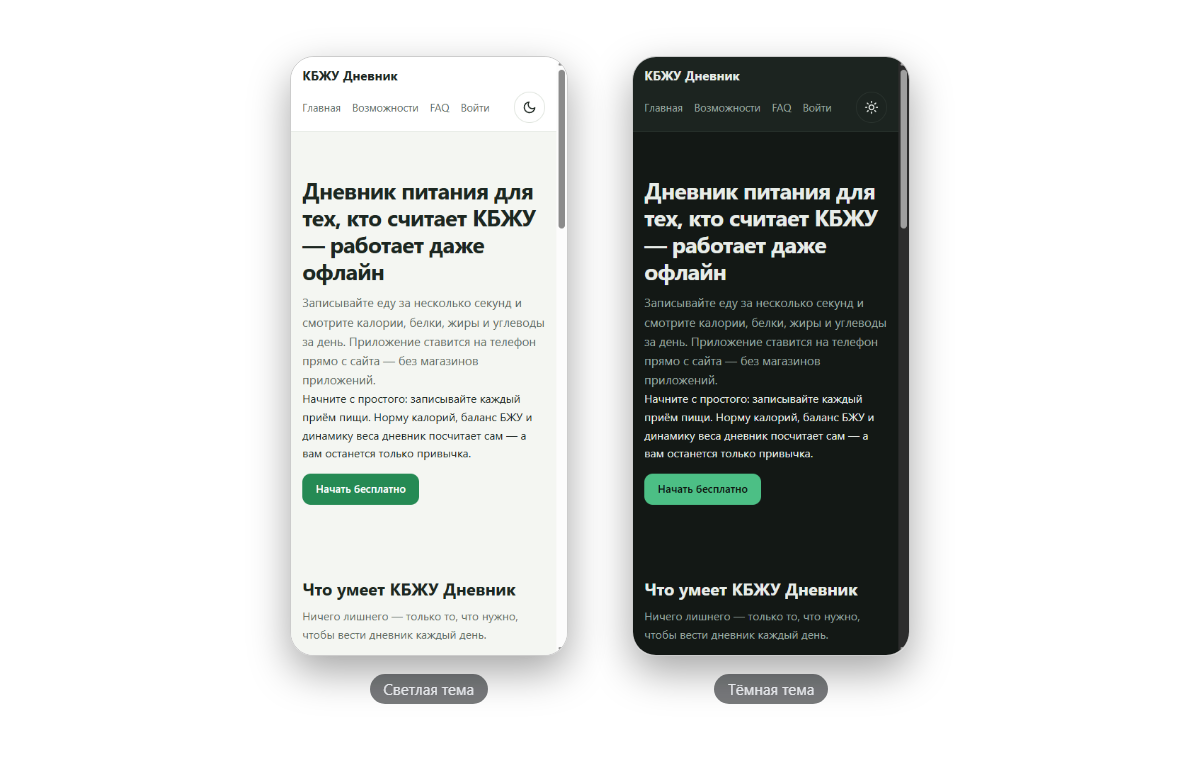
The main decisions
Flows instead of a custom server. Early on, we seriously considered a separate backend — FastAPI or Hono sitting next to the CMS. That would have meant a second deployment, session forwarding, CORS configuration, and its own CI. Flows removed the whole pile of plumbing: they run inside the platform, their graphql nodes query the same data, the session is read from the platform cookie, and publishing an endpoint is a CLI command. The subtle part is how a flow knows which user a request came from. That’s the topic of the next article.
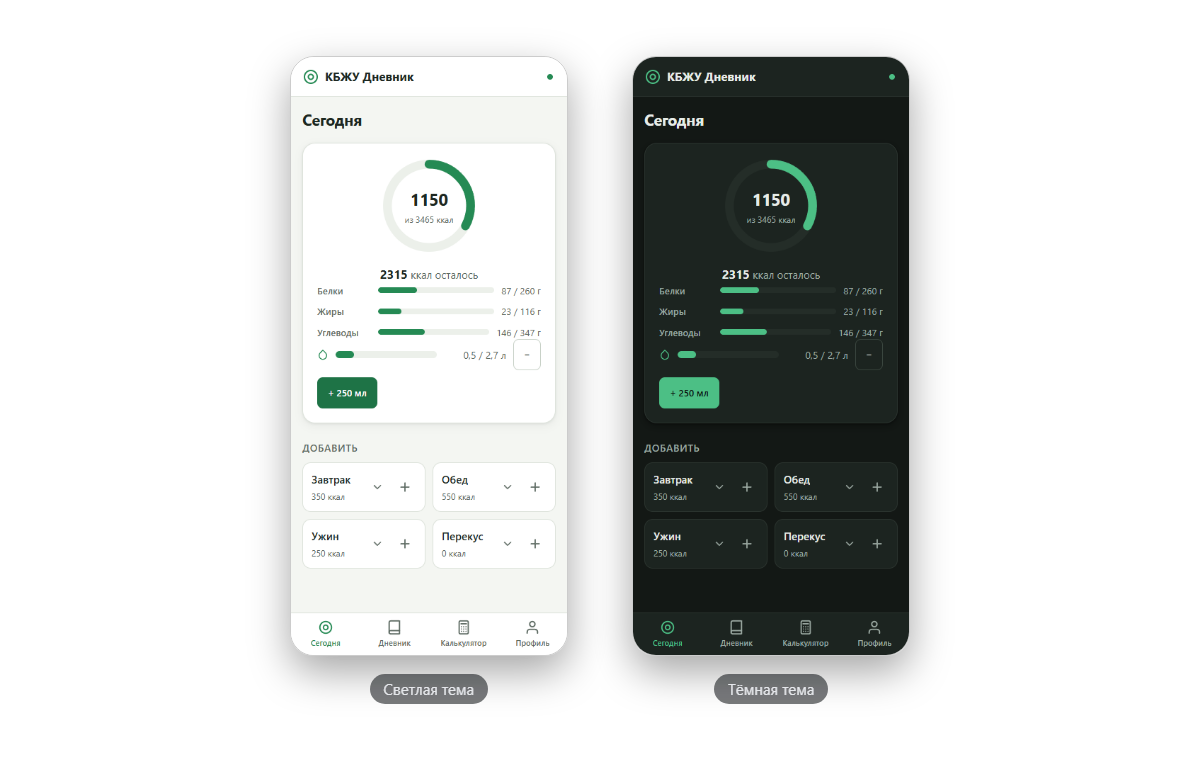
An IndexedDB-first client. Offline was a requirement from day one: a breakfast entry has to survive a dropped connection. Every mutation is written to local IndexedDB first, flagged dirty, and then queued for delivery. The queue lives in the same database and survives a reload. When the network comes back, the client flushes the pending jobs. The server is idempotent on client_uuid, so a retry never creates a duplicate — part four of the series walks through the sync in detail.
The food catalog is a content type in the CMS. The 131 products (grains, meat and fish, dairy, vegetables, fruits, berries, nuts and oils, bread, sweets, drinks) are plain food entries with an empty owner field. An empty owner marks a public product. When a user adds a product of their own, the same kind of entry is created, only with owner filled in. And there’s still just one search: one query with OR covers both.
We won on one more count: the catalog is editable right in the admin panel. If the macros on cottage cheese turn out wrong, fixing the entry in the entries table takes a minute, and no release is involved.
What we chose not to do
No frameworks, no build step. We didn’t take on React, Vite, or node_modules. The app is four screens plus an add-food form, and at that size a bundler would have added process without adding speed. An update is as plain as it sounds: edit app.js, publish the static assets, and users get the new version on their next load. Cache busting is a parameter in the shell template — static files are wired in as /static/app.js?v={{ site.version }}. The service worker keeps the offline app shell. It never intercepts /api/* requests; caching private data at the SW layer was a deliberate pass, IndexedDB already does that job.
No custom login. The platform ships ready-made member-auth presets: registration with email confirmation, login, password recovery, logout. We applied them wholesale with a single command and added only the field validation the presets lack. Data isolation comes with the presets too — the server resolves the user id from a signed cookie, and the client never sends one.
The plan for the series
- The plan and the architecture — this article.
- Login without a backend — the
membercontent type, bcrypt, a 30-day session cookie, and per-user data isolation on server-side variables. - A JSON API from flows — nine endpoints, the idempotent upsert on
client_uuid, and Liquid template gotchas. - Offline-first — IndexedDB, the delivery queue, LWW merging, and two nasty sync bugs.
- Service worker — the manifest and
/sw.jsserved by flows, caching strategies, and a module cache that survives a release. - Liquid and dynamic schema gotchas — an engine without Shopify’s habits, async schema rebuilds, the
limitcap, and the query library that refused Liquid (we fixed that partway through the series). - The norms calculator, themes, and polish — Mifflin-St Jeor, a progress ring on
pathLength, and paired dark tokens.
What’s next
The next article is “Login without a backend”: how the platform’s member authentication is wired, why nobody but the login flow ever sees the password, and what happened when the second test user saw the first user’s first breakfast.
All posts