The Norms Calculator, Themes, and Polish

The final part of the series is about the math and the wrapper. We compute the calorie norms in the browser, draw the progress ring in SVG, and add a dark theme built from paired tokens. Plus the story of how the ring got clipped into an arc, and what had to be recomputed.
A formula that lives on the client
The norms come from Mifflin-St Jeor, computed entirely in the browser:
function calcNorms({ sex, age, height, weight, activity, goal }) {
  const bmr = 10 * weight + 6.25 * height - 5 * age + (sex === 'male' ? 5 : -161);
  const tdee = bmr * ACT_COEF[activity];        // 1.2 (minimum) … 1.9 (athlete)
  const goalK = goal === 'lose' ? 0.85 : goal === 'gain' ? 1.1 : 1.0;
  const kcal = Math.max(0, Math.round(tdee * goalK));
  const protein = Math.round((kcal * 0.3) / 4); // 30% of calories at 4 kcal/g
  const fat = Math.round((kcal * 0.3) / 9);     // 30% at 9 kcal/g
  const carb = Math.round((kcal * 0.4) / 4);    // 40% at 4 kcal/g
  const bmi = weight / Math.pow(height / 100, 2);
  const inches = Math.max(0, (height - 152.4) / 2.54); // 152.4 cm = 5 feet
  const ideal = sex === 'male' ? 50 + 2.3 * inches : 45.5 + 2.3 * inches;
  const water = Math.round(30 * weight);        // 30 ml per kg
  return { bmr: Math.round(bmr), kcal, protein, fat, carb, bmi, ideal, water };
}
The same function also computes BMI with its category and ideal weight by Devine: men get 50 kg plus 2.3 kg for every 2.54 cm of height over 152.4 cm, women 45.5 kg plus the same per 2.54 cm. Below 152.4 cm the formula stops at the base kilograms. We checked it against a live example — a male, 35 years old, 175 cm, 90 kg, “athlete”, “maintain” — and got 3465 kcal. That figure matches the test user’s profile in the automated test.
Running the math on the client is convenient: the result is instant, it works offline, and the flow backend never has to touch arithmetic. Exactly one thing goes to the server — “Apply norms” writes the result into the profile with a single partial POST /api/profile. The platform accepts any subset of fields, so the norms, the water target, and the body data (sex, height, weight, activity, goal) travel atomically in one patch.
The calculator and the profile in tandem
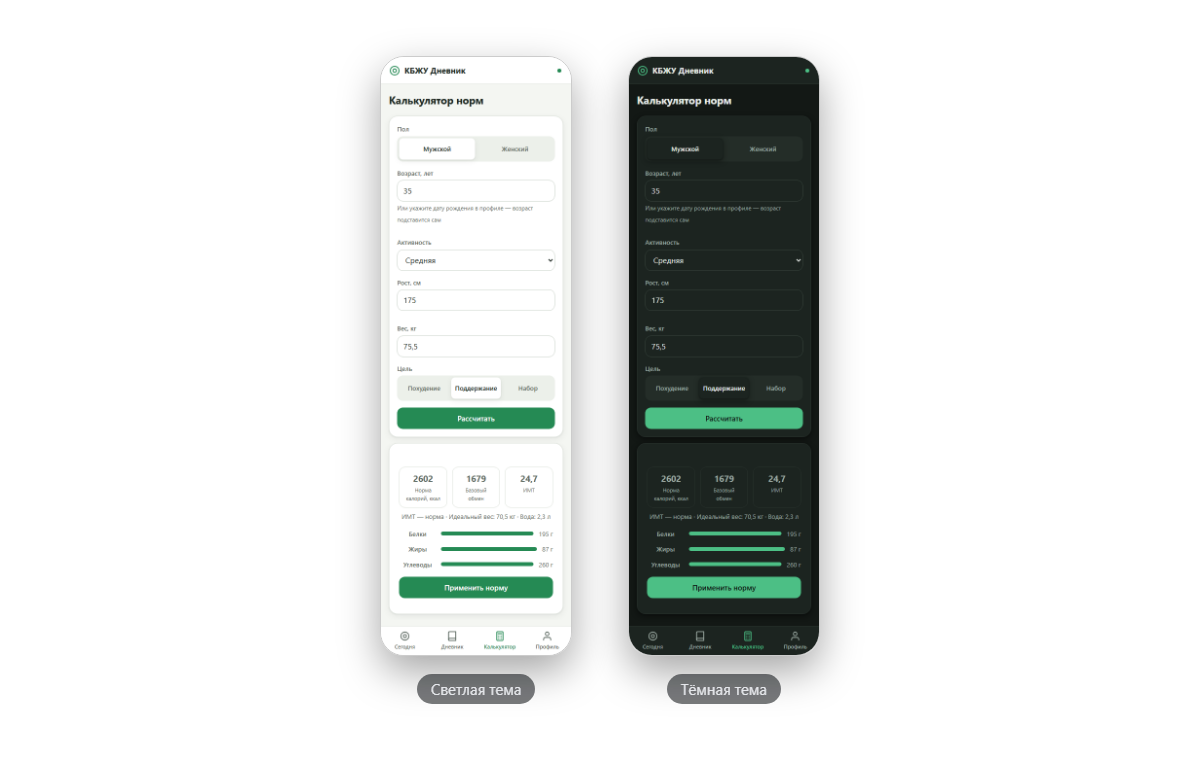
Calculator fields are filled in order: from the profile first, if it has values, then from the draft, and otherwise the placeholder stays. The draft lives in localStorage (kbzhu-calc) and survives a reload — close the tab, come back, and everything is still there, computed result included. Only what you explicitly apply ever reaches the profile.
The bug never showed itself until we walked the scenario through by hand. The “Apply norms” button took its result from state.calc — the last computation. Change your weight after hitting “Calculate”, and the norms get applied from the old weight. So the fields are re-read right before applying:
const vals = readInputs(); // re-read: state.calc may be stale
if (!vals) { toast(T.toast.fillForm, 'err'); return; }
if (!state.calcInputs || JSON.stringify(vals) !== JSON.stringify(state.calcInputs)) {
  state.calc = calcNorms(vals);
  state.calcInputs = vals;
}
It works in the other direction, too. If the body data and the norms in the profile drift more than 2% apart — the weight got updated, the norms stayed stale — a hint appears: “Profile data has changed, recalculate your norms.”
The ring that kept cutting itself
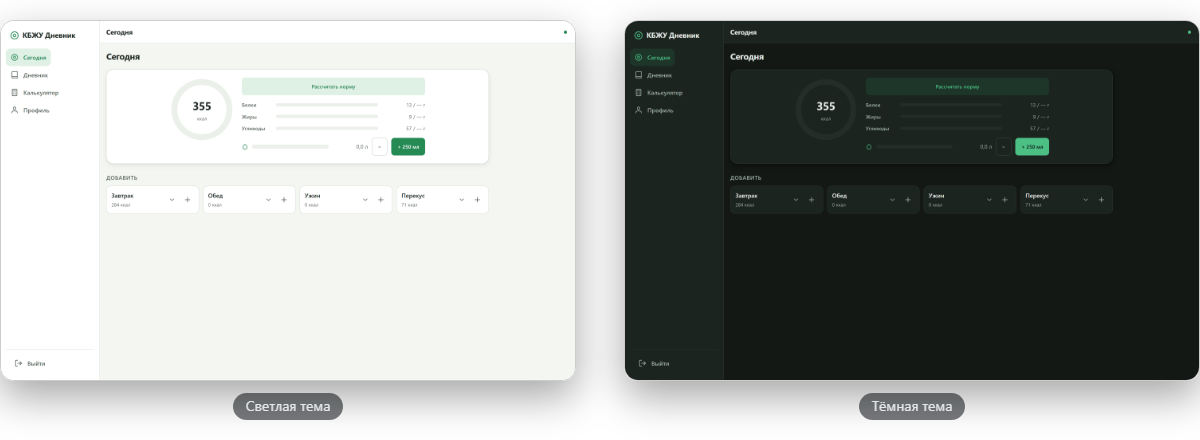
The calorie ring on the “Today” screen is a plain SVG circle. The first version: viewBox="0 0 36 36", radius 15.9155 (which yields an honest 100 units of circumference), and stroke-width: 0.625rem — “the usual” thickness, in rem. Live, the ring turned into a droplet in places, and at zero a quarter-arc dangled from the top.
The cause is how CSS lengths land in SVG. 0.625rem is 10px, and 1px equals one viewBox unit here. The stroke thickness splits in half: 5 units go inward, 5 outward. Radius 15.92 plus the outer 5 puts the ring’s edge 20.92 from the center, while the box edge sits 18 away. The ring doesn’t fit and gets clipped on all four sides.
The quarter-arc comes from the same thickness. At zero progress the stroke has zero length, but stroke-linecap: round still caps its end with a circle the size of the stroke — a dot 10 units across. The circle’s start sits at the top, so that dot dangles at 12 o’clock.
We rewrote it with pathLength="100" — the share of the circle is now set directly as a percentage, no trigonometry:
let fg = '';
if (norm && pct > 0) { // no arc at all when pct <= 0
  fg = pct >= 0.999
    ? `<circle class="ring-fg${over ? ' is-over' : ''}" cx="22" cy="22" r="19" pathLength="100"></circle>`
    : `<circle class="ring-fg${over ? ' is-over' : ''}" cx="22" cy="22" r="19" pathLength="100"
         stroke-dasharray="${(pct * 100).toFixed(1)} 100"></circle>`;
}
The final version runs a 44-unit box, radius 19, and stroke-width: 4px. Zero renders no arc at all, a full circle is drawn without dasharray, the is-over class tints the ring on overshoot, and the arc transition takes 0.45 s. An automated test pushed it through seven screen widths from 320 to 1440 — the ring stayed intact everywhere.
Theme, breakpoints, rem
The whole sizing system is built on rem, and there are two thresholds. Below 48rem lives the mobile frame with a tab bar; from 48rem, the desktop layout with a 15.5rem sidebar and content up to 60rem. We checked the boundary at seven screen widths — 320, 390, 600, 713, 768, 1024, and 1440. The content fits without horizontal scrolling on every one, including 713px, where the system scale decides which layout kicks in.
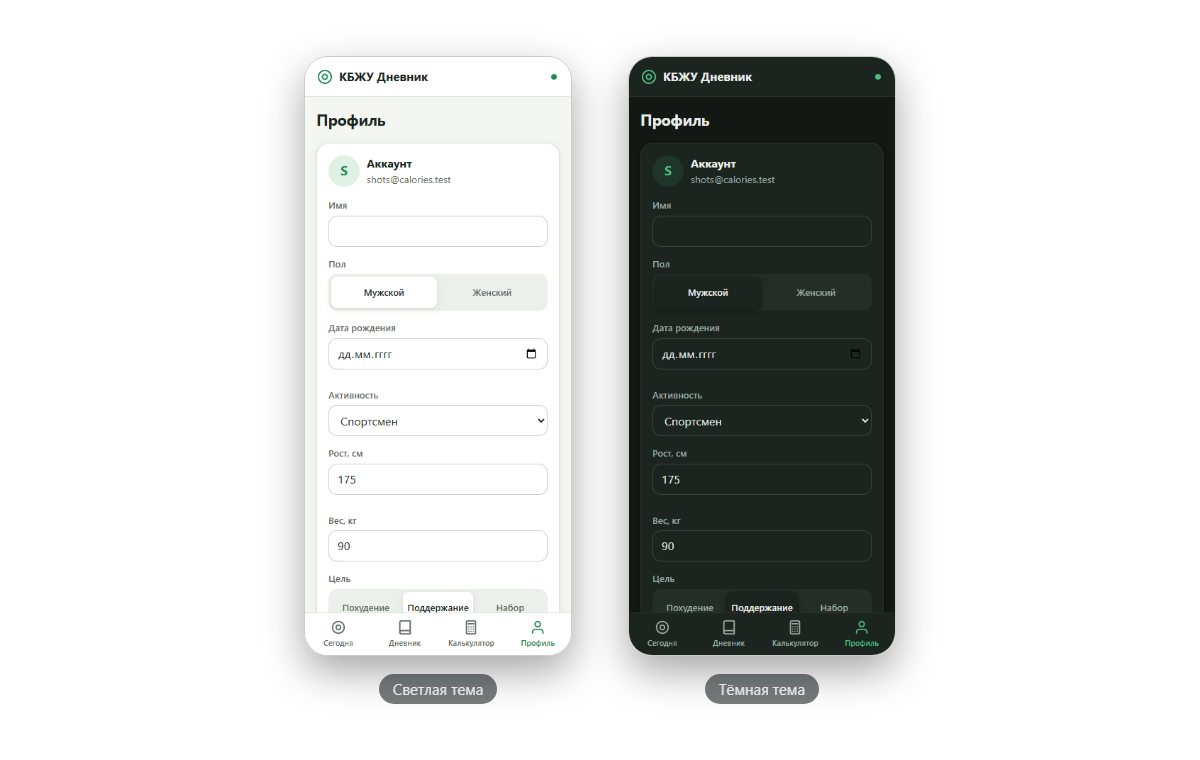
The dark theme is built from paired tokens, with no inversion: its own --bg #131815, --surface #1c2420, a muted accent #4cbf85 in place of the daytime #258a54, plus color-scheme for native controls. The switcher has three modes — auto, light, dark — and auto reads the theme straight from the system via matchMedia, writing nothing to localStorage. So a dark phone never flashes a light theme — there’s a script in <head> that runs before the first render:
var t = localStorage.getItem('kbzhu-theme');
if (t !== 'light' && t !== 'dark') {
  t = matchMedia('(prefers-color-scheme: dark)').matches ? 'dark' : 'light';
}
document.documentElement.setAttribute('data-theme', t);
The calorie bar changes color as it approaches the norm: up to 85% it stays accent-colored, then it yellows, and on overshoot it reddens along with the ring. The protein, fat, carb, and water bars are built on the same tokens, so they recolor themselves in the dark theme.
A bit of small polish rode along here as well. The water buttons carry an aria-label; the ring is marked role="img" with a computed caption, “N of M kcal eaten”. Until norms exist, the ring card shows a “Calculate norms” button that leads to the calculator. And a global prefers-reduced-motion rule mutes the dot’s pulse and the arc transition.
“Ate 100 kcal 20p 3f 5c”
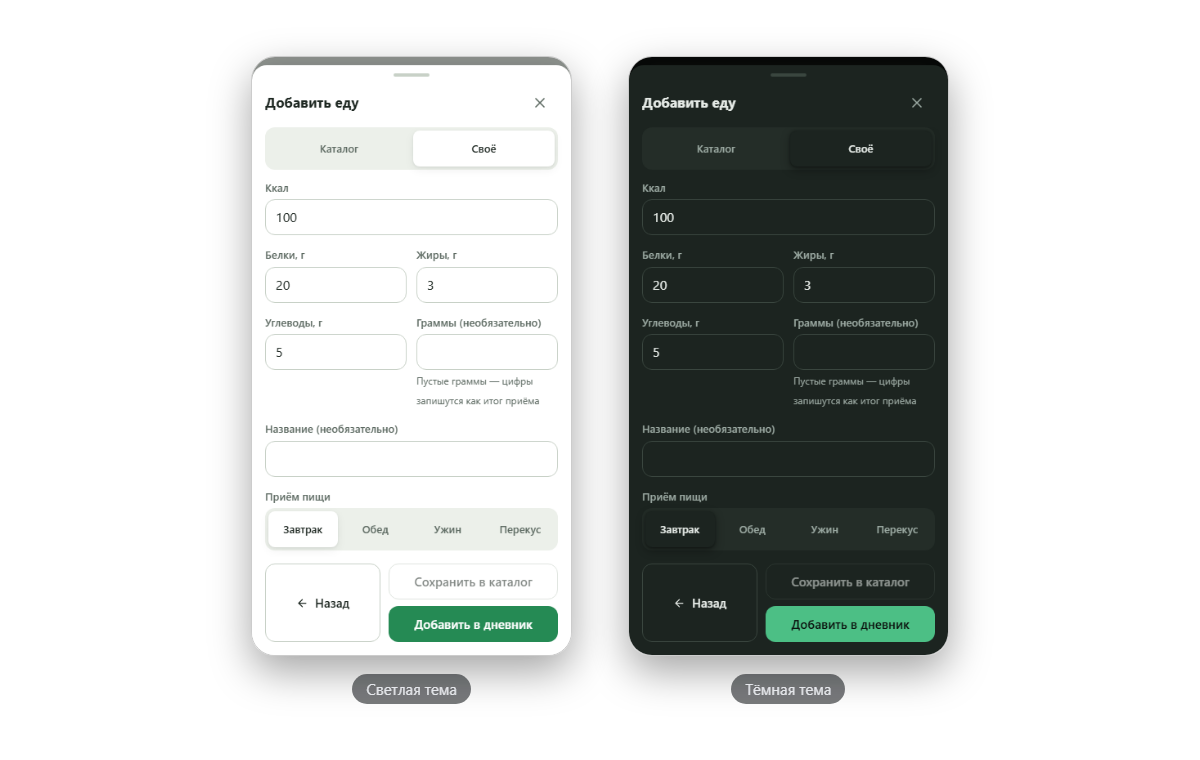
One decision came straight from the project’s owner. He tried to log “100 kcal, 20 protein, 3 fat, 5 carbs” and ran into the catalog: the form only accepted products from the list. For a slice of cafeteria pie, that’s needless overhead — hence the “Custom” tab with four fields: kcal, protein, fat, and carbs. Grams and a name are optional.
Type in “100 / 20 / 3 / 5” and the entry lands in the diary with no name — name: null; the schema allows it. Provide a name and grams, and a “Save to catalog” button unlocks, scaling the numbers to 100 g for future search.
The series finale
The app lives at calories.dynapi.ru. It installs straight from the site — the browser offers “Install app” or “Add to Home Screen” — and works calmly offline, syncing up whenever the network reappears. Inside: a diary with four meals, a catalog of 131 products plus your own items, weight, water, Mifflin-St Jeor norms, two themes. And the backend underneath it all is assembled from flows, without a single line of server-side code.
As for the platform underneath, DynapiCMS with a schema that rebuilds on the fly, it’s worth trying the way this tracker was built: describe your content types, assemble flows, and watch a product take shape out of them.
That was the seventh and final part of the series. The previous parts — “Offline-first”, the service worker, and Liquid gotchas — plus everything that came out before them.
All posts