Building a landing page in one wizard run
The one-page site is the most common and most tedious order there is. Hosted builders charge a subscription and pin their own banner on top, the freelancer promises “a week, tops” and vanishes at the revision stage, and a stock template is recognized on sight. In essence you need a single screen: what this is, what it costs, where to write.
DynapiCMS ships a wizard for this. Answer a short form and you get a published page at your project’s address: a header with anchors, stats, a menu, testimonials, an FAQ, a lead form, a dark theme. The page stays in your project as CMS records, template files and a couple of flows — everything is editable by hand, no code required.
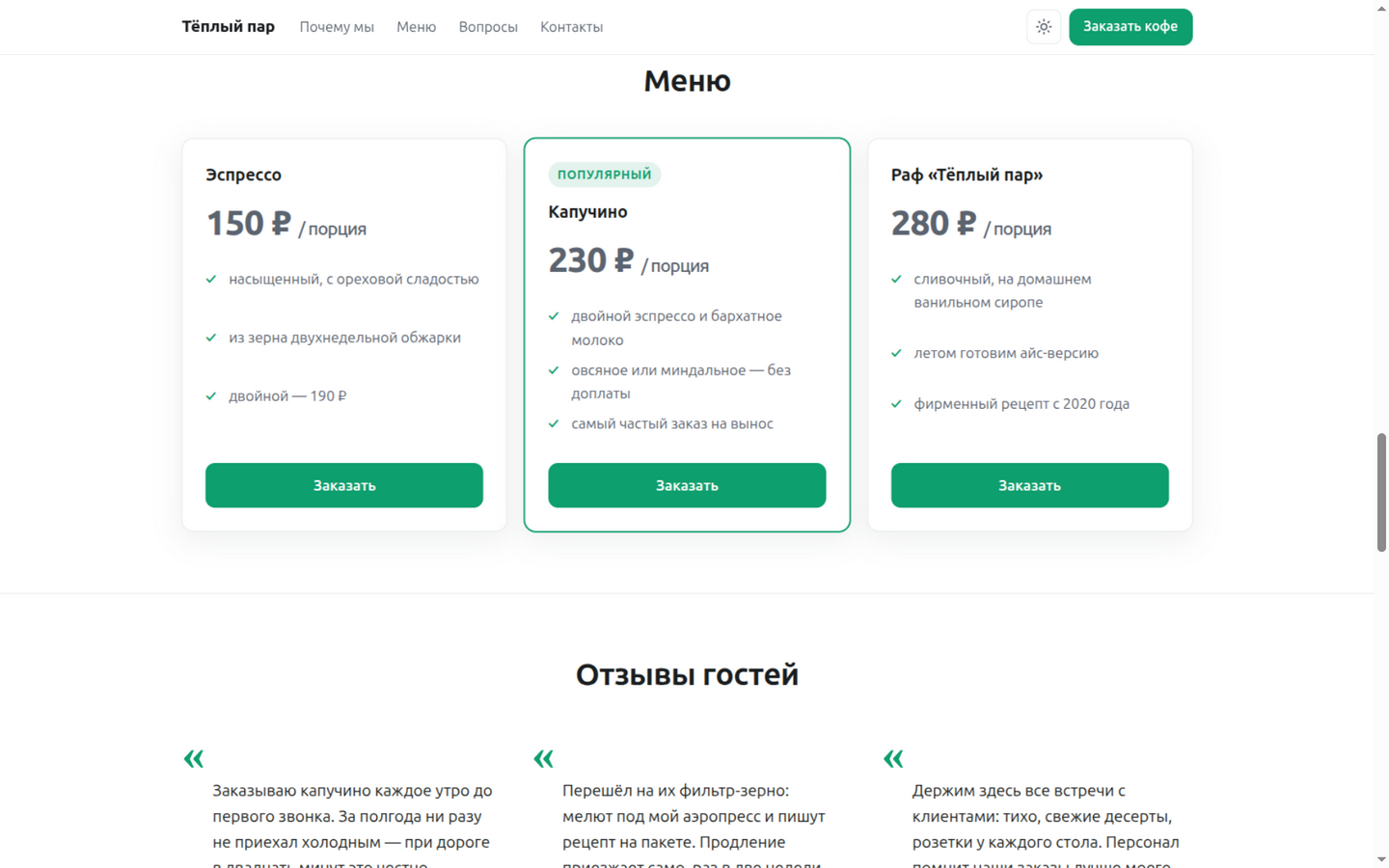
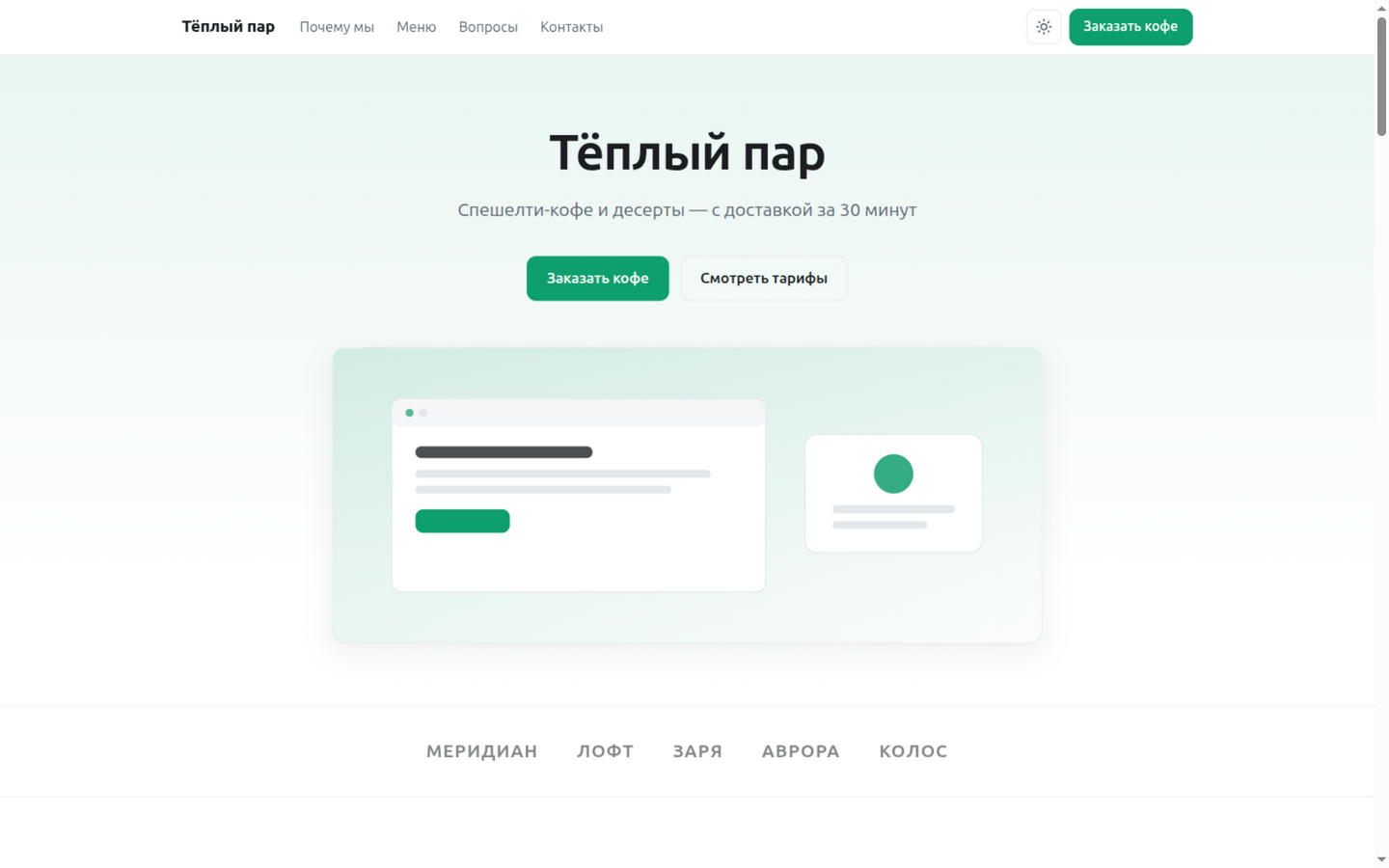
Here I run the wizard from the first button to a live address: the coffee shop «Тёплый пар» (“Warm Steam”), a clean demo project, a screenshot for every step. The landing takes the project root — warmsteam.dynapi.ru/.
First, advice: run it on a demo project
The wizard creates content types, files and flows in the project you launch it from. Make the first run on a separate demo project: nothing is at risk there, you can examine the result at your own pace — and only then repeat it where the page is actually needed.
Step 1. The “Landing page” card in the gallery
In the admin panel: “Site” → the “Flows” tab → “Create flow”. Instead of a form, a “What are we creating?” gallery opens — cards with an icon and a description; among them a captcha form, a Telegram notification, a JSON endpoint, a page, YooKassa payments. Pick “Landing page”.
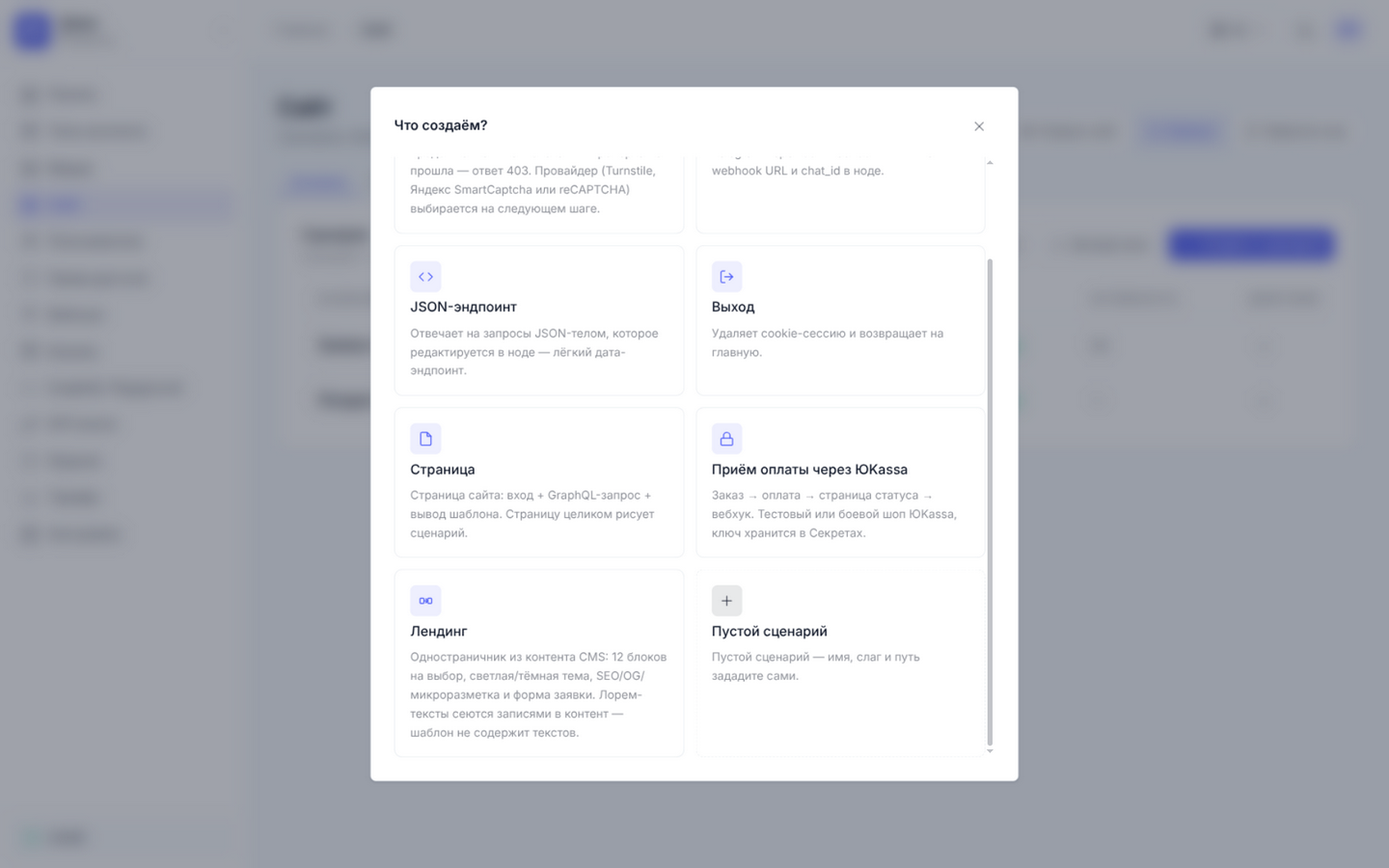
The slug and the address are not asked for at this step: by default the wizard puts the page at /lp, and on a name collision it takes the next free name without overwriting anything. We want the landing to be the whole site — the path is changed in the form below.
Step 2. A form instead of a brief
Next comes a single form on one screen:
- “Product name” and “Offer in one sentence” — they become the hero title and subtitle;
- “Button label” — instead of a faceless “Submit” you get “Order coffee”;
- “Accent color” — four palettes: indigo, emerald, graphite, amber;
- twelve block toggles — from client logos to the lead form;
- “Page path” —
/lpby default; a landing that owns the whole site gets/; - “SEO description” and “Open Graph image”.
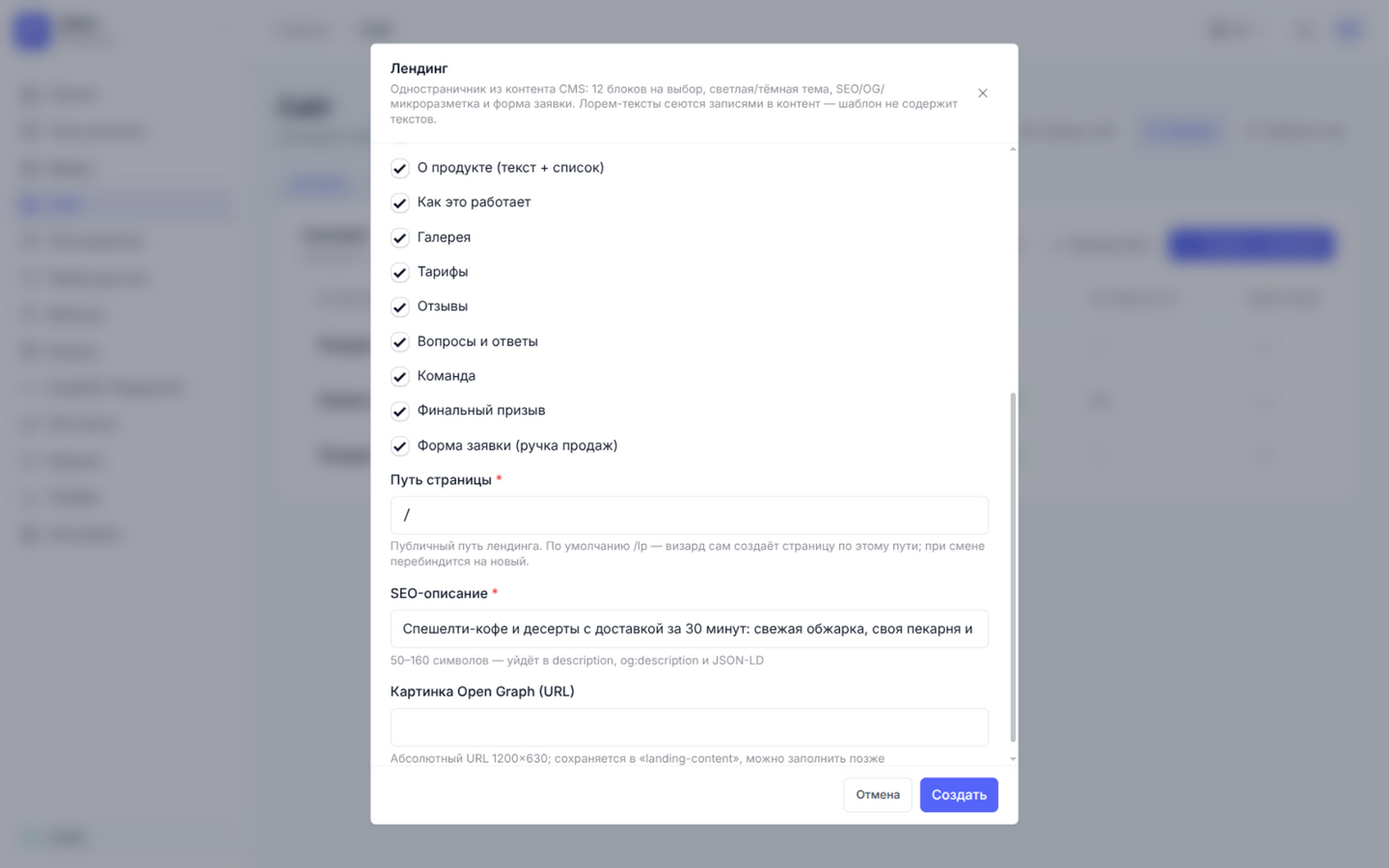
I fill it in: “Warm Steam”, “Specialty coffee and desserts delivered in 30 minutes”, the button “Order coffee”, the emerald palette, all blocks on, path /.
There is no “site address” field in the form, because the wizard does not need one: the canonical link, og:url and structured data are built from the request host — on a subdomain they point at that subdomain, on a custom domain, at that domain. The same content works at any address without regeneration. The image from the form becomes og:image, so a link shared in a messenger carries a cover.
Step 3. The “What will be created” plan
Before running, the wizard shows a plan — the list of operations it is about to perform. You see exactly what will appear in the project.
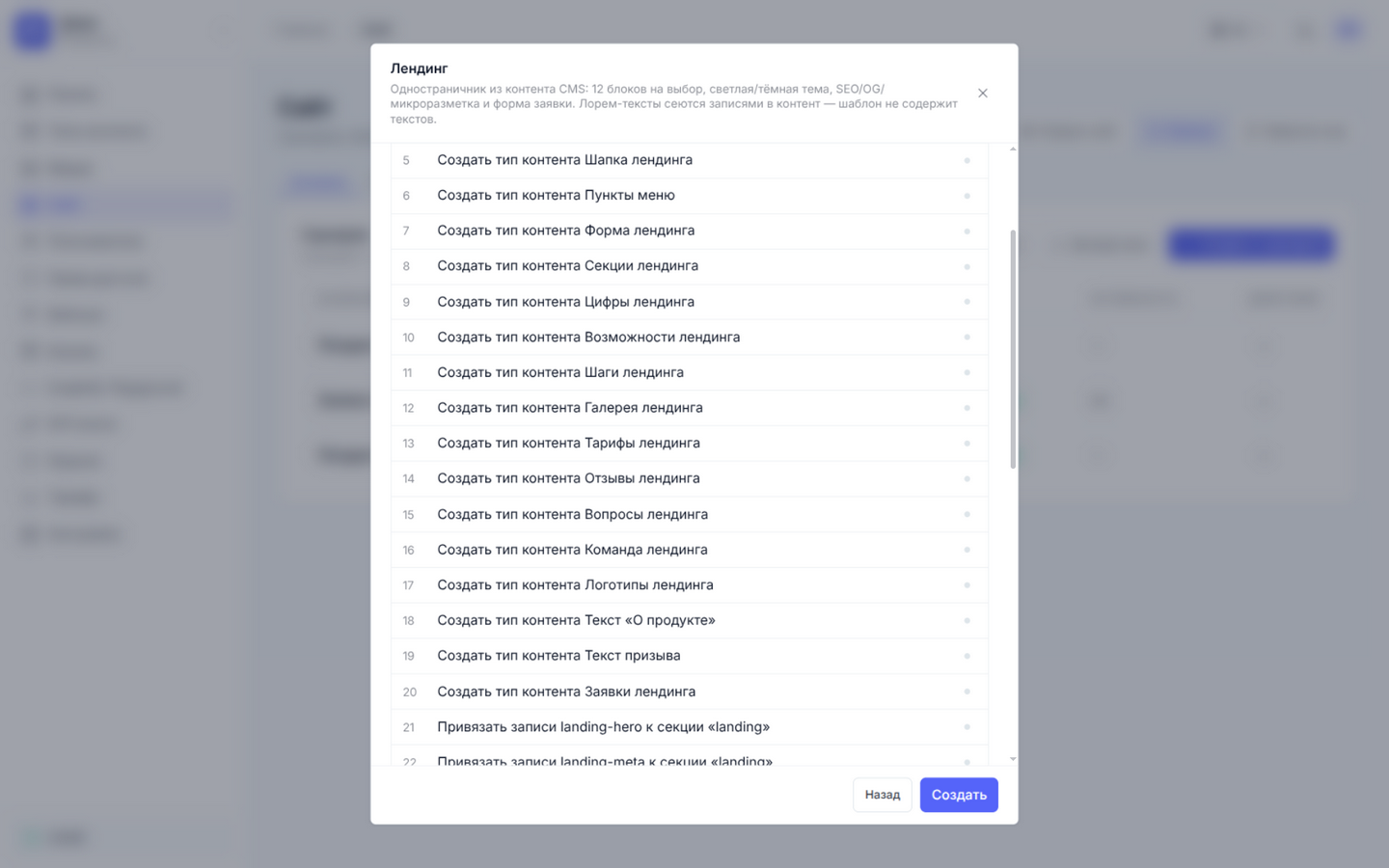
Twenty content types: “Landing page”, “Landing hero”, “Landing meta”, “Landing SEO”, “Landing header”, “Menu items”, “Landing form”, “Landing sections”, eleven fill types, and “Landing leads”. Then the links: pricing records go to the menu section, questions go to the FAQ section — every section receives its content through links, and the hub page ties the roles together. The plan ends with the landing.liquid template, styles, a script, the page flow, the lead-processing flow and the route.
The template contains no placeholder copy: the words from the form land in the project as records; markup and logic are all that is left to the template.
Done — and already published
The run ends with a working address: the wizard publishes the template, the static files, the flows and the route itself. We asked for the root instead of the default /lp — the wizard moved the binding and reported it with a “Page moved: /lp → /” toast. The flow list shows “Landing page” and “Landing leads”, both “Published”, both on /.
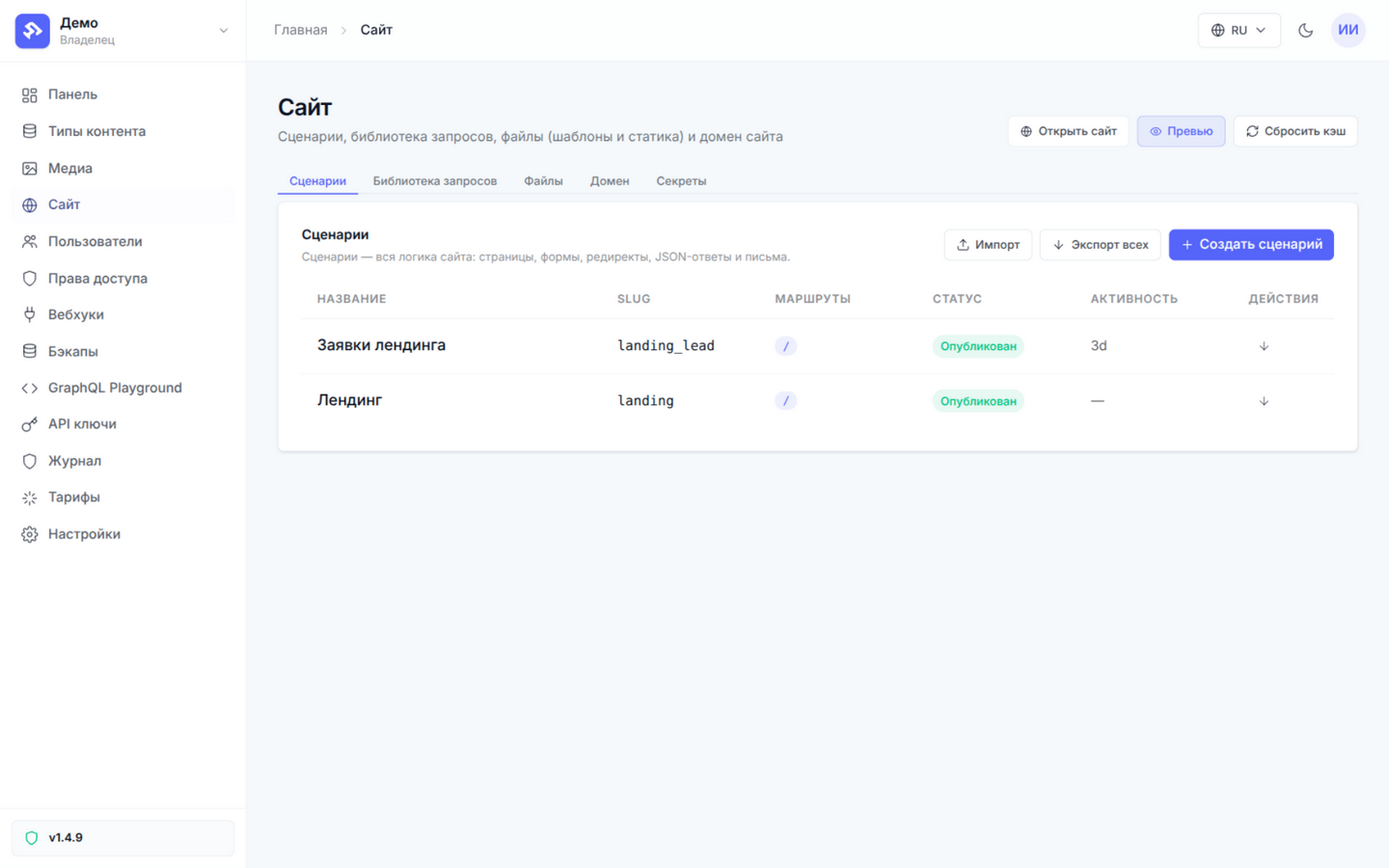
The page opens on the public domain right away — there is no separate “now publish the draft” step.
Where everything lives after the run
Everything the wizard created stays an ordinary platform object: six months later the slogan still lives where it did on day one — in the “Landing hero” record.
Content — in the CMS. The menu is three “Landing pricing” records: a name, a price and a list of what is included. Questions are four “Landing FAQ” records; stats, testimonials, the team and the gallery have their own types. Every section is a record in “Landing sections”, and that record holds links to its content in the items field. Menu links are records in “Menu items”: adding or removing a link is a one-record change.
Presentation — in files. The landing.liquid template with landing.css and landing.js next to it: responsive layout, light and dark themes, aria attributes, focus styles, OG and Twitter meta, canonical and JSON-LD — WebSite and FAQPage when the FAQ block is on.
Logic — in flows. The page flow makes three content queries and renders the template; the main one fetches the “Landing page” record that ties the whole site together. The form is a separate flow with a honeypot field against bots: the POST goes to the same page address, leads land in the “Landing leads” type and appear in the admin as ordinary records.
Twelve toggles
Every block is a toggle in the form: logos, stats, features, about, steps, gallery, pricing, testimonials, FAQ, team, call to action, form. Turn one off — the section disappears entirely. The order of the toggles sets the order of the sections: the form reads like a table of contents.
The form is the heaviest toggle: without it the wizard creates neither the “Landing form” type, nor “Landing leads”, nor the lead-processing flow.
This is how a landing adapts to the task: a coffee shop needs the menu and a gallery of the room, a consultant needs testimonials and an FAQ, an event needs a program and a registration form. One wizard, different pages, no template edits.
Edits and moves
After publication, texts are edited in records — like any project content. A second run on the same project leaves existing records untouched. If the address no longer suits you, change the path in the flow settings: the page moves, the old route is cleaned up, and a “Page moved: A → B” toast confirms it.
The theme follows the visitor’s system setting by default, and the header has a manual toggle — the choice is remembered. Check the page in both themes.
Frequently asked questions
Do I need a developer?
No. The run — the form and the publication — happens entirely in the admin panel; edits afterwards go to records and files. You look into the template only when you want to change the markup.
What appears in the project after a run?
Up to twenty content types with records holding your copy (some depend on the blocks you switch on), a template with styles and a script, two flows, and a route on the path you chose.
Can the address change after publication?
Yes. Change the path in the flow settings — the page moves and the old route is cleaned up.
What happens if I run the wizard a second time?
It leaves existing records untouched. A second run is for a clean project or for rebuilding links; refreshing content is not what it does.
A landing page is usually needed “yesterday”: a five-minute form, edits in the CMS without revision rounds with a developer. How the site flows and files work under the hood is covered in the documentation; the wizard creates exactly the same entities, so you can take your page apart at any time.
Documentation: site flows and files.
All posts