Teaching the catalog API filters, pagination, and honest errors
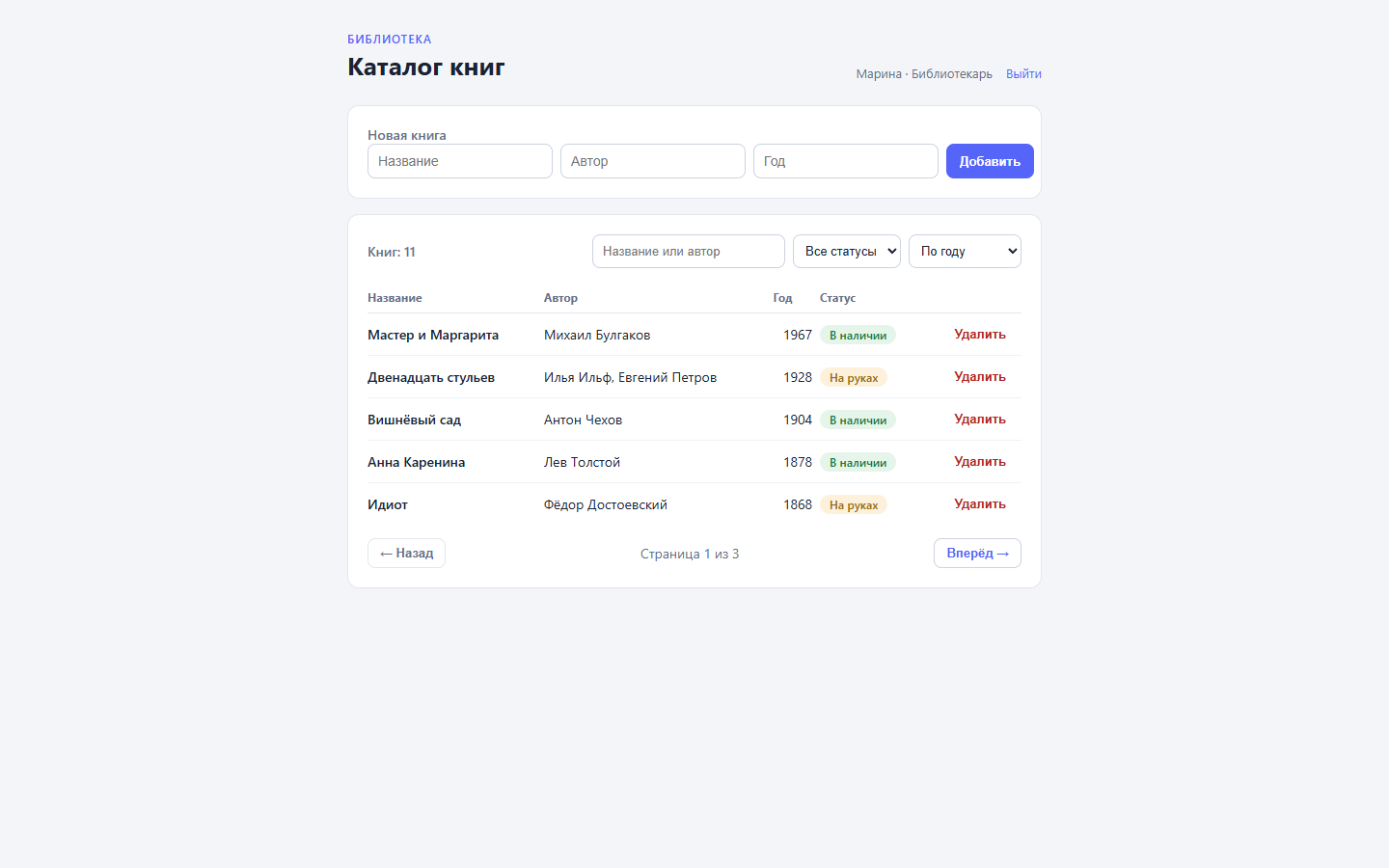
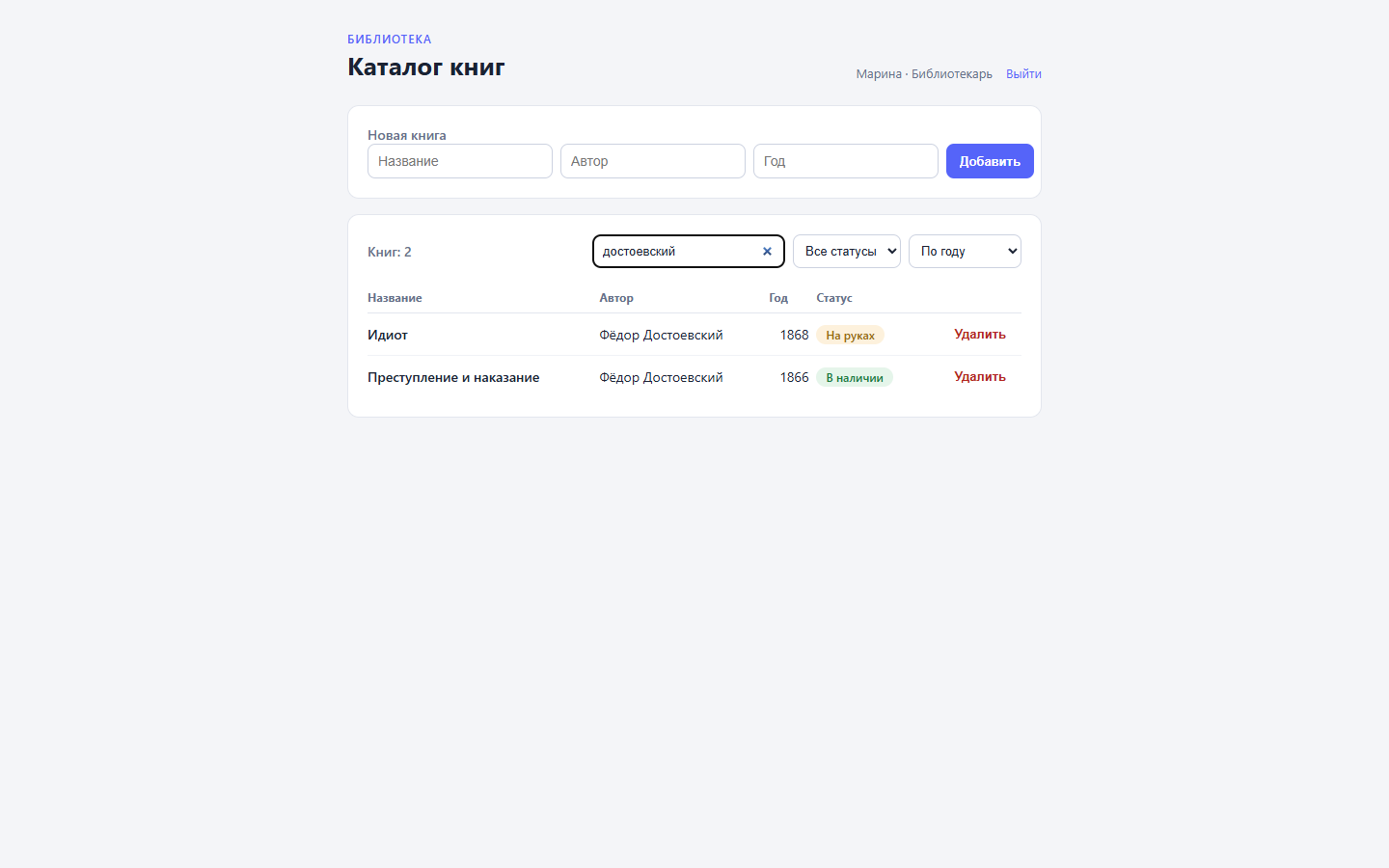
The catalog has been living on flows for two articles now: the first one gave it a JSON API and a closed Vue admin, the second added reader accounts with email confirmation and roles. The API itself stayed where it started, though: one endpoint that returns every book at once. Four records were fine; eleven are already a stretch, and the interface wants search, a status filter, and pages. Four tasks — search, filtering, pages, and honest errors — are handled in the same site flow: filters and pagination live inside the graphql node, validation in conditions, and debugging in a dry run before publishing and the runs journal after.
Everything lives in the dynapi-vue-admin repository, branch step-6-api. It continues step-5-accounts: walk through the first two articles first.
Step 1. A contract instead of a bare array
In the first article, GET /api/books answered with a raw array and the interface took it as is. The endpoint now has a contract. Input — the query string:
GET /api/books?status=on_loan&page=1
Output — an envelope:
{
  "items": [
    { "id": "...", "title": "The Twelve Chairs", "author": "Ilya Ilf, Yevgeny Petrov", "year": 1928, "status": "on_loan" }
  ],
  "total": 4,
  "pages": 1
}
items is one page of data, total is the number of books after filtering, pages is the page count, five books each. The envelope exists because the current page’s array doesn’t tell the interface how many records exist overall — and without that number there is no pager to draw.
Step 2. Filters inside the graphql node
The graphql node handles filtering. The query text is static, and everything variable rides in variables_expr — a single expr string that builds the whole variable map:
{
  "id": "a_q",
  "type": "action",
  "data": {
    "action_type": "graphql",
    "on_error": "stop",
    "config": {
      "query": "query($status: String, $q: String) {\n  books(limit: 5, orderBy: [{field: YEAR, direction: DESC}], search: $q, where: {status: {eq: $status}}) {\n    id title author year status\n  }\n  booksCount(search: $q, where: {status: {eq: $status}})\n}",
      "variables_expr": "{ \"status\": query.status != nil && query.status != \"\" ? query.status : nil, \"q\": query.q != nil && query.q != \"\" ? query.q : nil }",
      "result_key": "q",
      "secret_vars": []
    }
  }
}
Three mechanisms at work here. query.<name> exposes the query string of a GET flow: open /api/books?status=on_loan and query.status holds on_loan. The search argument scans string fields case-insensitively, so one box covers titles and authors alike. And the key part — a missing parameter never becomes a filter: the != nil && != "" guard turns “absent or empty” into nil, the variable reaches the request as null, and the platform treats a null variable as “operator not applied” — the where clause simply doesn’t apply. One query serves every case, with no branching into “filtered query” and “unfiltered query” variants. The offset and field arguments arrive in the next two steps: pagination and sorting add their keys to the same variables_expr.
A status that doesn’t exist returns an empty items and a zero total — an honest answer to the request, not an error.
A bit of history: the step-6-api demo branch was built with Liquid splices right in the query text (offset: {{ offset }}) and Liquid strings in variables ("status": "{{query.status}}"). Since v1.4.16 only the variables part still works — Liquid was removed from the query text: a query with splices fails validation and dies with “query does not parse”. Keep the query text static and pass data through variables_expr.
Step 3. Page number into offset
Pagination combines two numbers: records per page (fixed at 5 in the demo) and the requested page. The GraphQL offset argument is that page number converted into a shift. A compute node does the math — a pure expr step that stores the value in results, visible to every node below:
{
  "id": "k_page",
  "type": "action",
  "data": {
    "action_type": "compute",
    "config": {
      "expr": "let p = number(query.page) ?? 1; p < 1 ? 1 : p",
      "result_key": "page"
    }
  }
}
number() strictly coerces the string to a number: garbage like ?page=abc yields nil, and ?? 1 lifts it back to the first page; negative and fractional page numbers never reach GraphQL. The shift is injected by the step-2 node’s variables_expr — one more key on the map:
"variables_expr": "{ ..., \"offset\": (results.page - 1) * 5 }"
The respond node builds the other half, assembling the envelope from the graphql node’s result. A second compute produces the page count, and body_expr assembles the envelope:
{
  "id": "k_pages",
  "type": "action",
  "data": {
    "action_type": "compute",
    "config": {
      "expr": "let t = number(results.q.booksCount) ?? 0; int((t + 4) / 5)",
      "result_key": "pages"
    }
  }
}
{
  "id": "a_out",
  "type": "action",
  "data": {
    "action_type": "respond_json",
    "config": {
      "body_expr": "{ \"items\": results.q.books, \"total\": results.q.booksCount, \"pages\": results.pages }",
      "status": 200
    }
  }
}
booksCount is an auto-generated companion to the list field: it accepts the same where and search, so it counts the filtered books rather than the whole catalog. The page count is (total + 4) / 5 rounded up: int() cuts the fractional part. In body_expr the list is embedded as data — no | json, no comma choreography, invalid JSON is impossible.
A bit of history: the demo branch computed offset in Liquid right inside the query text ({% assign page = query.page | plus: 0 %}…) and assembled the envelope with a body_template, | json and integer division of total + 4. Since v1.4.16 neither survives: Liquid was removed from the query text, and the “JSON response” body_template became a static string — such an assembly would reach the client verbatim, {% if %} included. Compute nodes do the math, body_expr encodes bodies.
Step 4. Sorting through a whitelist
The orderBy argument takes an enum — TITLE, AUTHOR, YEAR — rather than a string. The enum guards against typos, but an unknown value would produce a GraphQL error instead of data, so the sort parameter passes through a whitelist — one more compute node:
{
  "id": "k_field",
  "type": "action",
  "data": {
    "action_type": "compute",
    "config": {
      "expr": "query.sort == \"title\" ? \"TITLE\" : query.sort == \"author\" ? \"AUTHOR\" : \"YEAR\"",
      "result_key": "field"
    }
  }
}
Any unknown value falls back to sorting by year. The ready enum rides into the query through variables_expr: "field": results.field — a typed value instead of splicing it into the text.
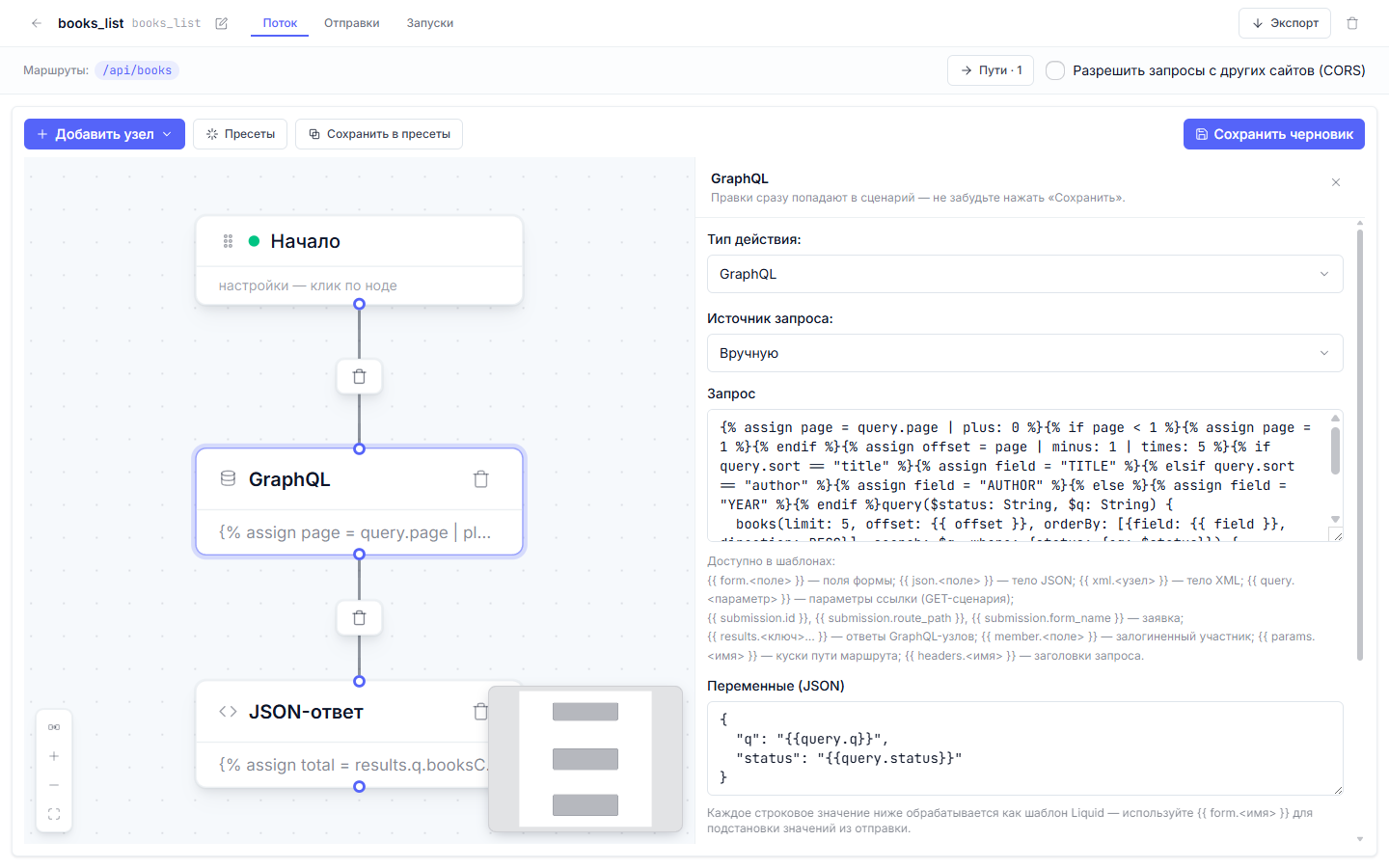
A bit of history: the screenshot below shows an {% if %}/{% elsif %} chain with assign in the graphql node’s text — that is how the demo branch was built. Since v1.4.16 Liquid in the query text is removed from the engine, and such a node fails validation; the text stays static, and sorting travels in variables.
Step 5. Errors the interface can show
POST /api/books/add gets its own gate conditions. The first two demand a non-empty title and author:
{
  "id": "c_title",
  "type": "condition",
  "data": {
    "predicate": {
      "combinator": "and",
      "clauses": [
        { "field": "json.title", "operator": "matches", "value": "\\S" }
      ]
    }
  }
}
The \S regular expression requires at least one non-whitespace character, so both an empty field and a string of spaces fall into the else branch. The next gate checks the year when one arrives: the gt and lt operators compare numerically, and the 1800–2100 range weeds out typos along with fantastical publication years. Every rejection answers with status 400, the field name, and a message:
{
  "id": "a_err_year",
  "type": "action",
  "data": {
    "action_type": "respond_json",
    "config": {
      "status": 400,
      "body_template": "{\"error\": \"VALIDATION\", \"field\": \"year\", \"message\": \"The year must be a number between 1800 and 2100\"}"
    }
  }
}
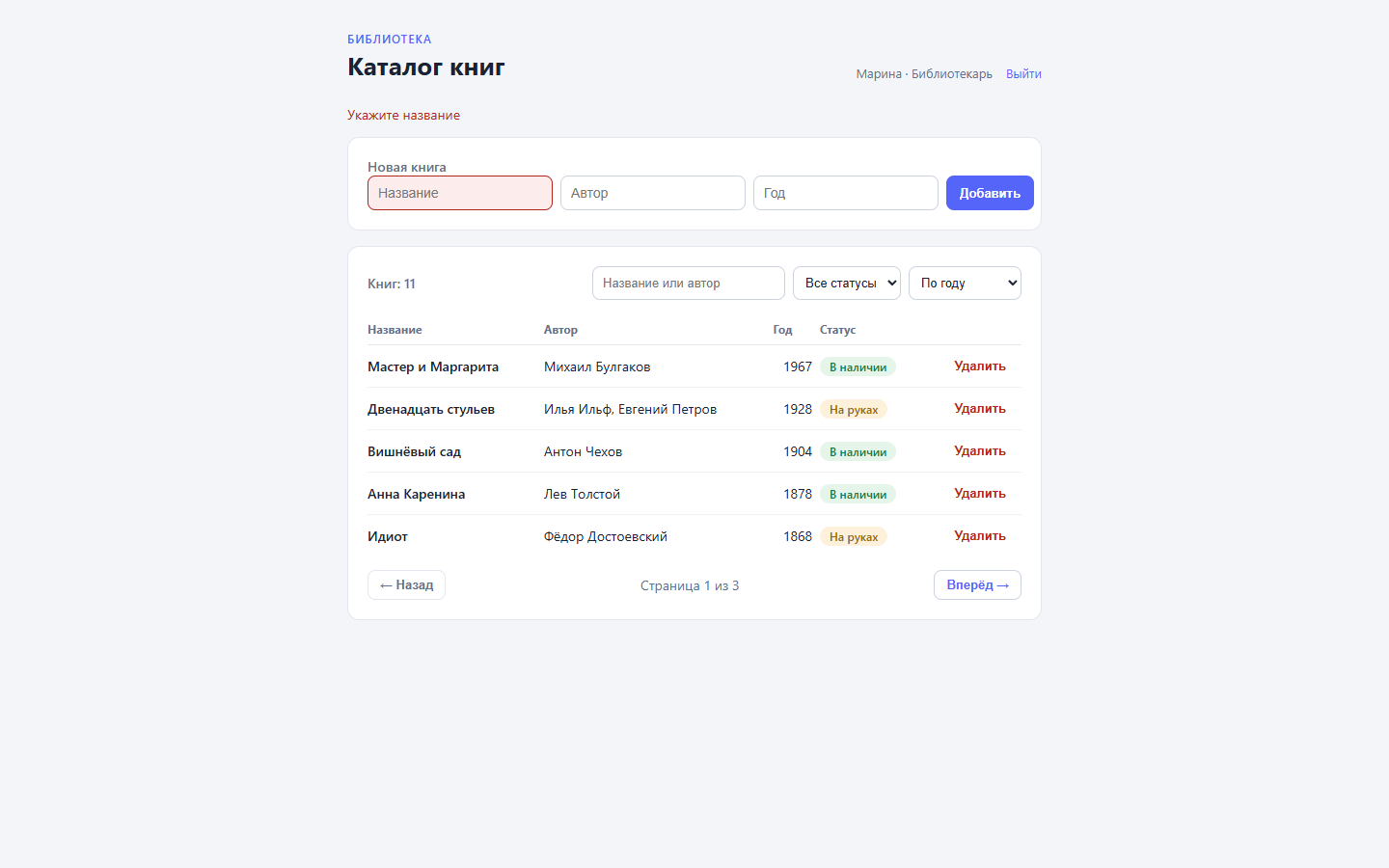
The interface, for its part, is freed from guessing: the required attributes are gone, the form submits whatever it holds, and the flow returns the specifics. The app reads field and message from the response and highlights the offending input:
if (!res.ok) {
  const data = await res.json().catch(() => null);
  if (res.status === 400 && data?.field) {
    invalidField.value = data.field;
    serverMessage.value = data.message ?? "Check the form fields.";
  }
  return;
}
The validation contract lives on the server, in one place — the flow. A web UI, a mobile client, or a Telegram bot all get the same messages without anyone duplicating the checks.
Step 6. Debugging before and after publishing
A flow with branches deserves a check before publishing — the same flowctl dryrun from the first articles. Put a mock of the graphql node’s result into the context so the respond node assembles the envelope from real numbers:
{
  "method": "GET",
  "graphqlResults": {
    "q": { "books": [{ "title": "We", "year": 1920 }], "booksCount": 8 }
  }
}
The report shows both nodes green and the assembled response:
directives (1):
  - {"body": "{\"items\": [{...}], \"total\": 8, \"pages\": 2}", "status": 200}
A dry run never executes GraphQL; the mock stands in for the query. The syntax of the generated query only surfaces on a live run, which is what the runs journal is for.
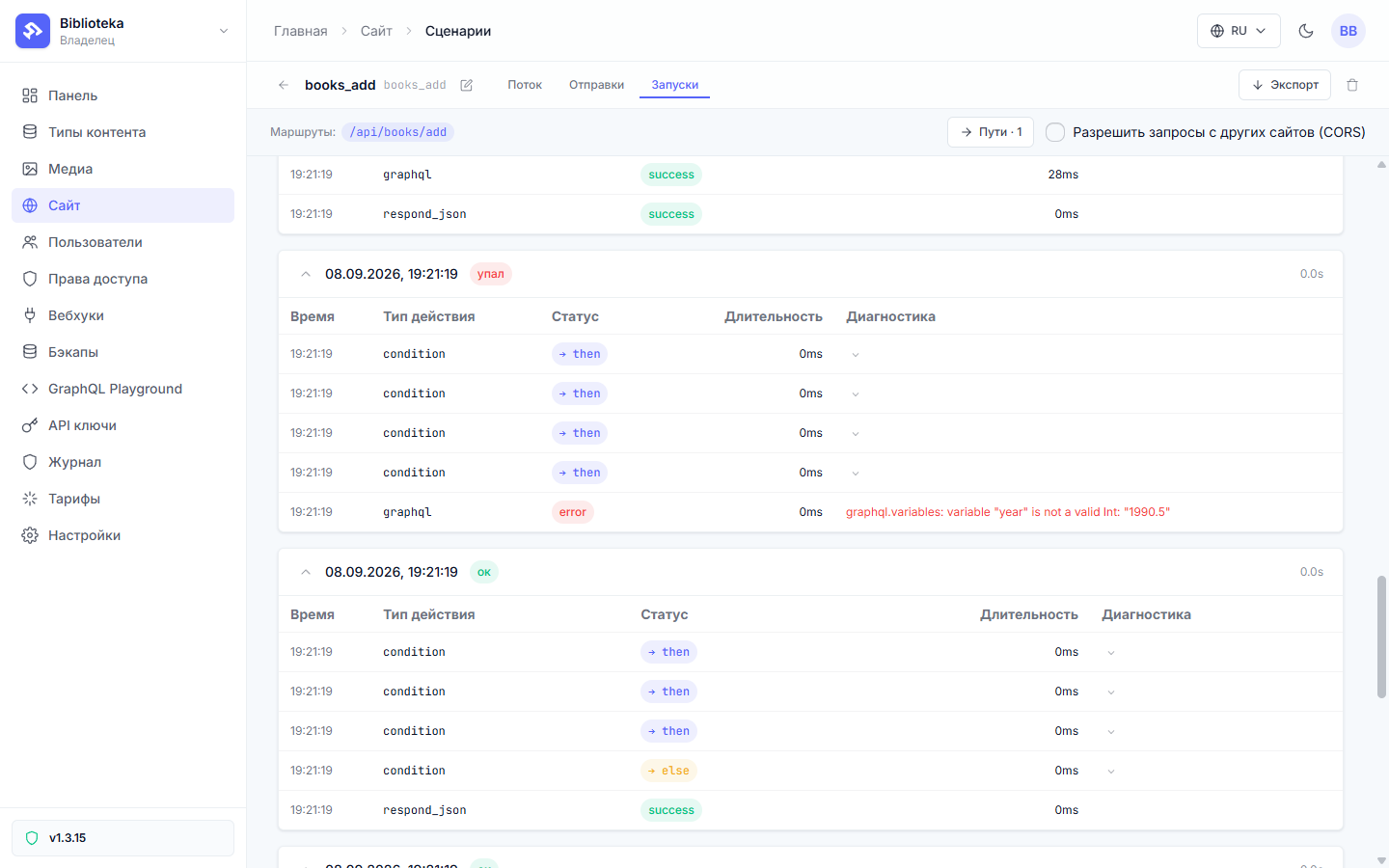
The journal lives on the “Runs” tab (or in flowctl runs <slug>) and keeps every execution: which conditions took which branch, where a node failed. Here is a story from debugging the demo: someone submitted 1990.5 as the year. The range conditions let it through — the fractional number sits within bounds. The next node fell over:
node                   type              runs  errors      avg  last
a_create               graphql              2       1      14ms  ✗

last error per failing node:
  a_create: graphql.variables: variable "year" is not a valid Int: "1990.5"
The trick is that the client saw success — 201 and {"ok": true, "id": ...}. When a flow dies without reaching a respond node, the platform answers with the standard form-submission echo, and the book never appears in the catalog. The mismatch between the response and the data surfaced in the journal: a red node with the error text. The cure is one clause on the year condition:
{ "field": "json.year", "operator": "matches", "value": "^\\d{4}$" }
What stayed off-screen
The delete route is unchanged since the second article: the role gate and its respond_json 403 run on the same conditions, and request validation slots into it following step five. Throughput limits live outside the flow as well: request rate is a project-level setting derived from the plan, with no per-route knob.
Next in the series: files and media — giving the catalog covers without blowing through the storage quota. Every .dynflow.json from this article sits in the step-6-api branch and applies with flowctl apply flows/books_list.dynflow.json --publish.
All posts